

Last Updated on June 2, 2026 by Luis Cooper
Telling the time is something most people never think about.
You glance at your wrist, your eyes read the numbers on the hands, and you know.
The entire process takes under a second.
For someone who is blind or has significant vision loss, that same task requires a completely different solution.
The watch on the wrist needs to either announce the time when asked, allow the time to be read via touch, or read its entire interface aloud through a screen reader that makes a full-featured smartwatch accessible to users without vision.
This article covers both categories.
The first is mainstream smartwatches from Apple and Google that include dedicated accessibility features for blind and visually impaired users, specifically VoiceOver on Apple Watch and TalkBack on Google Pixel Watch.
Understanding which category is appropriate depends on the level of vision loss and the user’s technical comfort.
A blind person comfortable with smartphones who already uses a screen reader on their phone is likely to find a mainstream smartwatch with accessibility features more capable and useful.
A blind person who wants a reliable, simple device that announces the time without any setup, learning curve, or smartphone pairing is better served by a dedicated talking watch.
Which are the Best smartwatches for the Visually Impaired?
Here are my recommended top 8 Best smartwatches for the Visually Impaired:-
![Apple Watch SE 3 [GPS 40mm] Smartwatch with Starlight Aluminum Case with Starlight Sport Band - S/M. Fitness and Sleep Trackers, Heart Rate Monitor, Always-On Display, Water Resistant](https://m.media-amazon.com/images/I/31YiTby0pOL._SL160_.jpg)


Apple Watch SE 3: (Best Smartwatch for Visually Impaired iPhone Users)

A rehabilitation specialist who works with newly blind adults described the Apple Watch SE 3 as the first piece of technology she recommended to almost every client who already used an iPhone.
She had been recommending it for two years. The specific reason was not the health features or the notification management.
It was VoiceOver.
She described watching a client who had lost her sight three months earlier navigate the watch face, check her messages, and answer a call entirely by touch and audio feedback within fifteen minutes of the first session.
She said that fifteen minutes was the most powerful demonstration of accessible technology she had seen in twenty years of rehabilitation work.
How VoiceOver Works on Apple Watch:
VoiceOver is Apple’s built-in screen reader, available on every iPhone and Apple Watch without any additional downloads or subscriptions.
When VoiceOver is turned on, the watch speaks aloud everything on the display.
Every notification, every menu item, every health stat, and every button is announced through the watch speaker when the screen is tapped.
To read the time, a blind user taps the watch face twice with two fingers.
The watch speaks the current time aloud.
To navigate notifications and apps, the user swipes left and right, and the watch announces each item before any interaction is required.
To activate an item, double-tap to confirm the selection.
The entire interface operates through a consistent touch-and-audio logic that blind iPhone users already know from their phone, making the learning curve significantly shorter than it would be for someone using a screen reader for the first time.
The Screen Curtain feature blanks out the watch display when VoiceOver is active, providing privacy.
When using VoiceOver in a public setting, the display shows nothing to bystanders, while the audio feedback is delivered through Bluetooth earbuds paired with the watch.
No one around the user can see what they are accessing.
The Taptic Engine delivers specific haptic patterns to the wrist for different types of notifications.
A phone call produces a different tap pattern from a text message, which produces a different pattern from a health alert.
Over time, blind users learn these patterns and can identify the type of notification before the audio feedback begins, allowing them to detect silent notifications in situations where audio is not appropriate.
Siri voice control works from the wrist by raising the wrist and speaking.
Blind users describe asking Siri to set alarms, send messages, make calls, check the weather, and perform all the tasks that would otherwise require visually navigating menus.
Who Should Not Buy This
Android users cannot pair any Apple Watch.
If you use an Android phone, the Google Pixel Watch 4 is next on this list and offers TalkBack accessibility.
If the user is not comfortable with smartphones and specifically wants a simple device that announces the time with a single button press without any setup, the dedicated talking watches later on this list are more appropriate.
Specifications:
| Feature | Details |
|---|---|
| ASIN | B0FQFNRH72 |
| Accessibility | VoiceOver screen reader, Screen Curtain, Taptic Engine |
| Voice Control | Siri |
| Display | Retina LTPO2 |
| Case Sizes | 40mm and 44mm |
| Battery | Up to 18 hours |
| Water Resistance | 50m |
| Compatibility | iPhone only |
Google Pixel Watch 4: (Best Smartwatch for Visually Impaired Android Users)

A low vision specialist at a vision rehabilitation centre described using the Google Pixel Watch 4 with TalkBack during demonstration sessions with clients who used Android phones.
She described the moment a client with severe macular degeneration, who had been struggling with a standard watch for two years, put on the Pixel Watch 4 for the first time, tapped the screen, and heard the time announced clearly through the speaker.
She said the client’s expression was not surprised.
It was relief.
TalkBack on Google Pixel Watch:
TalkBack is Google’s built-in accessibility screen reader, the same system that Android phone users with visual impairments rely on.
On the Pixel Watch 4, TalkBack provides audio feedback for every element on the watch screen.
When TalkBack is enabled, tapping any item on the display reads it aloud.
Swiping navigates between items with each item announced in turn.
A double-tap confirms a selection.
Google Guide Dogs UK specifically describes Pixel Watch as one of the smartwatch options that provide meaningful accessibility for people with sight loss, noting its TalkBack compatibility and its use of Android’s accessibility framework.
Blind users who already navigate an Android phone with TalkBack describe the learning curve on the Pixel Watch as significantly shorter than starting from scratch because the core gesture logic is the same.
The Actua 360 display at 3000 nits is the brightest on any Pixel Watch, which, for users with low vision rather than total blindness, provides maximum screen legibility in outdoor daylight before accessibility features are needed.
For users at the boundary of needing screen reader support, a brighter display extends the period of comfortable independent reading.
Gemini AI integration allows natural language voice queries from the wrist.
A visually impaired user who wants to know their next appointment, the weather, or which messages have arrived can ask the watch in natural language and receive a spoken response.
Google Pay and contactless payment from the wrist reduce the need to navigate a phone screen or physical card in payment situations, which Guide Dogs UK specifically notes as a practical advantage for people with sight loss who find phone navigation in payment contexts challenging.
Who Should Not Buy This
iPhone users cannot pair the Pixel Watch 4.
The Apple Watch SE 3 above covers iPhone accessibility.
Full TalkBack functionality and Gemini AI work best on Google Pixel phones, with reduced but still functional performance on other Android phones.
Specifications:
| Feature | Details |
|---|---|
| ASIN | B0FJWQP6LX |
| Accessibility | TalkBack screen reader |
| Voice Control | Google Assistant, Gemini AI |
| Display | AMOLED Actua 360, 3000 nits |
| Battery | 30 hours (41mm), 40 hours (45mm) |
| Contactless Payment | Google Pay |
| Compatibility | Android, best on Google Pixel |
Five Senses: (Best Overall Dedicated Talking Watch)

A daughter who bought the Five Senses Atomic 1095 for her father after his glaucoma reached the point where he could no longer read any watch face described the outcome more simply than most product reviews manage.
She said he asked her what time it was twice in the week before she bought it, and then stopped asking because he could find out for himself.
She described that shift in his independence as the entire point.
What Atomic Time-Setting Provides:
The Five Senses 1095 receives radio signals from the atomic clock transmitter network covering the United States and sets itself automatically, including adjustment for daylight saving time.
This means the watch never needs to be manually set.
For a blind or visually impaired user who cannot see the crown or the display to adjust the time, or for an elderly user with diminished manual dexterity, the self-setting capability removes the most common practical barrier to accurate timekeeping.
Pressing the large button on the side activates the voice.
The watch announces the time in a clear male English voice at a volume that multiple reviewers who are hard of hearing, as well as visually impaired, describe as genuinely loud, rather than the low-volume announcement that cheaper alternatives produce.
The watch also announces the day, date, month, and year when requested, and an hourly chime can be enabled that announces the time at the top of each hour without any button press.
The alarm function speaks the alarm time rather than displaying it, and a loud audible alarm tone confirms the alarm has activated at the correct time.
For blind users managing medication schedules and appointments, the speaking alarm removes the uncertainty of whether the alarm was correctly set.
Who Should Not Buy This
The Five Senses 1095 does not connect to a smartphone or provide health tracking, notifications, or any smartwatch functionality.
It is a purpose-built talking watch for people who want a reliable time announcement without any setup complexity.
If smartphone connectivity and health monitoring are important alongside the talking function, the Apple Watch SE 3 or Pixel Watch 4 above cover those needs.
Specifications:
| Feature | Details |
|---|---|
| ASIN | B01D9ROI7G |
| Time Setting | Atomic self-setting, automatic daylight saving |
| Voice | Clear male English voice |
| Functions | Time, day, date, month, year, alarm |
| Hourly Chime | Optional |
| Button | Large single button activation |
| Smartphone Required | No |
Hearkent: (Best Talking Watch with Large Number Display)

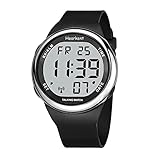
A caregiver for an elderly woman with macular degeneration described choosing the Hearken T atomic digital specifically because of the large-number display alongside the voice announcement.
The woman she cared for had residual vision that allowed her to see very large, high-contrast objects but not normal watch faces.
The Hearken’s jumbo LCD digits, with their high contrast, provided a visual reference during the daytime, and the voice announcement covered periods when the display was too dim to read.
She described it as the first watch that worked for both abilities simultaneously without requiring any compromise.
Large Numbers and Voice Together:
The Hearkent atomic digital display shows the time in large LCD numbers that are readable by users with low vision who retain some functional sight.
For someone who is not totally blind but whose remaining vision is insufficient for standard watch displays, a large-number watch face provides visual confirmation alongside the audio announcement, covering different lighting conditions and times of day when the display is more or less readable.
The atomic self-setting operates on the same principle as the Five Senses 1095, receiving the US radio signal and automatically correcting time, including daylight saving time.
The male English voice clearly announces the time, date, and day of the week.
The stretch band accommodates a wide range of wrist sizes without requiring manual adjustment.
The Hearkent brand dedicates its product line specifically to elderly and visually impaired users, as reflected in the design decisions throughout.
The absence of small buttons that require precise vision or fine motor control, the large display, and the loud announcement all reflect an understanding of the target user’s actual daily needs rather than accessibility features added to a standard product.
Who Should Not Buy This:
If the user has total blindness with no residual vision, the large display provides no additional benefit and the Five Senses 1095 or the Smart App Watch later on this list may provide a better feature match.
If a female voice announcement is preferred, Hearkent has a separate model with a female voice that should be searched alongside this listing.
Specifications:
| Feature | Details |
|---|---|
| ASIN | B0CMC6F1CL |
| Display | Large LCD digits, high contrast |
| Voice | Clear male English, atomic self-setting |
| Functions | Time, date, day, alarm, hourly signal |
| Band | Stretch, fits multiple wrist sizes |
| Smartphone Required | No |
Cirbic: (Best Budget Talking Watch for the Blind)

Clear English Voice at an Accessible Price:
The Cirbic talking watch uses a large, clear English voice to announce the time, date, and day when the button is pressed.
The case is available in black with the expandable stretch band that fits a wide range of wrist sizes.
The expandable band is the practical design decision that distinguishes the Cirbic from standard-buckle alternatives for elderly users with limited manual dexterity.
An expandable stretch band can be pulled on and off the wrist without any clasp operation, which, for users whose hands are affected by arthritis or tremor alongside their vision impairment, removes a daily dressing task that standard watch straps make unnecessarily difficult.
Multiple reviewers who purchased the Cirbic specifically for blind parents and grandparents describe the recipient operating it independently from the first day without any instruction beyond being shown the single button.
That immediate independence is consistently the outcome that families describe most positively.
Who Should Not Buy This:
If atomic self-setting is important so the watch never needs manual time adjustment, the Five Senses 1095 and Hearkent models above provide that, whereas the Cirbic requires manual setting by a sighted helper initially.
If a larger display for low-vision use is required alongside the voice, the Hearkent large-digit model better serves that need.
Specifications:
| Feature | Details |
|---|---|
| ASIN | B07SCKXJVZ |
| Voice | Clear English voice |
| Functions | Time, date, day announcement |
| Band | Expandable stretch |
| Button | Large single button |
| Case | Black |
| Smartphone Required | No |
Five Senses: (Best App-Controlled Talking Watch)

A blind woman who described herself as technically comfortable with her iPhone described the Five Senses Smart Atomic as the talking watch she recommended to other blind users who had smartphones because it bridged the gap between a dedicated talking watch and a smartwatch in the most important way.
She had been able to set her medication reminders, configure her alarm messages, and adjust settings entirely through the companion app using VoiceOver on her iPhone.
She described the specific quality of being able to set up and customise her watch independently, without needing sighted assistance to navigate small buttons on the watch itself, as restoring a level of autonomy that she valued highly.
App Control With VoiceOver Compatibility:
The Five Senses Smart Atomic is described by its manufacturer as the world’s first atomic talking watch with smartphone app control.
The companion app is compatible with VoiceOver on iPhone, which means blind users can navigate the app settings using their existing iPhone screen reader without any sighted assistance for watch configuration.
This is a specific technical distinction from standard talking watches, where any adjustment requires either pressing small physical buttons that may be difficult to locate or asking a sighted helper to make changes.
Through the app, users configure preset voice reminders in addition to the standard time announcement.
The watch can be set to say specific messages at specific times, such as a reminder to take medication at a particular hour.
These voice reminders play from the watch speaker independently of the phone after configuration, meaning the phone does not need to be nearby for the reminder to work.
The crown-free case design is a deliberate accessibility choice.
Traditional watch crowns require locating a small protruding piece and rotating it with precision, which is a tactile challenge for blind users and, for users with dementia, poses a risk of accidentally changing the time.
Removing the crown prevents inadvertent changes while the app handles all configuration through a screen-reader-compatible interface.
Who Should Not Buy This
If the user does not use a smartphone at all, the app-controlled features cannot be accessed, and the standard Five Senses 1095 provides the core talking watch function without requiring a phone.
If the user uses Android rather than iPhone, confirm VoiceOver app compatibility with TalkBack before purchasing, as the listed compatibility is primarily for iPhone VoiceOver users.
Specifications:
| Feature | Details |
|---|---|
| ASIN | B0BDKVF834 |
| Time Setting | Atomic self-setting |
| App Control | Yes, VoiceOver compatible |
| Voice Reminders | Customisable through app |
| Crown | Crown-free design |
| Functions | Time, alarm, medication reminders, custom messages |
Hearkent Digital Talking Watch: (Best Gift for a Visually Impaired Person)

A granddaughter who described spending three weeks finding a birthday gift for her grandmother, who had lost most of her vision to diabetic retinopathy, described the Hearkent digital blue as the watch that finally felt like a proper gift rather than a medical device.
She had been reluctant to buy something that looked institutional.
The blue dial with its silver-tone case looked like a watch someone would choose to wear rather than a watch someone was given because they had no other option.
She described her grandmother’s response to the colour as the detail that mattered most: it was a gift she could feel proud to wear rather than be self-conscious about.
Why Appearance Matters for Accessibility Products:
Every other consideration in this article is about function.
This one is about dignity.
Accessibility products have historically been designed around utility at the expense of appearance, producing devices that do their job while communicating disability rather than personal style.
The Hearkent digital blue makes a different choice.
The blue dial against a silver tone case looks like a consumer watch from the front without advertising its talking function to anyone who sees it on the wrist.
The LCD digits are large, and the English voice announces the time clearly when the button is pressed.
The atomic self-setting keeps the watch accurate.
The stretch band fits comfortably.
All the functional requirements are met.
But the design presents them in a form that looks chosen rather than prescribed, which, for people managing a new diagnosis of vision loss who are adjusting to a changed relationship with assistive technology, is a genuinely meaningful difference.
The American Foundation for the Blind provides comprehensive resources on assistive technology for people with vision loss, including guidance on evaluating accessible devices at afb.org.
For a broader look at how voice-accessible smartwatches fit within the accessibility technology landscape alongside other health and fitness tracking options, the comparison at best-smartwatches-for-monitoring-stress covers how mainstream smartwatches handle health monitoring for daily wellness needs.
Specifications:
| Feature | Details |
|---|---|
| ASIN | B09HH7CP1L |
| Display | LCD big numbers, blue dial |
| Voice | Clear English |
| Functions | Time, date, alarm, hourly chime |
| Band | Stretch |
| Appearance | Blue and silver tone |
FAQs:
What is the difference between VoiceOver, TalkBack, and a talking watch?
VoiceOver and TalkBack are screen readers built into Apple and Android devices respectively. On an Apple Watch, VoiceOver reads the entire smartwatch interface aloud, including notifications, apps, health data, and settings, allowing a fully blind user to access everything the watch does through audio feedback and touch gestures. On Google Pixel Watch, TalkBack provides the same function on Android. Both require some technical familiarity with smartphone screen readers and work within a full smartwatch platform. A dedicated talking watch is a much simpler device. It has one function, which is to announce the time, date, and alarm when the button is pressed. There are no apps, no health tracking, no notifications, and no interface to navigate. The entire interaction is pressing a button and hearing the time. For blind users who are comfortable with screen readers on their smartphones, a mainstream smartwatch with VoiceOver or TalkBack provides significantly more capability. For blind users who want a reliable simple device without any setup or learning curve, a dedicated talking watch provides that specific function immediately.
Which is better for a newly blind person: a smartwatch or a talking watch?
The answer depends on the person’s technical comfort level and smartphone use. Someone who was using a smartphone before losing their vision and is willing to learn their phone’s screen reader is likely to find a mainstream smartwatch with VoiceOver or TalkBack a natural extension of that existing skill. The smartwatch provides time, health data, notifications, and communication alongside the time-telling function. Someone who did not previously use a smartphone, or who finds screen reader technology overwhelming during an already challenging adjustment to vision loss, is better served by a dedicated talking watch that requires no learning. The dedicated talking watch does one thing reliably from the moment it arrives on the wrist. Vision rehabilitation specialists typically recommend starting with whichever option the person is more likely to use consistently, since an accessible device that is used is always better than a more capable one that is not.
What should I look for when buying a talking watch for a blind person?
The four features most consistently identified by blind users and their caregivers as important are voice clarity, button size and location, atomic self-setting, and battery life. Voice clarity matters because a muffled or unclear announcement creates uncertainty about the time rather than resolving it. Button size and location matters because the user needs to find the button by touch and press it reliably without visual guidance. Atomic self-setting matters because any watch that needs manual time adjustment creates a dependency on sighted assistance every time there is a daylight saving change or battery replacement. Battery life matters because a watch that runs out of power without the user noticing leaves them without their primary timekeeping tool. Every talking watch on this list meets all four criteria, which is why they were selected from among the much larger number of talking watch options available on Amazon.
Ending Paragraph:
We have finalized our discussion about the best smartwatches for the visually impaired.
Do you guys have experience with the best smartwatches for the visually impaired?
What are your thoughts on them?
Are there any smartwatches you love to give that I didn’t mention in this article?
Would you please leave your comments below?
Related Posts:
Best Amazfit Watches (2026): For Women, iPhone Users & Long Battery Life
Best Watches to Track Calories Burned
Best Smartwatches for Small Wrists
Luis Cooper

Hi, I'm Luis, the guy behind this site. I love wearing watches, especially ones that look great on small wrists (mine are about 6.3" around). The Watches Geek is dedicated to helping you learn about and buy watches that you will love wearing. I want this website to be the last destination for people to pick the best watches to fit their needs. You can find our unbiased reviews here on Thewatchesgeek.