Last Updated on April 8, 2026 by Luis Cooper
There is a moment every smartwatch buyer goes through.
You have had the watch for about two weeks.
The novelty has worn off.
And you start noticing the things that actually bother you in real life, not the things that looked impressive in the spec sheet.
Maybe the battery dies before dinner.
Maybe the app you use every day runs terribly on the watch.
Maybe it just feels bulky and weird on your wrist, and you keep taking it off.
I have been through that moment more times than I would like to admit.
And what I have learned from testing multiple Wear OS watches over the past couple of years is that the gap between how a watch reads on paper and how it actually behaves on your wrist is wider than most reviews will tell you.
This guide is different.
I am not going to list specs and call it a day.
I am going to tell you what these watches are actually like to live with, who each one genuinely suits, and, more importantly, who should stay far away from each one.
Wear OS has come a long way.
With Wear OS 6 now running on the latest Samsung and Google watches, the platform finally feels like it belongs in the same conversation as the Apple Watch.
Gemini AI is on your wrist.
GPS is faster and more accurate. Apps open without the lag that used to make Wear OS feel sluggish.
But not every watch has caught up equally, and that matters when you are deciding where to put your money.
Let us get into it.
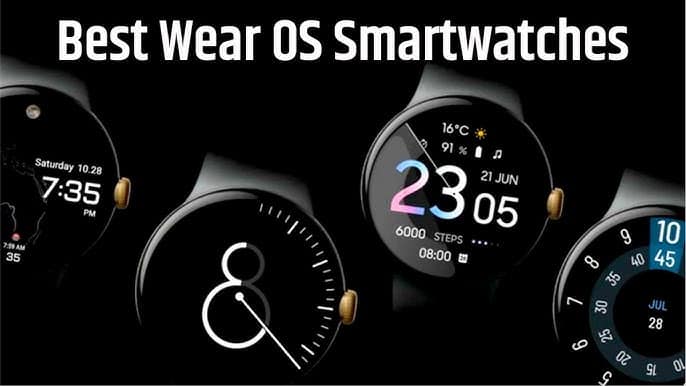
Which is the Best Wear OS Watch?
Here are my top Best Android Smartwatches in 2026:-
![Samsung Galaxy Watch 8 40mm Bluetooth Smartwatch, Cushion Design, Quick Button, Sleep Coaching, Now Bar, Running Coach, Energy Score, Silver [US Version, Amazon Exclusive 2Yr Warranty]](https://m.media-amazon.com/images/I/31LaWf6wVqL._SL160_.jpg)

![Samsung Galaxy Watch Ultra (2025), Titanium Silver, 47mm LTE Smartwatch | Titanium Casing, Advanced Sleep Coaching, Running Coach, Energy Score, Heart Rate Tracking, GPS [US Version, 2 Yr Warranty]](https://m.media-amazon.com/images/I/51tqxcqQXyL._SL160_.jpg)
![Samsung Galaxy Watch 7 44mm Bluetooth AI Smartwatch w/Energy Score, Wellness Tips, Heart Rate Tracking, Sleep Monitor, Fitness Tracker, 2024, Green [US Version, 1Yr Manufacturer Warranty]](https://m.media-amazon.com/images/I/41QxsjHdBbL._SL160_.jpg)
![Samsung Galaxy Watch Ultra (2024) 47mm LTE AI Smartwatch w/Energy Score, Wellness Tips, Heart Rate Tracking, Sleep Monitor, Fitness Tracker, GPS, Titanium Gray [US Version, 1Yr Manufacturer Warranty]](https://m.media-amazon.com/images/I/51LEqBkFViL._SL160_.jpg)
1. Samsung Galaxy Watch 8: (Best Wear OS Watch for Most People)
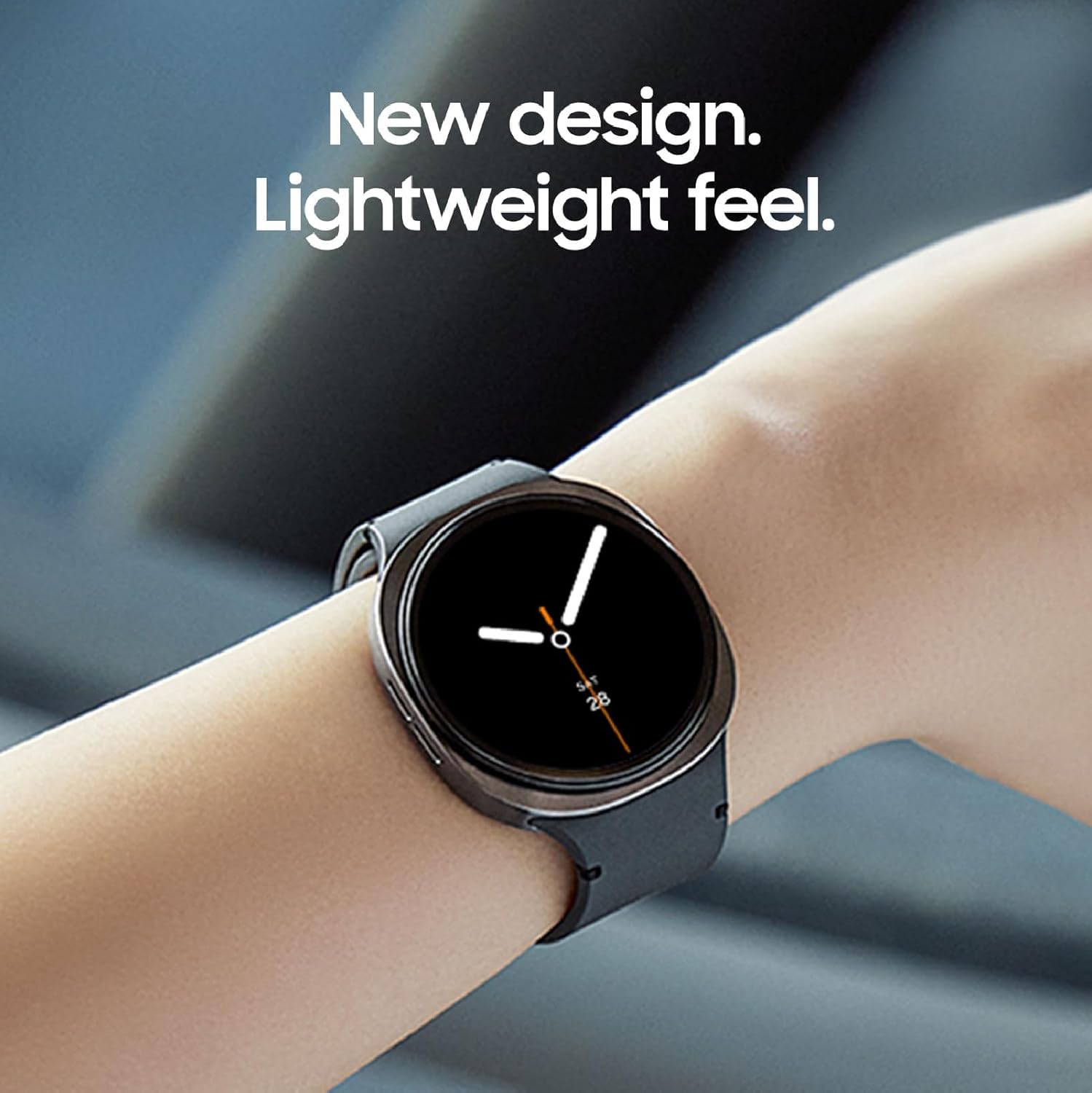
The first thing you notice when you put on the Galaxy Watch 8 is how thin it feels.
At 8.6mm, it sits flatter against your wrist than any previous Samsung watch.
After a few hours, you stop noticing it is there.
That might sound like a small thing, but if you have ever worn a bulkier smartwatch through a full day of work and found yourself taking it off by 3pm just to get some relief, you will understand why this matters.
I wore the Watch 8 for three weeks of daily use.
Gym sessions in the morning, desk work through the day, evening walks, and sleep tracking overnight.
The cushioning design, which Samsung borrowed from the Ultra lineup, wraps around the wrist without digging in at the edges during workouts.
During a 45-minute strength session, I barely registered it was there.
The display is the other thing that immediately stands out. Samsung rates it at 3,000 nits.
On a bright afternoon outside, I was reading workout stats mid-run without shielding the screen with my hand.
On older smartwatches I have tested, that mid-run glance often required stopping to actually see what the screen was showing.
On the Watch 8, it was a non-issue from day one.
What It Is Actually Like to Use Every Day:
The Energy Score is one of those features I expected to ignore and ended up checking every morning.
It combines sleep quality, HRV data, and your activity from the previous day into a single number that shows how ready your body is.
On the days it came in low, it was usually right.
There was one morning when I had slept less than five hours, felt fine mentally, and the watch told me to take it easy.
I pushed through a hard session anyway.
By afternoon, I was exhausted and had a headache.
The watch knew before I did.
Gemini AI is genuinely useful in specific situations, not all situations.
Asking it to start a workout hands-free while your hands are chalk-covered at the gym works well.
Asking it for directions to a nearby place and having it pull up Google Maps on your wrist is cool the first time and practical every time after.
What I rarely used it for was anything complex.
The voice recognition is accurate, but the watch screen is small enough that longer AI-generated responses are not comfortable to read.
Think of it as a voice shortcut tool, not a full AI assistant.
The Body Composition feature surprised me.
Two fingers on the side sensors, thirty seconds, and you get skeletal muscle mass, fat mass, and body water percentage.
This is not medical-grade accuracy.
But as a weekly check-in reference point, it gives you a consistent number to track over time.
After three weeks of regular gym sessions, the muscle mass number was trending upward in a way that felt believable and motivating.
Where It Falls Short:
Battery life is the Watch 8’s most honest limitation.
Samsung says 40 hours.
In real use with always-on display off, GPS tracking for one workout per day, and continuous heart rate monitoring, I was consistently getting around 30 to 34 hours.
That means daily charging is non-negotiable.
If you want to track sleep and still have battery for the next day, you need to build a charging window into your morning routine.
Thirty minutes during your shower and breakfast covers it, but it is a habit you have to build.
Another thing worth noting is that several Galaxy AI features, including Running Coach and Bedtime Guidance, are tied to Samsung Galaxy phones.
I tested the Watch 8 with a non-Samsung Android device, and those features either did not appear or ran in a stripped-down form.
The core Wear OS experience worked fine, but if you are buying this watch specifically for the AI health features and you do not have a Samsung phone, you will not get the full picture.
Who This Watch Is Really For:
Picture someone who wakes up, checks their phone before getting out of bed, trains four or five days a week, relies heavily on notifications throughout the day, and wants a watch that handles everything without requiring much thought.
Someone who charges their watch every night the same way they charge their phone.
A Samsung Galaxy phone user who wants everything to talk to everything else.
That is the person this watch was built for.
Who Should Not Buy This:
If you use an iPhone, stop here.
This watch does not pair with iOS at all.
If you want three or four days of battery life without thinking about charging, this is not the watch for you.
If you are on a non-Samsung Android phone and you specifically want Running Coach, Bedtime Guidance, and the full Galaxy AI suite, you will be disappointed.
And if the squircle design bothers you, know that it does grow on you, but if you genuinely dislike it after seeing it in person, the Watch 8 Classic with its rotating bezel and round aesthetic might be a better fit.
Specifications:
| Feature | Details |
|---|---|
| Operating System | Wear OS 6 with One UI 8 Watch |
| Display | 1.34 inch AMOLED, 3,000 nits |
| Case Size | 40mm and 44mm |
| Thickness | 8.6mm |
| Weight | 30g (40mm) and 34g (44mm) |
| Battery Life | Up to 40 hours standard use |
| Water Resistance | IP68 and 5ATM |
| GPS | Dual-frequency multi-band |
| Processor | Exynos W1000 3nm |
| Storage | 32GB |
| Compatibility | Android phones |
| Software Updates | 4 major Wear OS updates confirmed |
2. Google Pixel Watch 4: (Best Wear OS Watch for the Google Ecosystem)

Some watches make a statement the moment you look at them.
The Pixel Watch 4 is one of those watches.
The Actua 360 domed display curves up from the case like a polished stone, and the first time you see it on someone’s wrist, you do a slight double-take.
It does not look like a fitness tracker.
It does not look like a mini computer strapped to your arm.
It looks like a piece of design that happens to run one of the most capable health platforms in the wearable market right now.
But looks alone do not earn a place on this list. What earns it is the complete package that Google has quietly been building toward since the first Pixel Watch landed in 2022.
With the Watch 4, they have finally delivered on most of that early promise.
I spent several weeks putting this watch through everything from morning runs to long workdays to weekend hikes.
Here is what that experience actually looked like.
The Display Takes an Adjustment Period:
The domed screen is genuinely unlike anything else available on a Wear OS watch right now.
The glass curves over the display, creating a subtle 3D effect when you swipe through menus.
Notifications feel layered.
Watch faces look deeper than flat displays.
Google calls this the Actua 360, and the marketing, for once, matches the reality.
The adjustment period is real, though.
For the first two or three days, the dome creates a slight fish-eye distortion that you notice with every swipe.
Then your brain adapts, and you stop seeing it.
By week two, going back to a flat display feels oddly boring.
Whether that sounds appealing or annoying to you probably tells you a lot about whether you will enjoy this watch.
At 3,000 nits of peak brightness, outdoor readability is genuinely excellent.
During a midday run in direct sun, checking pace and heart rate was effortless without shielding the screen.
Gemini Works Better Than You Expect in Specific Situations:
Many smartwatch AI features are mainly found in marketing decks.
Gemini on the Pixel Watch 4 is different in a few very practical ways.
The raise-to-talk gesture is the best implementation.
You lift your wrist and start talking, no wake phrase needed.
During a run when both hands were occupied, asking the watch to navigate to a coffee shop and having Google Maps appear on my wrist with turn-by-turn directions worked exactly as advertised.
That is genuinely useful in a way that justifies the technology.
What Gemini does less impressively is handle complex responses on the small screen.
If you ask it a question that requires a paragraph-long answer, reading that answer on a watch display is uncomfortable.
Treat it as a voice shortcut tool rather than a full conversational assistant, and it delivers.
One frustration worth flagging: if you switch between Google accounts on your phone, you need to re-authenticate Gemini on the watch.
This sounds minor until it happens mid-morning when you have toggled to a work account and suddenly your watch AI needs to be set up again.
GPS Accuracy: Very Good, With One Honest Caveat:
The Pixel Watch 4 added dual-frequency GPS, which is a significant hardware upgrade over previous generations.
In everyday testing across urban runs and park trails, the tracking was clean and reliable.
Route maps looked accurate. Distance numbers matched landmarks.
The caveat is that some users, myself included on a few occasions, have experienced GPS drift on roughly 1 in 10 runs.
The watch briefly wanders the route, sometimes placing you off trail or cutting corners you did not cut.
It corrects itself quickly, but the affected segment skews the total distance slightly.
Software updates have improved this since launch, and it happens rarely, but it’s worth knowing before you buy if GPS precision on every single run matters to you.
Treadmill tracking has a common issue across almost all optical-sensor smartwatches: it consistently underestimates distance compared to the treadmill’s own readout.
This is not a Pixel Watch 4-specific problem, but it is worth knowing if your training involves a lot of indoor running.
Battery Life:
Google quotes 30 hours for the 41mm model and 40 hours for the 45mm.
Real-world use with always-on display, continuous heart rate monitoring, and one GPS-tracked workout per day typically lands at around 36 hours for the 45mm.
That is closer to a day and a half, not two full days.
For the 41mm, expect 28-32 hours of battery life in normal use.
That means daily charging is effectively mandatory for most people on the smaller model.
The 45mm gives you enough buffer to charge every other night without too much anxiety about running out mid-morning.
The new charging dock is genuinely excellent.
The watch snaps in magnetically, stands upright while charging, and doubles as a bedside clock.
From a 20 percent battery to full takes roughly 40 minutes.
That is fast enough that a shower plus coffee charges the watch from low to ready without any waiting around.
One complaint: the dock has a built-in cable rather than a detachable one.
It is the third different proprietary charging system across four Pixel Watch generations.
If you travel often and forget the dock, you cannot use any other cable.
This is a small but recurring frustration that Google keeps failing to solve.
Satellite SOS: A Feature That Actually Matters:
The Pixel Watch 4 was the first smartwatch to ship with satellite emergency messaging.
On the LTE model, if you are out of cellular range and something goes wrong, the watch can guide you through aligning with a satellite and sending an emergency message.
The setup is intuitive, and it works.
This is not a gimmick.
If you spend time hiking, trail running, or cycling in areas with patchy coverage, having this capability on your wrist, rather than relying on a separate satellite communicator, is genuinely significant.
Combined with Loss of Pulse Detection, which alerts emergency contacts if the watch detects no heartbeat, the Pixel Watch 4 offers a safety feature set unmatched by any other Wear OS watch.
Fitbit Health Tracking:
The Pixel Watch 4 runs Fitbit’s health platform under the hood, and the data it collects is excellent. Sleep staging is among the most detailed available on any consumer smartwatch.
The Daily Readiness Score pulls together sleep quality, HRV, and recent activity into a morning number that is reliably correlated with how you actually feel.
The Fitbit app itself has improved significantly, but it still buries some of its best data in submenus.
Finding specific weekly trends sometimes requires more tapping than should be necessary.
The Fitbit Personal Health Coach launched alongside the Watch 4 and is genuinely promising, with personalized multi-week training plans built from an AI questionnaire about your goals.
This is where the platform is heading, and the direction is good.
Specifications:
| Feature | Details |
|---|---|
| Operating System | Wear OS 6 |
| Display | Actua 360 domed AMOLED, 3,000 nits |
| Case Sizes | 41mm and 45mm |
| Weight | 31g (41mm) and 37g (45mm) |
| Battery Life | 30 hours (41mm) and 40 hours (45mm) quoted |
| Charging | 20% to full in approximately 40 minutes |
| Water Resistance | 5ATM and IP68 |
| GPS | Dual-frequency GNSS |
| Processor | Snapdragon W5 Gen 2 |
| Storage | 32GB |
| Safety Features | Satellite SOS, Loss of Pulse Detection, Fall Detection |
| Compatibility | Android 11 and above |
| Software Updates | 3 major Wear OS updates confirmed |
3. Samsung Galaxy Watch Ultra: (Best Premium Wear OS Watch for Outdoor Use)
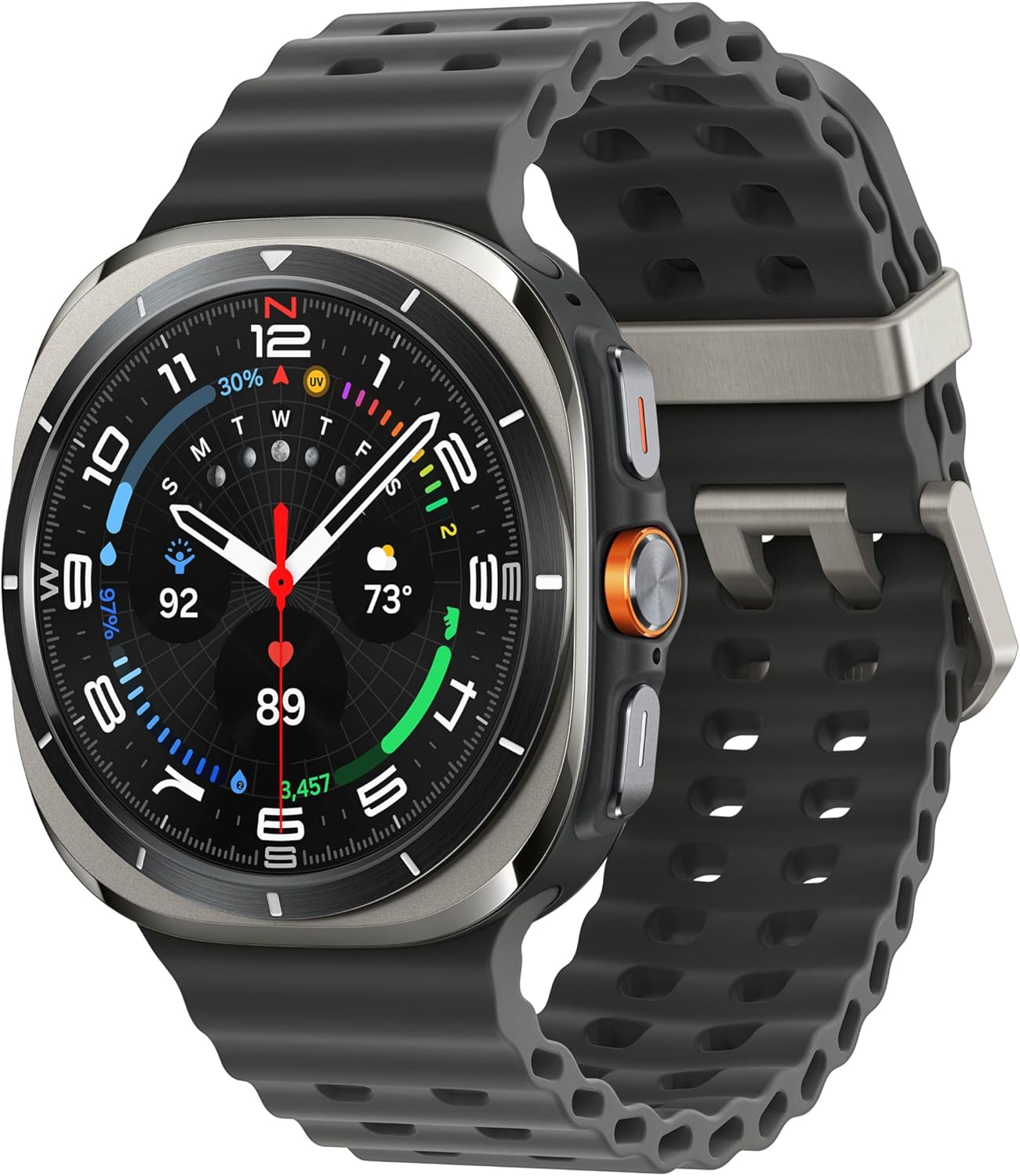
Most smartwatches make a quiet promise.
Wear me every day, they say, and I will track your health, count your steps, remind you of meetings.
The Galaxy Watch Ultra 2025 makes a different kind of promise. It says: take me somewhere difficult, and I will still be working when you get back.
I wore this watch for three weeks, including gym sessions, a weekend hike on uneven, rocky terrain, and daily office use.
The titanium case and sapphire crystal display came back without a single scratch or mark.
Picking up weights from a rack, reaching into bags, and bumping against door frames, none of it left a trace.
That kind of durability does not happen by accident.
The MIL-STD-810H certification covers temperature extremes, shock, vibration, and immersion. It is not marketing language.
It is the same standard used by military-grade field equipment.
The watch sits at 47mm with a 60-gram build, including the strap.
On smaller wrists, it will feel large from day one. On larger wrists, it balances well, and the weight distributes evenly enough that you stop noticing it within the first few hours.
What Actually Stands Out in Daily Use:
The Quick Button is one of those hardware features that sounds minor until you use it every day.
You assign a function to it, start a workout, activate the flashlight, trigger an SOS, and it responds instantly with a single press.
During a morning run when both hands are occupied, and you want to start tracking without unlocking the screen, it works exactly as intended every time.
The Emergency Siren is a feature I genuinely hoped I would never need to test in a real situation.
A long press on the Quick Button triggers a 100-decibel alarm audible up to 180 meters away.
It is there for trail runners, hikers, and anyone spending time in remote areas where a phone signal does not exist.
Whether you use it or not, knowing it is there changes how confidently you move in challenging environments.
The 3,000-nit AMOLED display stays readable in direct sunlight without any manual brightness adjustment.
During outdoor workouts, checking heart rate zones and pace mid-activity was effortless.
Battery life sits around 48 to 60 hours with heavy use, including sleep tracking, GPS-tracked workouts, and always-on display off.
With always-on display enabled, that drops closer to 40 hours.
It is comfortably two days for most users, which removes the daily charging anxiety that the Galaxy Watch 8 requires.
What the Galaxy Watch Ultra Does Better Than the Watch 8:
The titanium case and sapphire glass are the obvious answers, but the more meaningful difference is the battery.
Two days of real-world battery versus one day changes how you interact with the watch.
You stop thinking about charging as a daily habit.
You also get the Quick Button hardware shortcut and the Emergency Siren, neither of which exists on the standard Watch 8.
If you want to understand how the broader smartwatch ecosystem compares across different use cases, including calorie tracking, heart rate monitoring, and sleep data, the detailed comparison at best-watches-to-track-calories-burned covers how Samsung watches stack up against dedicated fitness trackers.
Who This Watch Is Really For:
Think of someone who spends weekends on trails or at the climbing gym and weekdays in an office.
Someone who has damaged or scratched a previous watch and is tired of treating it carefully.
Someone who wants two days of battery without thinking about it, and a watch that genuinely handles the physical demands of an active life without looking like a niche outdoor device.
That is exactly who the Galaxy Watch Ultra was designed for.
Who Should Not Buy This:
If you have smaller wrists, the 47mm case and 60-gram weight will feel disproportionate and uncomfortable.
If you are on a tight budget, the Galaxy Watch 8 delivers nearly the same software experience for significantly less.
If you do not have a Samsung Galaxy phone and want the full AI feature set, you will be disappointed by what the Ultra offers outside that ecosystem.
And if serious cycling with accurate power data matters to you, the limitations of heart rate sensors during intense rides are a real consideration.
Specifications:
| Feature | Details |
|---|---|
| Operating System | Wear OS 6 with One UI 8 Watch |
| Display | 1.5″ AMOLED, sapphire crystal, 3,000 nits |
| Case Size | 47mm |
| Case Material | Grade 4 titanium |
| Weight | 60.1g with strap |
| Battery Life | 48 to 60 hours real-world |
| Water Resistance | 10ATM and IP68 |
| Durability | MIL-STD-810H certified |
| GPS | Dual-frequency multi-band |
| Storage | 64GB |
| Quick Button | Customizable hardware shortcut |
| Emergency Siren | 100 decibels, audible at 180 meters |
| Compatibility | Android |
| Software Updates | 4 major Wear OS updates confirmed |
4. TicWatch Pro 5: (Best Budget Wear OS Watch With Multi-Day Battery)
Every category has a watch that makes you stop and reconsider how much you actually need to spend. In the Wear OS space, the TicWatch Pro 5 is that watch.
At a significantly lower price than Samsung and Google’s current flagships, it offers something neither of them does: a dual-layer display system that gives you multi-day battery life without sacrificing the full Wear OS experience.
That combination is genuinely rare, and it is the main reason this watch earns a spot on this list.
The concept behind the dual display is simple but effective.
There is a full 1.43-inch AMOLED for normal smartwatch use.
When you are not actively using the watch, a secondary low-power FSTN LCD takes over and shows the time, date, heart rate, steps, and battery level.
This secondary screen draws almost no power.
The result is that you get always-on time display throughout the day without draining the AMOLED battery.
In real-world use with notifications, daily heart rate monitoring, sleep tracking, and one GPS workout per day, most users last between 2.5 and 3 days before reaching for the charger.
What Daily Life With It Looks Like:
The Snapdragon W5+ Gen 1 processor keeps everyday interactions smooth.
Swiping through notifications, opening apps, starting a workout, it all responds quickly without the lag that affected older TicWatch generations.
The 32GB of storage is genuinely useful here, as it lets you load offline playlists from Spotify and leave your phone at home during runs.
The watch is large at 46mm and built with military-grade MIL-STD-810H certification.
It has been taken on hikes, through gym sessions, and into the rain without issue.
Sapphire crystal glass protects the display. After months of daily wear across multiple long-term reviews, scratch marks were minimal to none.
The raised bezel adds a layer of protection that absorbs glancing blows from door handles and gym equipment before they reach the screen.
Charging is fast enough to work around. From flat, the watch reaches 65 percent in 30 minutes.
If you wake up to a low battery, 15 minutes while you get ready in the morning buys you a full day of use.
The Honest Conversation About Software Support:
This is where the TicWatch Pro 5 requires the most transparency.
Mobvoi has historically been slower with Wear OS updates than Samsung or Google.
The watch launched on Wear OS 3 and has since moved to Wear OS 4. Whether it receives Wear OS 5 or 6 remains unconfirmed at the time of writing.
If you are buying a smartwatch expecting several years of guaranteed software updates, Samsung and Google offer more certainty.
Google Assistant and Gemini AI are not available on the TicWatch Pro 5 in the same way they are on Pixel or Galaxy watches.
Mobvoi’s own health apps work well for basic tracking but lack the polish and depth of Samsung Health or Fitbit.
If health analytics and AI coaching are priorities, this watch will feel limited in comparison.
Heart rate accuracy during intense high-intensity interval training can miss sudden spikes. For steady-state cardio and daily monitoring, it performs reliably.
For serious athletes tracking training zones and effort levels during explosive efforts, a dedicated sports watch or one of the premium Wear OS options serves better.
The difference in how smartwatches handle calorie-tracking accuracy across different workout intensities is explored in detail at best-smartwatch-for-calorie-counting, which covers what to realistically expect from wrist-based sensors.
Who This Watch Is Really For:
Think of someone switching to Wear OS for the first time who wants access to Google Pay, the Play Store, and proper notifications without paying flagship prices. Someone who works with a non-Samsung, non-Google Android phone and finds that the premium options from those brands feel like they were designed for users within those specific ecosystems. Someone who values multi-day battery and physical durability over bleeding-edge AI features. That person gets a lot of watch for the money here.
5. Galaxy Watch 7: (Best for Samsung Owners)

Features:
Performance:
Are you looking for a great way to make your journey memorable?
Challenge yourself on your next bike ride by tracking through Galaxy AI, which helps you compare your performance to the previous one.
As a smartwatch, the Samsung Galaxy 7 is excellent.
It monitors your body and, through Galaxy AI, notifies you whether you are ready for the day.
It detects your data based on the previous day’s performance.
Health Features:
Health-conscious folks will appreciate the extensive tracking it offers, including heart rate tracking and sleep monitoring with Galaxy AI, which uses body movement data for accurate readings.
While testing, I found that using sleep tracking helped me maintain better habits for restful nights.
It detects severe and moderate sleep, and your watch provides helpful activities.
It helps you stay on track to achieve your goal using wellness tips.
Your watch gathers deep insights, which are then analyzed by your mobile.
Connectivity:
One of the best features of the Samsung Galaxy Watch Seven is that it helped me stay connected with my friends while testing.
You can call and text from this device.
Your contacts and conversations remain with you on your smartwatch.
It helps you stay connected with your friends, analyses your texts through Galaxy AI, and offers simple suggestions on how to answer.
For fashion freaks, this is a big yes.
With a variety of bands and styles, you can enhance your look.
Now, it’s even easier to swap bracelets with a simple click.
Your look is accented with new advancements and watch faces.
Specs:
| Brand | Samsung |
| Model number of the product | N/A |
| Model name of the item | Samsung Galaxy Watch 7 |
| ASIN | B0D1YQ3MML |
| Batteries | 1 lithium-ion batteries required. |
| Dimensions of the product | 11.42 x 2.44 x 1.14 inches |
| Connectivity feature | Bluetooth |
| Weight of item | 6.3 ounces |
| Size | Standard |
| Size | 44mm |
6. SAMSUNG Galaxy Watch Ultra: (Best Health and Sleep Tracking)

Features:
Design:
Samsung calls this Galaxy Ultra its most challenging model, yet the best part is building aerospace-grade titanium.
It features a cushion design to protect the screen in extreme weather.
Also, it has a dynamic lug feature for enhanced comfort.
The watch has an AMOLED display protected by sapphire crystal glass.
The bright display provides full colour, and it’s plenty bright outside.
Moreover, it’s water-resistant, meaning it’s fully dust-protected and can operate in water for extended periods.
It includes a titanium-grade frame.
It also tracks fitness activities like swimming, cycling, and everything.
This watch is available in silver, grey, and white.
Health/Fitness Tracking:
The ultra watch offers impressive health and fitness features.
It’s the first FDA-approved device to monitor sleep.
To get sleep insights, you must wear this watch for 2 consecutive nights.
It has also introduced a racing feature that allows users to compare their previous runs in the same place and measure threshold zones.
It has a multi-sport chip for fitness freaks, enabling users to track multiple workouts.
Furthermore, I appreciate the cycling FTP feature, which measures power in just 4 minutes.
It uses AI metrics to unlock your goals based on advanced indicators.
The Galaxy Watch also provides an HR zone that tracks intensity levels based on physical activity.
We found it to be the most helpful for fitness-focused folks.
It has a quick button, controls workouts, and assigns functions to meet your goals.
For more safety, emergency sirens can be enabled.
Seven built-in sensors are all you need for fitness and health capabilities, including a BioActive sensor with a bio-signal sensor, an electrical heart signal, and impedance analysis.
The watch also has light sensors, a barometer, and temperature sensors.
Specs:
| Brand | Samsung |
| Model name of the product | Samsung Galaxy Watch Ultra |
| Size of the item | 47 mm |
| ASIN | B0D1YL96ND |
| Connectivity technology | Bluetooth, Cellular |
| Colour | Titanium gray |
| Special features | Touchscreen, Lightweight |
| Shape | round |
| Size of the band | standard |
| Style | LTE |
7. OnePlus Watch 3: (Best Battery Life on Any Wear OS Watch)

There is a very specific type of frustration that only smartwatch users understand.
You wake up, glance at your watch, and see 12% battery.
Now you have a choice: charge it during the day and have gaps in your health data, or push through and hope it survives until bedtime.
Neither option feels good.
The OnePlus Watch 3 eliminates that problem entirely.
I wore it for four consecutive days without charging.
Full smart mode, sleep tracking on, daily workouts logged, notifications pouring in throughout the day.
Day five, it was still at 22%. No other Wear OS watch comes close to this. The secret is the dual-engine setup.
Wear OS handles apps, Google services, and smart features when you need them.
A separate low-power RTOS chip takes over for basic functions, step counting, and heart rate monitoring when the main processor is idle.
The result is a watch that works like a full smartwatch without burning through battery the way full smartwatches usually do.
What Daily Life With It Actually Looks Like:
The rotating crown is one of those upgrades that sounds minor until you actually use it.
The previous OnePlus Watch had a button that pretended to be a crown.
This one actually rotates, with proper haptic feedback on each click.
Scrolling through notifications, adjusting workout settings mid-run, navigating menus with sweaty hands when the touchscreen becomes unreliable, all of this is handled cleanly with the crown in a way that touchscreen-only watches simply cannot match.
The 1.5-inch AMOLED display, rated at 2,200 nits, is large enough to read comfortably and bright enough for outdoor use.
The titanium bezel and sapphire crystal glass give it a build quality that genuinely feels premium on the wrist.
Health tracking took a meaningful step forward over the Watch 2.
Heart rate accuracy during workouts is reliable.
The 60-second health check, where pressing the sensor button measures heart rate, ECG readiness, blood oxygen, and mental wellness together, is a genuinely useful feature that takes the guesswork out of knowing how your body is doing before a hard session.
Where It Falls Short:
Only one size exists: 46.6mm.
If you have smaller wrists, this watch will look and feel oversized.
There is no LTE option, meaning the watch must stay connected to your phone for calls and full notification access.
And there is no menstrual cycle tracking, which rules it out for users who rely on that feature.
Wear OS 6 with full Gemini support has not arrived yet at the time of writing.
It is confirmed for 2026, but if you want Gemini on your wrist right now, the Galaxy Watch 8 or Pixel Watch 4 are ahead.
The vibration motor is the one hardware disappointment.
Notifications feel thin and weak compared to what Samsung and Google deliver.
You will miss alerts more often than you would on competing watches, which matters if you rely on the watch for important notifications throughout the day.
Who This Watch Is Really For:
Picture someone who has quietly returned two smartwatches in the past two years because the battery life made them more annoyed than helpful.
Someone who travels regularly and does not want to pack another charger.
Someone who trains hard and wants four to five days of data without gaps.
That person will find the OnePlus Watch 3 feels like the watch the rest of the market has been promising for years, but not quite delivering.
Specifications:
| Feature | Details |
|---|---|
| Operating System | Wear OS 5 (Wear OS 6 confirmed for 2026) |
| Display | 1.5″ AMOLED, 2,200 nits, sapphire crystal |
| Case Size | 46.6mm only |
| Battery Life | 4 to 5 days smart mode, 16 days power saving |
| Water Resistance | IP68 |
| GPS | Dual-frequency |
| Processor | Snapdragon W5 plus RTOS co-processor |
| Crown | Physical rotating with haptic feedback |
| Storage | 32GB |
| LTE | Not available |
| Compatibility | Android |
| Software Updates | Wear OS 5, 6, and 7 confirmed through 2027 |
Quick Comparison:
| Watch | Wear OS | Battery | Best For | Updates |
|---|---|---|---|---|
| Samsung Galaxy Watch 8 | 6 | 40 hours | Best overall, Samsung users | 4 confirmed |
| Google Pixel Watch 4 | 6 | 30 to 40 hours | Google ecosystem, safety | 3 confirmed |
| OnePlus Watch 3 | 5 (6 coming) | 4 to 5 days | Battery life first | 3 confirmed |
| Samsung Galaxy Watch Ultra 2025 | 6 | 48 to 60 hours | Outdoor, rugged use | 4 confirmed |
| TicWatch Pro 5 | 4 | 2.5 to 3 days | Budget Wear OS | Unconfirmed |
| Xiaomi Watch 5 | 6 | 4 to 6 days | Battery + Gemini AI | Unconfirmed |
Frequently Asked Questions:
Does Wear OS work with iPhone?
No. Every watch on this list requires an Android phone running Android 8.0 or later. Wear OS does not pair with iPhone in any meaningful way. If you use an iPhone, Apple Watch is the only smartwatch that fully integrates with iOS. There is no workaround for this.
What is the difference between Wear OS 5 and Wear OS 6?
Wear OS 6 brought the Material 3 Expressive design overhaul, which makes the interface feel significantly more polished and modern compared to Wear OS 5. Google also confirmed that Wear OS 6 delivers up to 10 percent better battery efficiency than Wear OS 5 on the same hardware through system-level optimizations. Gemini AI replaced Google Assistant as the primary voice interaction tool on Wear OS 6 watches, and dynamic color theming now adapts the interface to match your chosen watch face. Practically speaking, if you use a Galaxy Watch 8, Pixel Watch 4, or Xiaomi Watch 5, you are already on Wear OS 6. The OnePlus Watch 3 and TicWatch Pro 5 are behind on the update schedule.
Is Wear OS good for fitness tracking?
Yes, but with realistic expectations. Wear OS watches track heart rate, calories, sleep, steps, GPS routes, and over 100 sport modes across most models on this list. For casual to moderate fitness tracking, every watch here performs reliably. Where Wear OS still trails dedicated fitness watches from sports-focused brands is in advanced training load analysis, multi-week periodization planning, and precision GPS accuracy during elite athletic performance. If you run competitively or train for triathlons and want the deepest possible analytics, a dedicated sports watch serves you better than any Wear OS option. For everyone else, Wear OS handles daily fitness tracking well and pairs it with the smart features that dedicated sports watches lack.
Can I swim with a Wear OS watch?
All six watches on this list are rated for swimming. Every watch here carries at least 5ATM water resistance, which covers pool swimming, ocean swimming, and showering. The Galaxy Watch Ultra 2025 goes further with 10ATM water resistance, handling greater depth and pressure than the standard 5ATM rating. None of the watches on this list are certified for recreational scuba diving. For a complete guide to how smartwatches handle water exposure across different activities, the breakdown at is-apple-watch-waterproof explains water resistance ratings and what they mean in real-world use across major smartwatch brands.
Conclusion:
Wear OS in 2026 is genuinely good. That is not a statement that was universally true three years ago, and it is worth saying directly. The platform is fast, the app ecosystem is mature, Gemini AI is on your wrist, and the hardware from Samsung, Google, Xiaomi, and others is genuinely competitive with anything else in the smartwatch market.
The choice between these six watches comes down to what you value most. If you want the deepest features and longest software support, Samsung Galaxy Watch 8 is the safe answer. If you want the cleanest Google experience with the best safety features, Pixel Watch 4 earns its place. If battery life is your primary frustration with every smartwatch you have owned, OnePlus Watch 3 or Xiaomi Watch 5 change the conversation entirely. If you need a watch that handles serious outdoor conditions, the Galaxy Watch Ultra 2025 is the only Wear OS option that genuinely belongs in that category. And if budget matters and you still want a real Wear OS experience with multi-day battery, TicWatch Pro 5 remains a capable choice at a lower price point.
For a full breakdown of how the best Android smartwatches compare specifically for battery life across Wear OS and non-Wear OS platforms, the independent testing summary at Android Authority’s smartwatch hub covers the latest real-world data across all major brands.
Related Articles:
Best Smartwatches for Diabetes Patients
Best Smartwatches for Firefighters
Luis Cooper

Hi, I'm Luis, the guy behind this site. I love wearing watches, especially ones that look great on small wrists (mine are about 6.3" around). The Watches Geek is dedicated to helping you learn about and buy watches that you will love wearing. I want this website to be the last destination for people to pick the best watches to fit their needs. You can find our unbiased reviews here on Thewatchesgeek.