
Last Updated on November 7, 2026 by Luis Cooper
Before looking at a single watch on this list, one honest thing needs to be said that most smartwatch buying guides skip entirely — because it changes how you evaluate every option here.
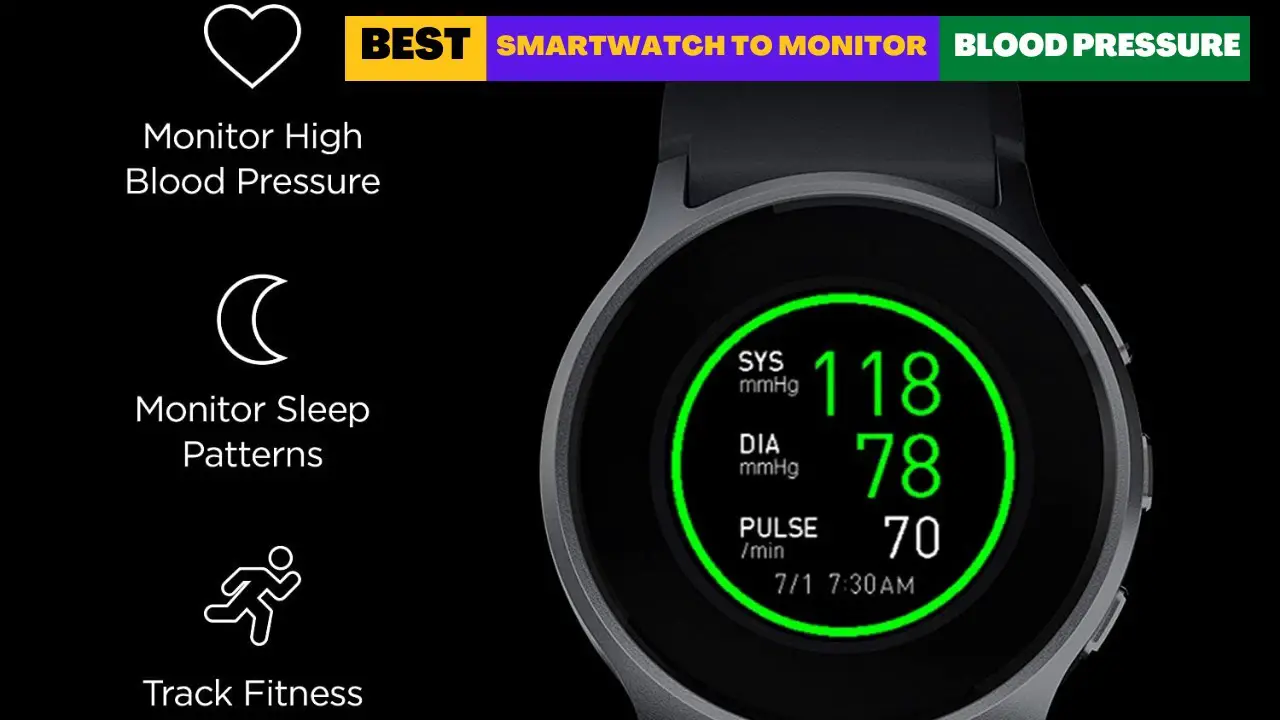
Smartwatches can measure your blood pressure in three fundamentally different ways in 2026, and they are not equally accurate or clinically valuable.
The first is a true cuff-based measurement.
A miniaturized inflatable cuff built into the watch band physically compresses the wrist artery, measures the oscillations as the cuff deflates, and produces systolic and diastolic readings, just like a hospital arm cuff.
A cuff-based reading gives you two numbers: systolic and diastolic pressure.
That’s the kind of reading most people expect when they check their BP at home.
Still, getting a reliable result from a wrist device isn’t automatic.
The watch needs to fit properly, and your wrist has to be in the right position.
If you want to monitor your blood pressure regularly, it’s worth checking the results against a good upper-arm monitor too.
Only two categories of watches on this list do this — the YHE BP Doctor Pro, the YHE BP Doctor Med.
The second is PPG-based estimation.
The watch uses its optical heart rate sensor to detect changes in blood flow and runs an algorithm to estimate blood pressure trends.
Samsung Galaxy Watch 8’s blood pressure feature, which received FDA clearance for US users in March 2026, works this way.
It requires calibration using a traditional upper-arm cuff every 28 days to maintain accuracy.
It does not produce independent readings — it tracks changes from your calibrated baseline.
Samsung itself describes it as monitoring “blood pressure changes” rather than absolute values.
The third is hypertension detection without giving you a number.
Apple Watch Series 11 monitors heart rate patterns over 30 days and alerts you if patterns suggest possible hypertension, prompting you to confirm with a medical device.
It does not tell you your blood pressure reading.
It tells you whether patterns suggest you may have high blood pressure.
Understanding which category a watch falls into before buying is the single most important piece of information in this article.
Every watch below is labeled accordingly.
If you want to understand which smartwatch health features are genuinely useful and which claims deserve a closer look, read our guide to smartwatch health features.
Important Medical Disclaimer:
No consumer smartwatch — including the most accurate options on this list — should be used as a substitute for clinical blood pressure monitoring. If you have been diagnosed with hypertension, are taking blood pressure medication, or have any cardiovascular condition, always use a validated medical device and consult your doctor before relying on wrist-based readings for health decisions.
Which are the Best Smartwatches To Monitor Blood Pressure?
Here are my top 10 recommended blood pressure watches you can buy:-




1. YHE BP Doctor: (Best True Cuff Blood Pressure Smartwatch)

What makes the YHE BP Doctor different from most smartwatches is its inflatable cuff.
Instead of estimating blood pressure from optical sensor data, it uses a physical cuff built into the wristband to take a reading.
That is a more meaningful approach for anyone specifically shopping for a BP watch.
Still, I wouldn’t treat it as a replacement for a clinically validated upper-arm monitor, particularly when making health decisions.
How the Cuff Works:
The YHE BP Doctor uses a patented inflatable cuff design built directly into the watch band.
When a reading is initiated, the band tightens around the wrist, compresses the radial artery, then releases and measures the oscillations as pressure drops—exactly the same physical principle used in hospital arm cuffs, miniaturized into a wristband.
TechRadar described the measurement process as taking exactly one minute, noting that the band tightens noticeably and the sensation differs unmistakably from optical watch readings, which provide no physical feedback.
The reading at the end of the process produces actual systolic and diastolic numbers — not a trend estimate, not a risk flag, but the same 120 over 80 format used for clinical BP readings.
The watch also tracks HRV, heart rate, SpO2, sleep staging, steps, and sports modes.
App export to Android and iOS allows logs to be shared with a physician, which multiple verified Amazon buyers who use it for regular BP monitoring say is the feature that makes it genuinely useful for health management rather than just data collection.
Who Should Not Buy This:
The measurement process requires sitting still with the wrist at heart level for one minute per reading, which makes passive continuous monitoring impossible.
For buyers who want a watch that passively estimates BP without active measurement sessions, the Samsung Galaxy Watch 8 covers that use case with appropriate limitations.
If wrist circumference is below 13.5cm or above 22cm, the cuff may not fit correctly.
Specifications:
| Feature | Details |
|---|---|
| BP Method | True inflatable cuff, oscillometric |
| Display | 1.95 inch color |
| Health Features | BP, HRV, SpO2, sleep, heart rate, sports |
| App | iOS and Android, data export |
| Wrist Size | 13.5 to 22cm |
2. Galaxy Watch 8: (Best Mainstream Smartwatch with US-Approved BP Monitoring)

A fitness coach with a family history of hypertension described being one of the first users to enable the Samsung blood pressure feature when it rolled out in the United States in March 2026.
She had watched Samsung’s BP feature in South Korea and other markets for two years while the FDA review was pending.
When the notification arrived on her Galaxy Watch 8, she said she enabled it the same day, completed calibration with her arm cuff, and wore the watch through a week of training sessions and rest days.
She described seeing her BP trend readings rise on high-intensity training days and normalize on recovery days, matching what she expected from her training structure; she said it was the first time she had seen her cardiovascular data reflected accurately across the full spectrum of a training week.
Samsung BP in the US — What Changed in 2026:
Android Central confirmed on March 31, 2026, that Samsung rolled out blood pressure monitoring to US Galaxy Watch users following FDA clearance, covering models from the Galaxy Watch 4 through the latest 2025 models.
The Galaxy Watch 8, with its advanced sensor technology and AI-powered Samsung Health platform, is among the highlighted devices for this feature.
The feature works via PPG optical sensors cross-referenced with an algorithm trained on a large-population dataset.
It requires calibration using a traditional upper-arm cuff every 28 days.
Tech Advisor specifically noted that Samsung describes the feature as calibrating blood pressure changes from a baseline, meaning readings reflect changes from your calibrated reference value rather than independent absolute measurements.
For the majority of users who want general BP trend awareness integrated into their daily smartwatch experience, the Galaxy Watch 8 provides that now in the US.
For users who need clinical-grade absolute readings, the YHE cuff watches above remain the more accurate option.
ECG recording, irregular rhythm detection, Energy Score, body composition, and the full Samsung Health platform accompany the BP feature.
Android Central’s review found the Galaxy Watch 8 to be among the most capable health smartwatches in its price range, noting the AI-powered health insights as standout additions over previous Galaxy Watch generations.
Who Should Not Buy This:
iPhone users cannot pair the Galaxy Watch 8.
The BP feature requires calibration every 28 days using an upper-arm cuff and produces trend estimates rather than absolute clinical readings — buyers who need absolute cuff-equivalent readings should use the YHE options above.
Full feature access works best on Samsung phones.
Specifications:
| Feature | Details |
|---|---|
| BP Method | PPG-based estimation, calibration required every 28 days |
| FDA Status | Cleared for US use, March 2026 |
| Display | AMOLED 1.3 inch or 1.4 inch |
| Battery | Up to 40 hours |
| Health Features | BP trends, ECG, Energy Score, body composition, HRV, sleep |
| GPS | Multi-band |
| Compatibility | Android, best on Samsung |
3. Samsung Watch Ultra2: (Best Rugged Smartwatch for Blood Pressure Tracking)
BP Type: Optical blood pressure estimation with upper-arm cuff calibration

The Galaxy Watch Ultra2 is Samsung’s outdoor-focused smartwatch, but it may also interest people comparing blood pressure watches.
It can estimate systolic and diastolic blood pressure through its built-in optical sensor.
You don’t need to wear a separate cuff every time you want to take a reading, although you do need one to set up the feature and keep it calibrated.
This is an important difference between the Ultra2 and a watch with a physical inflatable cuff.
The Ultra2 does not squeeze your wrist to measure blood pressure.
It uses light from its optical sensor to collect information and compares that data with readings taken from a regular upper-arm blood pressure monitor.
That makes it convenient for everyday checks, but it isn’t a medical blood pressure monitor.
If you have high blood pressure or take medication for it, continue using a validated upper-arm monitor and follow your doctor’s advice.
How the Blood Pressure Feature Works
Before taking your first reading, you need a compatible upper-arm blood pressure monitor.
Samsung’s setup process asks you to take three cuff measurements within 30 minutes while wearing the watch on your other wrist.
The watch uses those results as a reference for its future estimates.
Calibration doesn’t last forever. Samsung requires you to repeat it every 28 days.
If you miss that period, you will need to calibrate the watch again before using the blood pressure feature.
There are a few things to remember when taking a reading:
- Sit down and rest for at least five minutes before measuring.
- Keep your arm supported and stay still during the reading.
- Avoid smoking, caffeine, alcohol, exercise, and bathing for 30 minutes beforehand.
- Wear the watch on the same wrist used during calibration.
The watch displays systolic pressure, diastolic pressure, and heart rate.
You can also review the results in the Samsung Health Monitor app on your phone.
One limitation is worth knowing before you buy.
Blood pressure monitoring is not available in every country.
Samsung also needs a compatible Galaxy smartphone for its Health Monitor app, so just an Android phone might not cut it.
Please check that the feature is available in your country before ordering.
What Else Does the Ultra2 Offer?
Blood pressure tracking is not the only health feature here.
The Ultra2 also monitors heart rate, sleep, exercise, and body composition.
It has ECG and irregular heart rhythm notification in supported regions, and its sleep tools include sleep apnea detection where available.
Samsung has also added health insights such as Heart Health Score and Vascular Load.
These are meant to help users understand patterns linked to activity, sleep, and other lifestyle factors.
They are wellness tools, not medical diagnoses.
For people who exercise outdoors, the watch has some useful extras.
Dual-frequency GPS helps with route tracking, and the Trail Run feature provides information about elevation and climbing progress.
These features make more sense for hikers, runners, and people who regularly train outside than for someone who only wants a watch for basic daily activity.
Display, Battery and Design
The Ultra2 comes in a 47mm titanium case with a sapphire crystal display.
Its 1.52-inch Super AMOLED screen can reach 5,000 nits of peak brightness.
That extra brightness is useful when checking maps, workout information, or notifications outside in direct sunlight.
Samsung has increased the battery capacity to 800mAh, compared with the original Ultra.
The bigger battery is a great addition, especially for users who regularly use GPS and health monitoring.
Actual battery life will still depend on settings like always-on display, mobile connection, GPS usage, and workout tracking.
The watch also sports 64GB of storage, 2GB of memory and Samsung’s Snapdragon Wear Elite processor.
With 10 ATM water resistance, IP69K rating, MIL-STD-810H durability certification, it is suitable for many outdoor activities.
These ratings do not mean it is indestructible, so normal care is still required.
Who Should Consider the Galaxy Watch Ultra2?
The Ultra2 is best suited for someone who wants a rugged smartwatch with lots of health and fitness tools.
Its blood pressure feature could come in handy to track estimated readings, especially if you are comfortable calibrating it regularly with an upper arm monitor.
However, I would not choose this watch solely for blood pressure monitoring.
Its readings depend on calibration, its availability varies by country, and Samsung does not present the feature as a way to diagnose or treat high blood pressure.
It may also feel too large for people with smaller wrists.
The 47mm case is built for a substantial watch rather than a compact everyday design.
If you mainly need a simple way to check your blood pressure, a validated upper-arm monitor remains the more sensible choice.
Specifications
| Feature | Details |
|---|---|
| Blood Pressure Method | Optical sensor-based estimation |
| Calibration | Upper-arm BP monitor required |
| Recalibration | Every 28 days |
| Case Size | 47mm |
| Case Material | Titanium |
| Display | 1.52-inch Super AMOLED |
| Display Resolution | 498 × 498 |
| Peak Brightness | Up to 5,000 nits |
| Battery Capacity | 800mAh |
| Processor | Qualcomm Snapdragon Wear Elite |
| Memory | 2GB |
| Storage | 64GB |
| Operating System | Wear OS 7 with One UI 9 Watch |
| GPS | Dual-frequency L1 + L5 |
| Water Resistance | 10 ATM+ and IP69K |
| Durability | MIL-STD-810H |
| Connectivity | LTE, Bluetooth 6.0, Wi-Fi and NFC |
| Compatibility | Android 13 or later; some health features require a Samsung Galaxy phone |
4. Apple Watch Series 12: (Best Smartwatch for Early Hypertension Warnings)
BP Type: Optical sensor-based hypertension notifications

If you are looking for a smartwatch that can give you an early warning about possible high blood pressure, the Apple Watch Series 12 is worth a closer look.
However, it works differently from watches that provide blood pressure readings.
You won’t see numbers such as 120/80 on its screen, and there is no cuff inside the watch strap.
Instead, Apple uses information from the optical heart sensor to look for patterns that may be linked to long-term high blood pressure.
If the watch detects signs of possible hypertension, it can send a notification to your iPhone.
This is useful because high blood pressure often has no obvious symptoms. Someone can feel perfectly fine and still have elevated blood pressure.
The notification feature is designed to help people notice a possible problem they might otherwise overlook.
How Apple’s Hypertension Notifications Work
The watch collects data in the background from its optical heart sensor.
Apple’s software looks at how blood vessels respond to each heartbeat and reviews the information over 30-day periods.
It doesn’t rely on a single reading to decide whether to send an alert.
If the system finds patterns that suggest chronic high blood pressure, it sends a notification.
This is a warning to arrange proper blood pressure checks, not a diagnosis.
Apple recommends that anyone who receives an alert record their blood pressure with a separate blood pressure cuff for seven days and discuss the results with a healthcare professional.
There are also some important limits.
Apple says this feature is intended for adults aged 22 and older who have not already been diagnosed with hypertension.
It is not intended for use during pregnancy or for monitoring someone who is already receiving treatment for high blood pressure.
The absence of an alert does not mean your blood pressure is normal.
The feature can miss some cases, so regular blood pressure checks remain important.
What Is New in the Apple Watch Series 12?
The Series 12 brings improvements beyond its hypertension notification feature.
Apple has updated the Health Sensing System and introduced its S11 chip, with more frequent heart rate and heart rate variability measurements.
One useful addition is the new Readiness feature. It looks at recent activity, sleep, training load, and health information to give you a daily score.
This can help you decide whether to follow your normal workout plan or take things a little easier.
The watch also includes sleep tracking, sleep score, ECG, blood oxygen monitoring, and sleep apnea notifications.
Availability of some health features depends on the country and applicable regulations.
It tracks walking, running, swimming, cycling, and strength training for your everyday fitness. You can also track heart rate, workout progress, and activity levels right from your wrist.
Display, Comfort and Battery Life
The Series 12 comes in two case sizes, 42mm and 46mm.
Buyers can choose a smaller watch that may suit narrower wrists or a larger display for those who want more screen real estate.
The Always-On Retina display reaches up to 2,000 nits of brightness.
That makes it easier to read outdoors, even in strong sunlight.
Aluminum versions use Ceramic Shield 2 on the front, while titanium and ceramic models have a sapphire front crystal.
Apple rates the battery for up to 24 hours of normal use.
It also supports Low Power Mode for up to 38 hours.
These are Apple’s test figures, so actual battery life will depend on how often you use GPS, workouts, notifications, cellular features, and the always-on display.
The watch is water-resistant to 50 meters and has an IP6X dust-resistance rating.
It is suitable for swimming, but it is not designed for scuba diving.
Who Should Buy the Apple Watch Series 12?
The Series 12 is a better fit for someone who wants an everyday smartwatch with fitness tracking, health notifications, and a way to spot possible signs of hypertension.
It is especially useful for people who already use an iPhone and want their activity and health information together in Apple’s Health app.
But I would not recommend buying it as a replacement for a blood pressure monitor.
If your main reason for buying a watch is to check your BP every morning or evening, a validated upper-arm monitor is a more suitable choice.
Another detail to check before ordering: the hypertension notification feature is available only in supported countries and regions.
Owning the watch does not automatically mean this feature will work where you live.
The Series 12 also requires an iPhone.
It cannot be paired with an Android phone, which rules it out for many Samsung and Google phone users.
For a closer look at Apple’s smartwatch features beyond hypertension alerts, see our full Apple Watch Series 12 review.
Specifications
| Feature | Details |
|---|---|
| Blood Pressure Feature | Hypertension notifications |
| Measurement Method | Optical heart sensor data analysis |
| Actual BP Readings | Not available |
| Analysis Period | 30-day periods |
| Case Sizes | 42mm and 46mm |
| Case Materials | Aluminum, titanium and ceramic |
| Display | Always-On Retina wide-angle OLED |
| Peak Brightness | Up to 2,000 nits |
| Processor | Apple S11 chip |
| Storage | 64GB |
| Battery Life | Up to 24 hours |
| Low Power Mode | Up to 38 hours |
| Water Resistance | 50 meters |
| Dust Resistance | IP6X |
| Health Features | ECG, heart rate, blood oxygen, sleep tracking, sleep apnea notifications and hypertension notifications |
| Compatibility | iPhone 11 or later with iOS 27 or later |
5. Google Pixel 4: (Best Smartwatch for Blood Pressure Trend Tracking)

The Google Pixel Watch 4 takes a different approach to blood pressure tracking. Rather than showing a systolic and diastolic reading whenever you check your wrist, it looks for changes in your body’s pulse and movement patterns over time.
Google calls this feature Blood Pressure Trends, part of the Health Guardian tools available through the Google Health app.
This is useful for a different reason than a traditional BP monitor. You can wear the watch through your normal day and while sleeping, allowing it to collect information in the background.
Once it has enough data, the app provides a monthly summary that can help you notice whether your blood pressure trend is higher than usual.
However, there is an important limitation.
The Pixel Watch 4 does not measure blood pressure directly, so it cannot show numbers like 120/80.
Its trend report estimates general wellness, not a medical reading. If the app flags a higher trend, Google recommends checking your blood pressure with a proper cuff monitor and discussing the results with a healthcare professional.
Heart Health Monitoring Alongside BP Awareness:
Google’s Blood Pressure Trends feature is one of the more interesting additions to the Pixel Watch 4.
It works in the background, using the watch’s optical and motion sensors to study pulse patterns over time.
You don’t need to stop what you’re doing, attach a cuff, or manually calibrate the watch for each reading.
To get a monthly report, Google requires at least five continuous days of wear, with good-quality sensor data.
Wearing the watch overnight is also recommended.
The report appears in the Google Health app and highlights whether your blood pressure trend appears higher than usual.
If the report shows a higher trend, Google recommends checking your blood pressure with a physical monitor for seven days and discussing the results with a healthcare professional.
A normal trend report does not rule out high blood pressure, either.
This feature is designed for general wellness, not diagnosis or treatment.
Who Should Not Buy This
If actual blood pressure readings are the priority, the YHE or Samsung options provide that.
The Pixel Watch 4 is appropriate for buyers who want complementary cardiovascular health data alongside a separate BP monitoring device, not as a standalone BP solution.
For a deeper look at how the Pixel Watch 4 handles stress and cardiovascular monitoring, the full comparison at best-smartwatches-for-monitoring-stress covers the Google Health platform in detail.
Specifications:
| Feature | Details |
|---|---|
| BP Feature | Blood Pressure Trends through Google Health Guardian, where supported |
| Health Features | cEDA stress, HRV, SpO2, heart rate, sleep stages, Gemini AI |
| Display | AMOLED Actua 360, 3000 nits |
| Battery | 30 to 40 hours |
| Compatibility | Android, best on Google Pixel |
6. ScanWatch 2: (Best Hybrid Smartwatch for Heart Health Tracking)

The Withings ScanWatch 2 is a little different from most smartwatches in this category.
It looks like a traditional wristwatch, with physical hands and a small display, but it packs a lot of health tracking.
You can record an ECG, monitor heart rate, check blood oxygen levels, and follow changes in your body temperature.
One thing worth clearing up before going further: the ScanWatch 2 does not measure blood pressure.
It cannot give you systolic and diastolic readings, so it should not be bought as a replacement for a blood pressure monitor.
Its place in this guide is for people who want additional heart-health information alongside a separate BP monitoring routine.
Medical-Grade ECG in an Analog Watch Face:
The Withings ScanWatch 2 does not measure blood pressure.
It provides a 30-second medical-grade ECG recording and continuous AFib detection through a sensor array that Wearable has described as producing clinically useful traces.
For patients managing hypertension alongside cardiac rhythm concerns, the combination of a separate, validated BP cuff and the ScanWatch 2 meets both monitoring requirements without compromising daily charging.
The 35-day battery life is the most practically significant specification for older patients with health-monitoring requirements.
A watch that charges once a month does not interrupt sleep tracking, does not go flat during a monitored recovery period, and does not require a carer to manage charging schedules.
Who Should Not Buy This:
If actual BP readings are needed from the watch itself, the ScanWatch 2 does not provide those and the YHE or Samsung options cover that requirement.
The ScanWatch 2 is appropriate as part of a monitoring setup that includes a separate BP device.
Specifications:
| Feature | Details |
|---|---|
| BP Feature |
Not available; requires a separate blood pressure monitor |
| Battery | 35 days |
| Health Features | Medical-grade ECG, AFib, HRV, temperature, SpO2, sleep stages |
| Crystal | Sapphire |
| Water Resistance | 5 ATM |
| Compatibility | iOS and Android |
7. Samsung Galaxy Watch FE: (Best Budget Smartwatch with BP Access)

A retired teacher on a fixed income who described monitoring his blood pressure since a hypertension diagnosis three years ago, described the Galaxy Watch FE as the watch his daughter found for him that covered his Samsung phone integration and BP awareness without the premium price of the Galaxy Watch 8.
He described using the ECG feature regularly and pairing the watch with the arm cuff his doctor had recommended for calibration.
He said the combination was more convenient than any previous monitoring setup he had tried, mainly because the watch kept him consistently aware of his cardiovascular data between manual cuff sessions, rather than only when he remembered to take a formal reading.
Budget Samsung Health With Incoming BP Access:
Samsung’s March 2026 announcement confirmed that the US blood pressure feature is rolling out across Galaxy Watch models from Watch 4 through 2025 models.
The Galaxy Watch FE supports blood pressure monitoring through Samsung Health Monitor. It uses its optical sensor to estimate systolic and diastolic readings after calibration with a separate upper-arm blood pressure monitor.
Samsung requires recalibration every 28 days.
Availability depends on your country and a compatible Samsung Galaxy phone.
Buyers purchasing the Galaxy Watch FE should confirm BP availability on their specific device in the Samsung Health app, as the rollout is phased.
ECG recording and irregular rhythm detection are confirmed as present features.
The 40-hour battery covers two full working days.
The 40mm case fits smaller wrists proportionally.
At Samsung’s most accessible Watch price point, the Galaxy Watch FE provides access to Samsung’s cardiac monitoring platform, with the possibility of BP monitoring as the feature completes its US rollout.
Who Should Not Buy This:
iPhone users cannot pair the Galaxy Watch FE. For immediate, confirmed BP access without waiting for the phased rollout, the Galaxy Watch 8 and Galaxy Watch Ultra above have this feature.
For buyers who need actual BP readings rather than PPG estimates, the YHE options provide cuff-based accuracy.
Specifications:
| Feature | Details |
|---|---|
| BP Feature | PPG estimation — phased US rollout |
| Health Features | ECG, irregular rhythm, Energy Score, HRV, sleep stages |
| Battery | 40 hours |
| Display | AMOLED 1.2 inch, 3000 nits |
| Water Resistance | IP68, 5 ATM |
| Compatibility | Android is best on Samsung |
8. WHOOP MG: (Best Wearable for Daily Blood Pressure Insights)
BP Type: Optical sensor-based blood pressure estimation

WHOOP MG is not a traditional smartwatch.
It has no screen, no watch face, and no collection of apps to scroll through.
Instead, it is a small wearable designed to stay on your wrist day and night, collecting information about your body as you go about your normal routine.
Its Blood Pressure Insights feature makes it particularly interesting for this guide.
With a compatible WHOOP Life membership, the device estimates systolic and diastolic blood pressure ranges using data collected while you sleep.
You can then review the estimates in the WHOOP app alongside sleep, recovery, and daily activity data.
There is an important difference between this and checking your blood pressure with a regular monitor.
WHOOP MG does not inflate a cuff around your arm or directly measure the pressure in your arteries.
It uses sensor data and an algorithm to estimate blood pressure.
That makes it a different kind of health-tracking tool, and you shouldn’t treat its results as medical readings.
How WHOOP MG Estimates Blood Pressure
WHOOP uses photoplethysmography (PPG), the same general type of optical sensing technology used in many fitness wearables.
Light from the sensor helps detect changes in blood flow beneath the skin.
The software looks at information such as heart rate, heart rate variability, and pulse patterns collected during sleep.
It then uses this information to estimate your systolic and diastolic blood pressure ranges.
You need to complete a setup process before these insights become available.
WHOOP asks you to answer a short health questionnaire and take three readings with a traditional upper-arm blood pressure monitor.
Those readings are used to calibrate the system to your body.
WHOOP also encourages users to repeat calibration approximately every 30 days.
The band needs to fit properly against your wrist, as loose contact can affect data quality.
Once setup is complete, the app provides daily estimates.
You can look back at previous results to see how the numbers have changed over time.
The idea is to give you more context about your daily habits, rather than make you rely on a single reading.
What You Should Know Before Trusting the Results
This is the part buyers should understand before choosing WHOOP MG for blood pressure tracking.
WHOOP’s Blood Pressure Insights is a beta feature. It has not been independently validated or cleared by the FDA as a blood pressure measurement device.
The FDA issued WHOOP a warning letter in July 2025 concerning the feature’s marketing and regulatory status.
For that reason, I would not use WHOOP’s estimates to diagnose high blood pressure, change medication, or decide that a medical check is unnecessary.
If you want to know your actual blood pressure, use a validated upper-arm monitor.
WHOOP also says this feature isn’t intended for everyone.
Its guidance advises pregnant users and people taking blood pressure medication to pause use of Blood Pressure Insights and speak with their healthcare provider.
WHOOP MG is best viewed as an additional source of wellness information, not a replacement for proper blood pressure checks.
More Than Blood Pressure Tracking
Blood Pressure Insights is only one part of the WHOOP MG experience.
The band also tracks sleep, heart rate, heart rate variability, respiratory rate, skin temperature, and daily activity.
Its recovery tools use information from sleep and physiological measurements to help users understand how ready their body may be for another demanding day.
The app also records exercise strain and provides information that helps people compare training days with recovery.
WHOOP MG includes an ECG feature through its Heart Screener tools.
Users can record an ECG by placing their fingers on the sensor contacts.
ECG and irregular heart rhythm features have their own eligibility and regional restrictions, so check availability before buying.
One thing to understand is that not all WHOOP features come with every membership.
Blood Pressure Insights and the MG-specific Heart Screener features require WHOOP Life.
Buying the band alone does not unlock the full health feature set.
Battery Life and Everyday Wear
WHOOP MG is made for continuous wear rather than occasional workouts.
Its screen-free design keeps it small and light, and the company rates its battery life at up to 14 days under its stated usage conditions.
You can charge it with the compatible PowerPack without removing the sensor from your wrist.
This is useful for people who want to keep collecting sleep and recovery information while the battery is being charged.
The band is also designed for use during exercise and everyday activities.
WHOOP offers different straps and compatible clothing accessories, giving users more ways to wear the sensor.
Unlike a regular smartwatch, it does not provide a display for checking the time, reading messages, or viewing notifications.
You need the companion app to see your measurements and reports.
Who Should Consider WHOOP MG?
WHOOP MG makes the most sense for people who already pay attention to sleep, recovery, and training, and want blood pressure estimates included in their daily health information.
It may also appeal to athletes who want to see how their routines relate to changes in overnight physiological data.
The screen-free design is another advantage for people who prefer a simple band rather than a full smartwatch.
However, I would not recommend buying it specifically to manage hypertension.
Its blood pressure feature is still in beta, requires a paid WHOOP Life membership, and has not received FDA clearance.
Anyone who needs regular medical blood pressure readings should choose a validated upper-arm monitor instead.
Specifications
| Feature | Details |
|---|---|
| Blood Pressure Feature | Blood Pressure Insights |
| BP Method | Optical PPG sensor-based estimation |
| BP Results | Estimated systolic and diastolic ranges |
| Calibration | Three readings with an upper-arm BP monitor |
| Recalibration | WHOOP encourages approximately every 30 days |
| BP Feature Access | WHOOP Life membership |
| Display | Screen-free design |
| Battery Life | Up to 14 days |
| Charging | Compatible PowerPack |
| Health Tracking | Heart rate, HRV, respiratory rate, skin temperature and sleep |
| ECG | Available through WHOOP MG Heart Screener, where supported |
| Companion App | WHOOP app |
| Water Resistance | Designed for everyday wear and water-based activities; follow WHOOP’s usage guidance |
9. iHealth: (Best Traditional Upper-Arm Blood Pressure Monitor)

Ease of Use:
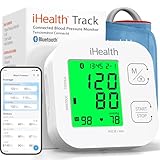
The iHealth Track takes a more straightforward approach to blood pressure monitoring than a smartwatch.
It uses an inflatable upper-arm cuff to measure systolic pressure, diastolic pressure, and pulse rate.
You don’t need to wear it all day or depend on optical sensors to estimate your blood pressure.
Put on the cuff, sit comfortably, and press the start button to take a reading.
The results appear on the monitor’s display, which uses different backlight colours to show the blood pressure category.
You can also save your readings and transfer them to the iHealth MyVitals app using Bluetooth.
This makes it easier to review previous measurements and share your records with a healthcare professional.
One useful detail is the cuff size.
The standard cuff fits arms measuring 22 to 42 cm, while the XL cuff covers 42 to 48 cm.
Check your upper-arm measurement before ordering because a poorly fitting cuff can affect the reading.
The first display shows the number of readings stored, which took a minute to figure out.
This same button also serves as the upload button, which isn’t intuitive.
To use it, you have to download the Myvitals App from iHealth.
Functions:
Besides an extra-large cuff and display color change, iHealth has a few features.
Like all monitors, it claims to detect heartbeats, but this has not been tested.
The cuff doesn’t detect movement in your arm that other monitors do.
This is a handy feature, since any movement affects data accuracy.
However, the feature works on other cuffs.
And it’s not essential to stay quiet and still for a time.
Specs:
| Brand | iHealth |
| Model name of the product | IHealth tracker |
| Model name of the item | KN-550BT |
| ASIN | B01C5QS1T8 |
| Connectivity technology |
Bluetooth |
| Colour | Silver |
| Special features | BP Monitor |
| Screen size | 41 mm |
| Size of the band | Standard |
| Style | Modern |
10. Galaxy Ultra: (Measure Blood Pressure with your Galaxy Watch)

I took the Galaxy Watch Ultra through a normal work week plus gym, a couple of pool sessions, and one windy beach day.
The big surprise wasn’t the size or the screen—it was how usable Samsung’s blood pressure workflow feels when you set it up correctly, and how many safety tools sit around it.
That said, you should know the regional rules before you buy.
FAQs:
Can a smartwatch actually measure blood pressure accurately?
It depends on the measurement type. Watches with a true inflatable cuff—specifically the YHE BP Doctor Pro and BP Doctor Med—use the same oscillometric principle as clinical arm cuffs and produce readings within five mmHg of validated reference devices in controlled conditions. This is genuinely useful for home BP monitoring, with the caveat that wrist position during measurement must be maintained at heart level and readings should still be periodically confirmed against a validated arm cuff. PPG-based estimation watches like the Samsung Galaxy Watch 8 produce trend data relative to a calibrated baseline, not independent absolute readings. Apple Watch Series 11 detects possible hypertension over 30 days without giving any BP numbers. The honest answer is that consumer wrist BP technology ranges from clinically meaningful to awareness-only depending on the specific watch, and the difference matters when making health decisions.
Should I replace my arm blood pressure cuff with a smartwatch?
No — and this applies even to the most accurate watches on this list. Clinical guidelines from major cardiovascular organisations recommend validated upper arm cuffs for home blood pressure monitoring because arm cuffs provide the most consistent accuracy across different users, wrist sizes, and body positions. Wrist-based devices introduce variables including wrist position, wrist circumference, and skin tone that affect accuracy in ways arm cuffs do not. The most appropriate use of a BP smartwatch is as a supplementary monitoring tool that helps identify patterns and prompts manual cuff readings when trends suggest attention is warranted — not as a replacement for validated clinical monitoring. The American Heart Association provides evidence-based guidance on home blood pressure monitoring, including device selection and measurement technique, at heart.org.
What is the difference between ECG and blood pressure monitoring on a smartwatch?
They measure completely different things, and understanding the distinction helps you avoid buying the wrong watch for the wrong reason. ECG measures the heart’s electrical activity —it detects cardiac rhythm, identifies atrial fibrillation, and flags irregular heartbeats. Blood pressure measures the force of blood pushing against artery walls. A person can have normal ECG readings with dangerously high blood pressure. A person can have atrial fibrillation with normal blood pressure. Many watches on this list include ECG — Apple Watch Series 11, Samsung Galaxy Watch 8, Withings ScanWatch 2, Fitbit Sense 2 — but ECG is not blood pressure monitoring. If you need BP monitoring, only the YHE watches and Samsung Galaxy Watch 8 provide that function. If you need cardiac rhythm monitoring for AFib detection, the ECG watches cover that separately.
Related Articles:
Xiaomi Smart Band 10 vs Band 10 Pro
Best Smartwatches with Blood Sugar Monitor
Apple Watch Series 11 Hands-On Review
Luis Cooper

Hi, I'm Luis, the guy behind this site. I love wearing watches, especially ones that look great on small wrists (mine are about 6.3" around). The Watches Geek is dedicated to helping you learn about and buy watches that you will love wearing. I want this website to be the last destination for people to pick the best watches to fit their needs. You can find our unbiased reviews here on Thewatchesgeek.
This guide is perfect for my clients. I can’t wait to share it with them.