
Last Updated on October 5, 2026 by Luis Cooper
Most parents of primary school-age children describe a specific moment that changes how they think about their child and technology.
The child is old enough to walk to a friend’s house alone. Old enough to attend after-school clubs without a parent waiting outside.
Old enough to handle a one-hour period of independence without supervision.
But not old enough, in most families’ judgments, for a full smartphone with unrestricted internet access, social media, and every app a peer group might download.
The gap between those two things — the independence a child is ready for and the technology most parents are ready to hand over — is exactly what the TickTalk 5 was designed to fill.
A father whose nine-year-old son had recently started walking home from his elementary school described the decision clearly. He needed his son to be reachable. He needed to know where his son was at any given moment during that fifteen-minute walk.
And he was not prepared to hand over a smartphone to do it.
The TickTalk 5 sat on the boy’s wrist for five months without the father second-guessing the decision once.
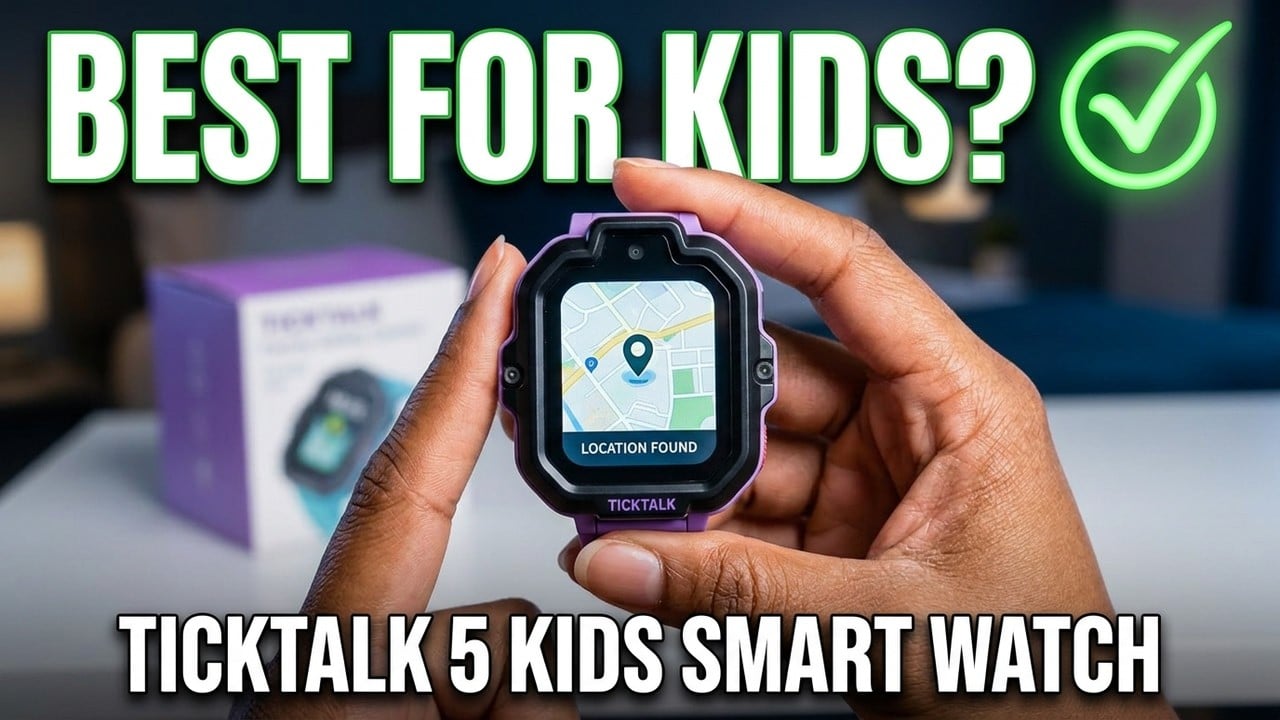
TickTalk 5 Review

- BUILT FOR KIDS, TRUSTED BY FAMILIES: Made for kids ages 3-12, TickTalk 5 is IP67 water-resistant, shockproof, and dustproof for active play. Its ScreenSafe design reduces screen damage, with regular updates and reliable customer support to keep families satisfied.
Quick Verdict
The TickTalk 5 is the most complete kids’ communication and GPS watch currently available for families in the United States.
It delivers real phone calling from the watch without a parent’s phone, HD video calling, real SMS that any family member can send from a regular phone number without downloading an app, AI-assisted GPS tracking, and a comprehensive parental control system in one device built specifically for children aged three to twelve.
It works best for parents of primary school-age children who want communication and location awareness without the risks of a full smartphone.
It requires a monthly cellular plan to use its calling and GPS features.
And it has limitations that deserve clear explanation before buying — particularly around battery life in heavy use and the depth of its water protection.
Design — Built for Children’s Lives
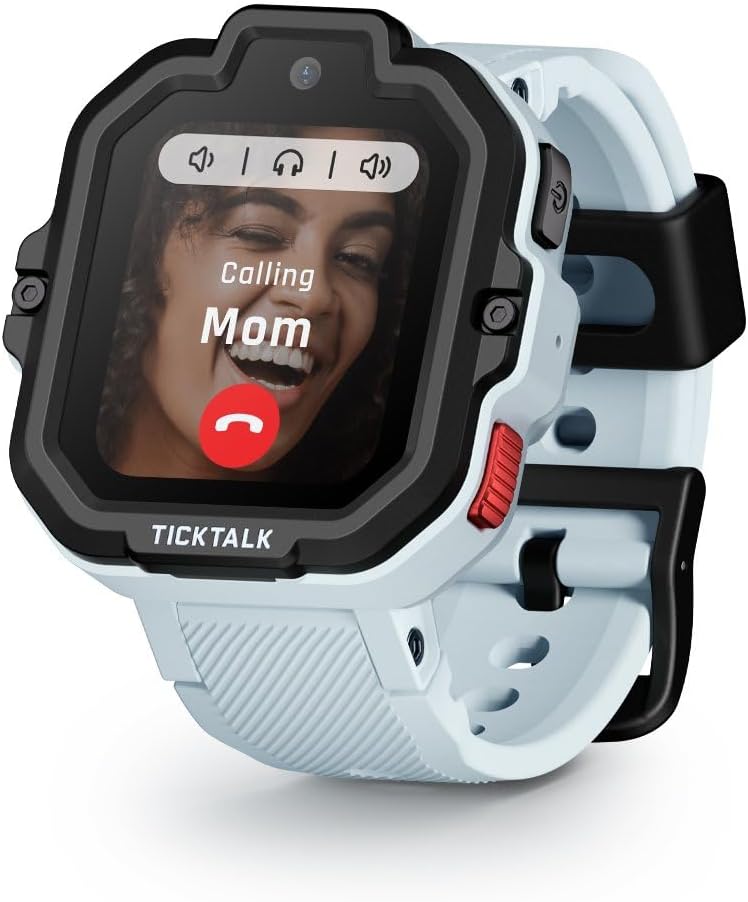
The TickTalk 5 measures 47 by 45 by 16 millimetres and weighs 55 grams on the wrist.
It is larger and heavier than adult smartwatches like the Apple Watch or Samsung Galaxy Watch, which reflects the specific engineering priorities of a kids’ watch — a bigger display for small fingers to tap accurately, a larger battery for all-day school use, and a more substantial body that survives the physical demands of childhood.
The body is made of plastic rather than metal, which keeps costs down and reduces the risk of injury if a child falls while wearing the watch.
The design is robust rather than premium — rounded edges, a colourful display, and a silicone strap that fits wrists between 5 and 7.48 inches.
The IP67 water resistance rating covers splashes, rain, and accidental water contact.
It does not cover swimming or submersion beyond one metre for thirty minutes.
Families whose children swim regularly should consider this limitation — removing the watch before pool time is the appropriate precaution.
The 5-megapixel front-facing camera is positioned for video calls rather than photography — pointing toward the child’s face during a call rather than outward toward the environment.
The image quality is adequate for video communication with family members and is not intended to function as a standalone camera experience.
A redesigned antenna embedded in the watch strap, rather than the main body, improves cellular signal reception compared to the TickTalk 4, which matters in areas with inconsistent coverage.
Setting Up the Watch
The TickTalk 5 requires a cellular plan to use its core features.
The watch comes with a pre-installed nano SIM for US customers, and parents choose between AT&T and T-Mobile network coverage at purchase.
The monthly plan covers cellular calling, GPS data, and messaging.
No long-term contract is required, and you can cancel the plan at any time.
Setup involves downloading the parent app on an iPhone running iOS 16 or later, or an Android phone running Android 6.0 or later.
The app walks through the initial configuration — entering the child’s profile, adding approved contacts, setting School Mode times, and configuring geofencing zones for home, school, and regular destinations.
Parents who have used parental control apps previously will find the interface familiar. First-time users can expect the initial setup to take approximately thirty minutes.
Once configured, the watch operates independently.
The child doesn’t need the parent’s phone nearby to make a call, receive a message, or trigger GPS tracking. The watch has its own cellular connection.
Communication — The Feature That Earns the Recommendation
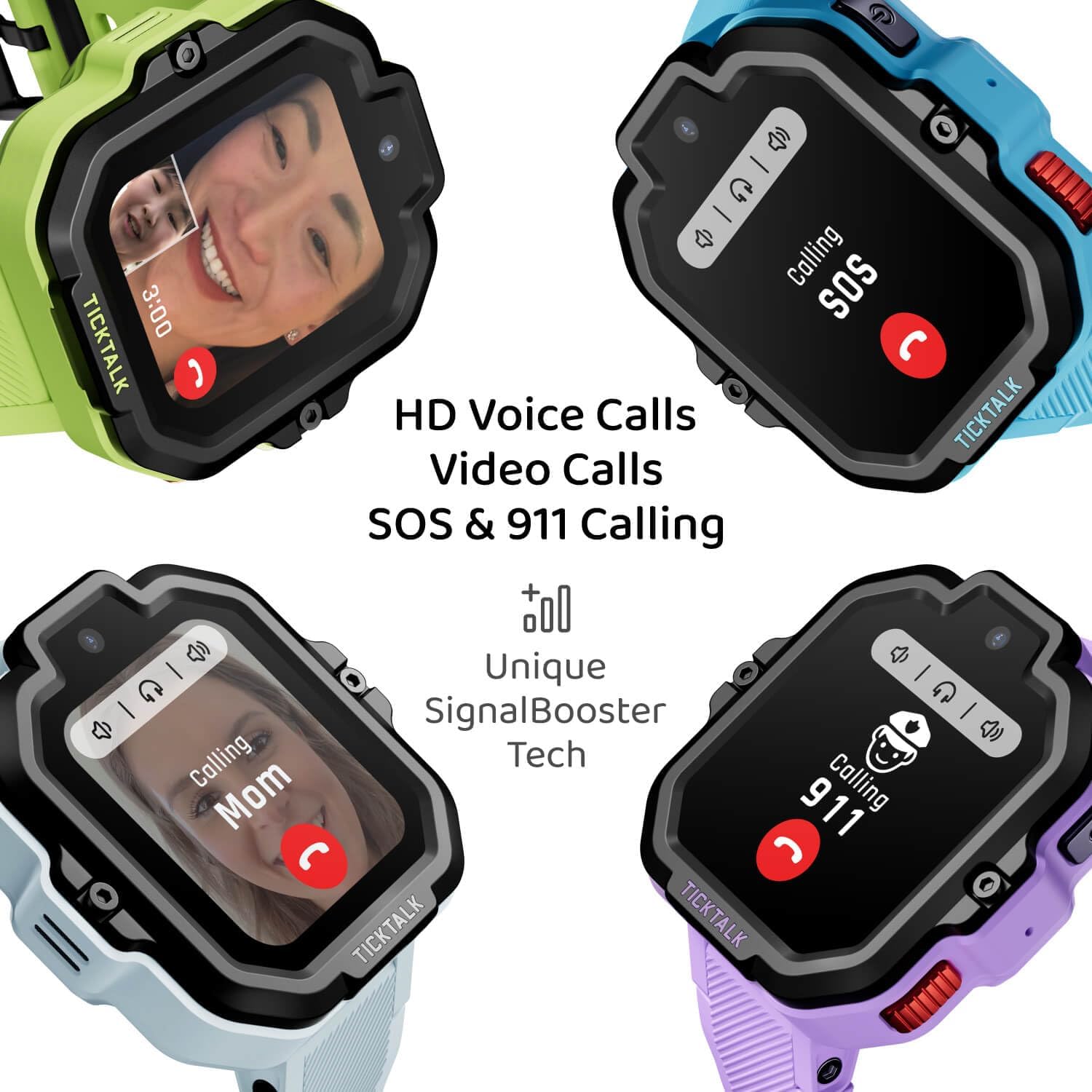
The TickTalk 5’s communication capabilities separate it from basic GPS trackers and make it genuinely useful as a daily device rather than an occasional check-in tool.
Voice and Video Calling
The watch makes and receives voice and video calls over 4G LTE or Wi-Fi, using the 5MP front camera for video.
Calls are restricted to a parent-approved contact whitelist. A child cannot receive a call from a number a parent hasn’t approved.
Equally, a child cannot call anyone outside the approved list—meaning the watch is a communication device for family and trusted adults rather than a general phone.
HD video calling quality is smooth over a reliable cellular or Wi-Fi connection. In areas with weak signal, call quality drops as it would on any cellular device.
Real SMS From Any Phone
One of the most practically useful features of the TickTalk 5 is how it handles text messaging.
Most kids’ smartwatches require the other party to download a companion app before they can message the child’s watch.
The TickTalk 5 uses a real phone number, so a grandparent, aunt, uncle, or any approved contact can send an SMS from their regular phone, and it arrives on the watch as a normal message without any app download.
In practice, this is the feature that family members outside the immediate household most appreciate — the ability to send a quick “thinking of you” message without navigating a new application.
Group Chat
Approved family members can join a group chat that includes the child’s watch.
All participants see the same messages, which helps coordinate pickups, share schedule changes or keep extended family connected to the child’s daily life.
GPS Tracking — What the AI SmartPin System Does

The AI SmartPin GPS system is the most technically significant new feature in the TickTalk 5, and understanding how it works explains both its genuine advantages and its honest limitations.
Traditional GPS watches for children use satellite signals alone for positioning.
In open outdoor environments — a park, a school field, a suburban street — satellite GPS is accurate and reliable.
In challenging environments—inside large buildings, on city streets surrounded by tall structures, or in areas with spotty cellular coverage—satellite GPS struggles because signals bounce off surfaces before reaching the receiver, producing incorrect position data.
The AI SmartPin system combines three data sources simultaneously.
Satellite GPS provides the primary position when satellite signals are clear.
Wi-Fi signals from nearby networks provide secondary positioning data when the child is near known locations.
Cellular tower triangulation provides a third data layer that works even when GPS and Wi-Fi are limited.
The AI component of the system learns the child’s frequent locations over time — school, home, grandparents’ house, after-school club — and uses this learned context to improve position accuracy in those specific areas.
Independent testing found outdoor open-sky GPS accuracy of four to ten metres consistently — a genuine improvement over the TickTalk 4’s five to fifteen metre range. In partially obstructed suburban environments, the SmartPin system maintained more reliable positioning than previous-generation GPS-only kids’ watches.
TickTalk clearly states that GPS accuracy varies by environment, an honest acknowledgement that no single technology achieves perfect positioning in all conditions.
The parent app displays real-time location on a Google Maps view, shows the current location with an accuracy indicator, and keeps a route playback history of where the child has been throughout the day.
Parents can review the full route home after school without asking the child to remember every turn.
Geofencing
Parents define safe zones in the app — a circle around the home address, the school boundary, a grandparent’s neighbourhood.
When the child’s watch detects it has moved outside a defined zone, the parent app sends a notification immediately.
The geofence can be as small or as large as the situation requires, and multiple zones can be active simultaneously.
School Mode — Designed Around the School Day
The increase in school phone policies across the United States has created a specific challenge for kids’ watch use.
Many schools now ban smartphones, but their policies vary on smartwatches — some prohibit all personal devices during instructional hours, others make exceptions for devices with parental tracking functionality.
School Mode on the TickTalk 5 addresses this by automatically switching the watch to a simple clock face during the hours a parent specifies.
During School Mode, the display shows only the time. The watch cannot receive non-emergency calls or messages. School Mode disables games, music, and all other features.
The only function that remains active during School Mode is emergency SOS.
If the child activates the SOS button during school hours, it works even if School Mode is engaged.
Parents schedule School Mode in the app by setting the start and end times for each day of the week.
The watch switches automatically at the specified times without requiring any action from the child.
When School Mode ends in the afternoon, the full feature set returns.
Battery Life — The Honest Picture

The official battery figures for the TickTalk 5 are up to 48 hours in typical use and up to 100 hours on standby.
To understand what these figures mean in real use, you need context. Standby means the watch is powered on but not actively making calls, playing music, using GPS, or doing anything beyond displaying the time and passively receiving alerts. No child uses a TickTalk 5 exclusively in standby.
Typical use — a school day where the child makes a couple of calls home, receives a few messages, has GPS active throughout the day, and the School Mode operates normally — produces battery duration closer to the 48-hour figure than the 100-hour standby.
Parent reviews consistently report that the watch covers a full school day comfortably and still has charge remaining in the evening.
With heavier use — frequent video calls, extended music streaming through iHeartRadio, GPS actively tracking throughout a busy weekend — daily charging is practical. The TickTalk 5 isn’t a multi-day battery watch, and families who need a watch that can go two or more days without access to a charger should factor that in.
iHeartRadio Family — Free Music for Kids

The TickTalk 5 includes free iHeartRadio Family music streaming built into the watch, available to US customers.
iHeartRadio Family is a curated, family-safe streaming service with age-appropriate music, children’s radio stations, and family-friendly content.
Parents control music access through the parental app — enabling or disabling streaming, limiting daily usage, and reviewing what the child has listened to. Music plays through the watch’s built-in speaker or paired Bluetooth earphones.
For children who use music as a motivator during walks, chores, or active play, having a curated family-safe streaming service built into the watch removes the need to manage a separate device or navigate an app store.
Safety Features

Emergency SOS
Pressing and holding the SOS button on the watch sends an emergency alert to all approved parent contacts simultaneously, including the child’s current GPS location. The alert arrives as a push notification with a map view of the child’s location at the moment of activation.
911 Calling
The TickTalk 5 can call 911 directly — the child does not need parental permission or a parent contact to be available to initiate an emergency call.
This is available in the US and functions the same way a call from any cellular device to emergency services does.
The American Academy of Pediatrics provides guidance on appropriate technology use for children of different ages, including recommendations for how devices should be introduced to support development and safety rather than replace adult supervision at aap.org.
Parental Controls — What 40-Plus Features Means Practically
The TickTalk 5 parental control system covers more than forty distinct settings accessible through the parent app. The most commonly used ones in daily family life are:
Contact management allows parents to add, remove, and edit the approved contact list at any time from the app. No contact can reach the child’s watch without appearing on this list.
Screen time controls let parents set daily time limits for games and entertainment features, with the watch automatically restricting access when the limit is reached.
Do Not Disturb scheduling lets parents set quiet hours beyond School Mode—bedtime hours, for example —when the watch should not receive non-emergency communications.
Wellness activity tracking shows step count, activity minutes, and movement data throughout the day, which parents can use to understand how active their child was at school and after.
TickTalk 5 vs Garmin Bounce 2 — The Main Alternative
The two most commonly compared kids’ GPS watches in the US are the TickTalk 5 and the Garmin Bounce 2. They serve related but distinct needs.
| Feature | TickTalk 5 | Garmin Bounce 2 |
|---|---|---|
| Video calling | Yes | No |
| HD voice calling | Yes | Basic calling |
| Real SMS | Yes — no app needed | App required |
| GPS accuracy | AI SmartPin, 4-10m outdoor | Multi-GNSS, generally stronger |
| Music streaming | iHeartRadio Family | No |
| Water resistance | IP67 | 5 ATM — swimming safe |
| School Mode | Yes | Yes |
| Communication focus | Very strong | Basic |
| Compatibility | US cellular required | Any country |
The Garmin Bounce 2 carries stronger raw GPS accuracy through its multi-constellation GNSS system, and its 5 ATM water resistance covers swimming where the TickTalk 5’s IP67 does not. For families who prioritise accurate location tracking over communication features, the Garmin Bounce 2’s GPS is technically superior. For families whose priority is the ability for the child to call home, receive video calls from grandparents, and text family without app downloads, the TickTalk 5 provides the more complete communication experience.
For a full overview of recommended kids’ watches across age ranges and use cases, the comprehensive guide at best-watches-for-kids covers every current option in detail. For older children who need more independence than the TickTalk 5 provides and are approaching teenage years, the guide at best-smartwatch-for-teenager covers the transition to more capable devices.
Who should not buy this: Families outside the United States will find that TickTalk Wireless, iHeartRadio Family, and 911 calling are not available in their region — the watch functions differently internationally without these services. Teenagers who want app freedom, internet access, or more independence than the TickTalk 5 provides should look at options designed for their age range rather than the 3-12 age group this watch targets. Families whose children swim regularly should look at the Garmin Bounce 2’s 5 ATM rating as a better match for that specific use.

Specifications
| Feature | Details |
|---|---|
| ASIN | B0CRTDT5NH (AT&T) / B0CRT4J1Q8 (T-Mobile) |
| Age range | 3-12 years |
| Display | 1.52-inch TFT touchscreen |
| Camera | 5MP front-facing |
| Battery | 770mAh |
| Typical use | Up to 48 hours |
| Standby | Up to 100 hours |
| GPS | AI SmartPin with Google Maps integration |
| GPS accuracy outdoor | 4-10 metres in open sky |
| Network | 4G LTE, AT&T or T-Mobile |
| Cellular plan | Required — plans from TickTalk Wireless |
| Water resistance | IP67 |
| Size | 47 x 45 x 16mm |
| Weight | 55 grams |
| Storage | 8GB |
| Compatibility | iPhone iOS 16+ or Android 6.0+ |
| Music | iHeartRadio Family — US only |
| COPPA | Certified |
| Parental controls | 40-plus features |
FAQs
Does the TickTalk 5 require a monthly subscription?
Yes. The TickTalk 5 requires a monthly cellular plan through TickTalk Wireless, which uses AT&T or T-Mobile’s network depending on the watch version purchased. The plan provides the cellular connection that enables calling, GPS data transmission, and messaging when the watch is not on Wi-Fi. Without an active plan, the watch can still connect to Wi-Fi and use Wi-Fi based features, but GPS tracking, cellular calling, and cellular messaging will not function. Plans are available month-to-month with no long-term contract, and can be cancelled at any time without cancellation fees.
Can grandparents text the TickTalk 5 without downloading an app?
Yes, this is one of the most practical communication features of the TickTalk 5. The watch has its own real phone number. Once a grandparent or other family member has been added to the approved contact list by a parent, that person can send a regular SMS from their own phone to the watch’s number, and it arrives on the watch as a normal message. The contact does not need to download the TickTalk parent app or any other application. This works from any cellular phone on any carrier, sending a standard text message as they would to any other number in their contacts.
Is the TickTalk 5 allowed in school?
School policies on personal devices vary widely, and whether any specific school allows the TickTalk 5 during the school day is a question for that school’s administration rather than the watch manufacturer. The TickTalk 5’s School Mode is designed to address the concerns that lead schools to restrict personal devices — it locks the watch to a simple clock face during school hours, disabling calls, messages, music, and all entertainment features. Some schools accept this as an adequate restriction and allow the watch. Others ban all personal devices regardless of capability restrictions. Parents should check their school’s specific policy before purchasing the TickTalk 5 with the intention of having the child wear it during school hours.
Luis Cooper

Hi, I'm Luis, the guy behind this site. I love wearing watches, especially ones that look great on small wrists (mine are about 6.3" around). The Watches Geek is dedicated to helping you learn about and buy watches that you will love wearing. I want this website to be the last destination for people to pick the best watches to fit their needs. You can find our unbiased reviews here on Thewatchesgeek.