Last Updated on October 2, 2026 by Luis Cooper
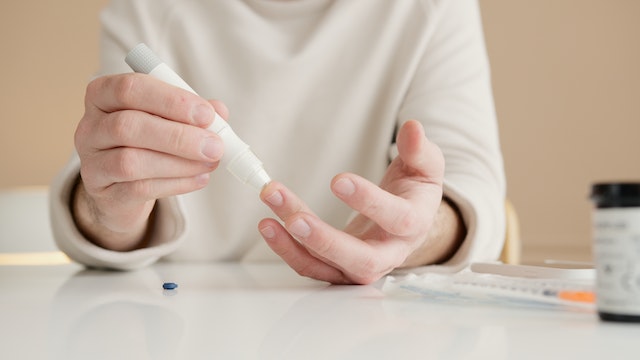
Individuals with diabetes can greatly benefit from using smartwatches to support a healthy lifestyle.
You can use these tools to manage your eating plan, heart rate, calorie intake, and even oxygen levels.
These strategies can help people with diabetes manage their blood sugar levels.
Dexcom monitors the patient’s blood glucose levels and sends the data to their watch or smartphone.
Smartwatches can greatly benefit people with diabetes; however, many options are on the market.
As a result, choosing the best smartwatch for managing diabetes can be challenging.
Below are the top smartwatches for diabetes management to help you make an informed decision.
We conducted an extensive study to narrow down our list.
Which are the Best Smartwatches with a blood sugar monitor?
Here are my recommended top 8 Best Smartwatches with Blood Sugar Monitors:-
![Samsung Galaxy Watch9, Cream, 40mm Bluetooth Smartwatch | AI Assistant, Fitness Tracker, Sleep Coaching and Running Coaching with Heart Rate Tracking [US Version, 2 Yr Warranty]](https://m.media-amazon.com/images/I/31HW-0qTdzL._SL160_.jpg)


1. Garmin Venu 4: (Best for Diabetics Who Exercise Regularly)

A personal trainer with Type 1 diabetes described the specific problem the Garmin Venu 4 solved during client sessions.
She would start a workout activity on the watch, and her Dexcom glucose reading would appear as a data field on the same screen as her heart rate and timer.
At a glance, during a set, she could see whether her glucose was stable, rising, or dropping, without switching screens, opening apps, or touching her phone.
When glucose started dropping mid-session, she had enough early warning to take carbs before her performance was affected.
She described it as seeing the complete picture of the performance for the first time.
Dexcom on Garmin’s Platform:
The Garmin Venu 4 accesses Dexcom G7 data via the Dexcom Connect IQ widget, available in Garmin’s Connect IQ store.
Once installed, the widget displays the current glucose level, trend direction, and a 3-hour history on a dedicated watch screen.
During any exercise activity, you can add glucose as a data field alongside standard metrics, so heart rate, pace, distance, and glucose all appear on the same screen at the same time.
This exercise-specific integration is where Garmin’s platform offers something genuinely different from other options on this list.
During a run, the Dexcom data field updates every five minutes alongside the running metrics.
After the session, Garmin Connect shows the workout data with a glucose overlay, so you can see exactly how your blood sugar responded to each phase of the session across your entire data history.
Over time, this builds a personalised picture of how your body responds to different exercise types, intensities, and durations.
Body Battery and Glucose Management Together:
Body Battery synthesises overnight HRV, resting heart rate, training load, and sleep quality into a single morning energy score.
For people managing diabetes, this score takes on additional meaning because the same physiological factors that drive poor Body Battery also affect glucose control.
A low Body Battery score due to poor sleep correlates with elevated morning cortisol and insulin resistance, which many people with diabetes experience.
Having a number that reflects this biological state before the day starts helps explain why some mornings require more aggressive management than others.
Lifestyle Logging allows you to manually record meals, alcohol, caffeine, and stress events, then review how these inputs correlate with your health metrics over time.
For diabetics trying to understand which foods and habits drive glucose spikes, connecting manual logs to automated metrics in Garmin Connect builds a data-driven picture of personal responses rather than relying on population averages.
Health Status monitors your personal baseline across HRV, sleep, temperature, and other overnight metrics, alerting you when readings drift outside your normal range.
For people with diabetes who are also managing other health conditions or experiencing periods of increased stress or illness, this alert provides early warning of physiological changes before they manifest as symptoms or changes in glucose patterns.
Specifications:
| Feature | Details |
|---|---|
| CGM Compatibility | Dexcom G7 via Connect IQ widget and phone |
| Display | AMOLED 1.4 inch |
| Battery | Up to 12 days smartwatch |
| GPS | Multi-band dual-frequency |
| Health Features | Health Status, Lifestyle Logging, ECG, HRV, Body Battery, Sleep Coach |
| Water Resistance | 5 ATM |
| Compatibility | iOS and Android |
2. Samsung Galaxy Watch 9: (Best Android Watch for Dexcom Users)

A school principal with Type 2 diabetes described the moment he realized how much had changed about managing his condition at work.
During parent-teacher conferences, he used to excuse himself every forty-five minutes to check his Dexcom app on his phone. Leaving a conversation mid-sentence to pull out a phone in a meeting felt unprofessional.
Staying without checking felt irresponsible. Neither option was comfortable.
With the Galaxy Watch 9 on his wrist showing his Dexcom G7 reading, trend arrow, and high-low alerts on the watch face, he stopped leaving meetings.
A glance downward gave him the same information in under a second without interrupting anything.
How Glucose Data Reaches the Watch:
The Samsung Galaxy Watch 9 doesn’t measure blood sugar on its own.
No smartwatch currently approved for consumer use does this.
Instead, the Galaxy Watch 9 displays data from a separate CGM device, such as the Dexcom G7 or FreeStyle Libre 3, worn on the upper arm or abdomen.
The process is straightforward. The CGM sensor reads glucose every five minutes from the fluid beneath the skin.
That reading travels to the Dexcom or Libre app on the paired Android phone. The Galaxy Watch 9 receives the data from the phone and displays it on the watch face — the current reading, a trend arrow showing whether glucose is rising or falling and at what speed, and a 3-hour graph of recent history.
High- and low-glucose alerts arrive on the wrist as vibrations and on-screen notifications.
For a diabetic who works in environments where checking a phone is inconvenient or inappropriate, these wrist-based alerts provide the same critical warning without the interruption.
The phone must stay within Bluetooth range, typically around ten metres, for the watch to receive updated readings.
This is different from the Apple Watch Series 12, which can receive Dexcom G7 readings directly from the CGM sensor without the phone present.
For Samsung users who keep their phone in a pocket or bag throughout the day, proximity is rarely a practical concern.
The AGEs Index and Why It Matters Specifically for Diabetics
The Galaxy Watch 9 introduced a feature called the AGEs Index that has direct clinical relevance for people managing diabetes, even though most reviews have explained it poorly.
AGEs stands for Advanced Glycation End-products.
These are compounds that form naturally in the body when glucose binds to proteins over time.
People with consistently high blood sugar produce more AGEs, and elevated AGEs are associated with long-term diabetes complications including nerve damage, kidney disease, and cardiovascular problems.
Samsung’s BioActive sensor measures AGE concentration in the skin overnight through optical analysis.
The result appears in Samsung Health as a score that reflects the cumulative metabolic environment your body has experienced over weeks and months, not just what happened yesterday.
This is a meaningful distinction from CGM data. A CGM shows what your glucose is doing right now and over the past few days.
The AGEs Index shows the longer-term picture of how well glucose has been managed over time, in a way that one or two good days cannot artificially improve.
For a diabetic tracking long-term management alongside daily glucose readings, having both of these data streams in one app provides a more complete picture than either measurement alone.
What Else the Watch Tracks for Diabetes Management
Exercise changes blood glucose in complex ways depending on the type, intensity, and duration of the session.
The Galaxy Watch 9’s Daily Cardio Load tracks cumulative cardiovascular training strain and recovery across days and weeks, helping you identify when training builds fitness versus when your body needs more recovery.
For diabetics who use exercise as part of glucose management, understanding how training load accumulates helps explain and anticipate glucose patterns that shift around heavy or light training weeks.
Stress directly raises blood glucose through cortisol, the hormone released during physical and psychological stress.
The Galaxy Watch 9 monitors physiological stress throughout the day and overnight, flagging sustained elevated stress through HRV and heart rate pattern analysis. Seeing stress visually represented in Samsung Health alongside glucose data in a connected CGM app helps identify which high-glucose periods are connected to stressful events rather than food or exercise.
Sleep quality affects insulin sensitivity the following day.
The Galaxy Watch 9’s overnight sleep tracking covers sleep stages, sleep score, and overnight HRV, all visible alongside CGM data for people who use both platforms simultaneously.
Samsung Health also supports manual blood glucose logging, medication tracking, and meal recording, so the watch can serve as a hub for the lifestyle data that affects glucose management, with CGM data as one part of a broader daily health picture.
For a full breakdown of every health feature the Galaxy Watch 9 carries beyond CGM integration, the complete review at samsung-galaxy-watch-9-review covers the full platform in detail. For a comparison of which smartwatch health features are medically validated versus still developing, the guide at smartwatch-health-features-explained covers the current evidence across every major health feature.
Who should not buy this: iPhone users cannot pair the Galaxy Watch 9. The Apple Watch Series 12, covered below, is the right choice for iPhone-using diabetics who want direct Dexcom integration without requiring phone proximity.
Specifications:
| Feature | Details |
|---|---|
| CGM Compatibility | Dexcom G7, FreeStyle Libre via Android phone |
| AGEs Index | Yes — overnight optical measurement, long-term metabolic indicator |
| Display | 3,000-nit Super AMOLED, sapphire crystal |
| Battery | 30-40 hours |
| Compatible | Android only |
| ASIN | B0H1DG7XRW |
| Launch | August 7, 2026 |
3. Apple Watch Ultra 4: (Best Smartwatch for Diabetics Who Cannot Keep Their Phone Nearby)

One situation separates the Apple Watch Ultra 4 from every other watch on this list for people managing diabetes.
The phone is not there.
A masters-level open water swimmer with Type 1 diabetes described the glucose monitoring problem that ocean swimming creates.
A waterproof phone case can handle splashes at the pool edge.
It cannot go into the sea for a two-hour training swim.
Her Dexcom G7 sensor sat on her upper arm, reading her glucose every five minutes, sending the data nowhere her swim-safe device could receive it.
She switched to the Apple Watch Ultra 4.
Her glucose reading now appears on her wrist throughout every ocean swim, updated every five minutes from the CGM sensor on her arm, completely independently of her phone.
High and low glucose alerts arrive as haptic vibrations even when her iPhone is sitting in her bag on the beach two hundred meters away.
Why Direct to Apple Watch Changes Everything for Diabetics
Most watches on this list display CGM data by receiving it from the phone, which first receives it from the CGM sensor.
Remove the phone from the chain, and the glucose data stops reaching the watch.
The Apple Watch Ultra 4 works differently with the Dexcom G7.
The G7 sensor establishes its own dedicated Bluetooth connection directly to the watch, bypassing the iPhone entirely.
This is Dexcom’s Direct to Apple Watch feature — the only CGM system in the world that offers sensor-to-watch connectivity without phone involvement.
This enables something genuinely meaningful for active diabetics.
A runner who leaves the phone at home can check glucose and receive alerts from the wrist throughout the entire run. A cyclist with the phone in a bag on the bike frame does not need to pull over.
Swimmers don’t need a phone at all. Any activity where the phone is inconvenient, absent, or unusable becomes fully covered for glucose awareness.
Setup takes a few minutes in the Dexcom G7 app and only needs to be done once.
After that, the sensor sends data directly to the watch with no ongoing configuration.
Battery Life That Matches the Demands of Diabetes Management
Managing diabetes across a full day requires continuous monitoring.
A watch that needs charging during a 12-hour shift, a long-haul flight, or a multi-day outdoor event creates a coverage gap at the moments when reliable glucose data matters most.
The Ultra 4 provides 50 hours of normal everyday battery life. That is more than two full days between charges without any adjustments to behaviour or settings.
In Low Power Mode, the battery extends to 84 hours. Sleep tracking continues during Low Power Mode, which means overnight CGM display, Dexcom alerts, and sleep monitoring all continue for three and a half days on a single charge when needed.
For athletes with diabetes, the Extended Workout mode delivers 45 hours of continuous workout tracking with full GPS and heart rate monitoring.
This covers the longest ultramarathon distances, multi-stage trail events, and 24-hour adventure races.
Fast charging means that fifteen minutes of charging in the morning while getting ready provides eighteen hours of full use before the next charge is needed.
For people who track glucose throughout the night and need a charging window that doesn’t interrupt sleep monitoring, fifteen minutes in the morning solves that completely.
Satellite SOS for Remote Hypoglycemic Emergencies
Severe hypoglycemia in a location without cellular coverage is a medical emergency. The Dexcom G7 alert arrives on the watch.
The glucose continues dropping. The person becomes too impaired to act.
The Apple Watch Ultra 4 carries two-way satellite SOS and messaging. When there is no cellular signal and no Wi-Fi, the watch connects to satellites and sends an emergency alert to emergency services along with GPS coordinates. Emergency contacts receive a message.
The watch can exchange text messages via satellite while waiting for rescue.
No other watch on this list provides this capability.
For Type 1 diabetics who hike, trail run, backcountry ski, or spend time in remote locations, the satellite feature adds a layer of safety that is not available from any other consumer wearable at any price.
Water Resistance That Goes Where the Swimmer Goes
The Ultra 4 is water resistant to 100 meters and certified to the EN13319 international diving standard.
The CGM sensor is worn on the upper arm. Both are waterproof independently.
This means glucose monitoring during swimming is not an approximation or a workaround. The sensor reads glucose from the interstitial fluid beneath the skin.
The watch receives and displays that data.
The swimmer checks their level during a rest at the wall or on a buoy turn without stopping to retrieve a phone.
For competitive swimmers, triathletes, and open-water swimmers managing Type 1 or Type 2 diabetes, this combination of direct CGM connectivity and genuine waterproofing is the specific setup they have been asking for.
For a complete breakdown of everything the Apple Watch Ultra 4 offers beyond diabetes management, including the new Health Sensing System, Readiness Score, and Audio Intelligence features, the full review at apple-watch-ultra-4-review covers every feature in detail.
For a practical guide to which CGMs work with which smartwatches and how to set them up, the full guide at best-smartwatches-compatible-with-dexcom-g6-g7 covers every compatible device currently available.
Specifications:
| Feature | Details |
|---|---|
| ASIN | B0HJB42BMK |
| CGM Compatibility | Dexcom G7 Direct to Watch, FreeStyle Libre 3 via phone |
| Direct Sensor Connection | Yes — Dexcom G7 connects to watch without phone |
| Battery Normal | 50 hours |
| Battery Low Power | 84 hours |
| Battery Workout | 45 hours extended workout mode |
| Fast Charge | 15 minutes = 18 hours of use |
| Water Resistance | 100 metres, EN13319 certified |
| Emergency | Two-way satellite SOS and messaging |
| GPS | Dual-frequency GNSS |
| Compatibility | iPhone only |
| Launch | September 18, 2026 |
4. Apple Watch Series 12: (Best Everyday Apple Watch for Diabetes Management)

A recently diagnosed Type 2 diabetic described the single most confusing part of managing his condition in the first six months as not the diet changes, not the medication schedule, and not the finger pricks.
It was exercise.
His endocrinologist told him that regular exercise was one of the most powerful tools for improving insulin sensitivity and glucose control.
His personal trainer told him to push hard. His CGM told him his glucose was spiking after certain sessions and dropping unexpectedly during others.
Three different voices, no single place to understand why the same workout produced different glucose responses on different days.
The Apple Watch Series 12’s Readiness Score changed that.
The Readiness Score and Why It Matters Specifically for Diabetics
The Readiness Score is new on the Series 12. It synthesises overnight HRV, sleep quality, and recent training load into a single morning number from zero to ten.
For most people, it answers: is today a good day to train hard? For a diabetic, it answers something more specific.
Exercise is never metabolically neutral for a person managing diabetes.
A hard session on a day when the body is already under physiological stress, a poor night of sleep, or elevated cortisol levels can produce unpredictable glucose responses.
A Readiness Score of three on a given morning is the watch’s way of saying that the body is not in an optimal state — the same workout that went smoothly on a score of eight may produce a difficult glucose pattern today.
Over weeks of wearing, patterns emerge. Low Readiness scores correlate with specific days.
Those days look different in the CGM data. The connection between how recovered the body is and how glucose behaves during exercise becomes visible in a way that neither the watch nor the CGM could show independently.
HRV Every Five Minutes — What Changed from Series 11
The Apple Watch Series 11 measured heart rate variability primarily overnight and in specific snapshot moments.
The Series 12 measures HRV every five minutes throughout the day using the new Health Sensing System, which contains 32 electrodes for electrical heart sensing.
For non-diabetics, more frequent HRV is useful for stress tracking. For diabetics, the significance goes further.
HRV drops during hypoglycemia — the physiological stress of low blood sugar produces a measurable change in heart rate variability before symptoms become obvious.
The Series 12’s five-minute HRV measurements give the Apple Intelligence system more data points to identify unusual stress, and that pattern can appear in the Health app alongside CGM readings for people who review their data regularly.
Heart rate itself updates every five seconds during waking hours on the Series 12, compared to less frequent polling on the Series 11.
For someone wearing a CGM who wants to understand how their heart responds during a glucose drop, more granular heart rate data provides a more complete picture of what the body is doing in real time.
Lab Results Sync and the Complete Health Picture
The redesigned Health app on the Series 12 lets you manually enter lab results and, in the United States, sync directly with participating healthcare providers.
For someone managing diabetes, this means HbA1c results, fasting glucose lab values, kidney function tests, and other diabetes management markers can live in the same Health app as daily CGM data from Dexcom or FreeStyle Libre.
The trend across three months of HbA1c, alongside the daily glucose picture from the CGM and the activity data from the watch, creates the most complete overview of metabolic health any consumer device has ever made accessible in one place.
Clinicians who receive exported Apple Health data can see this combination too, which makes appointments more specific and less reliant on patient recall.
Sound Recognition for Diabetics Who Sleep Through Alerts
Audio Intelligence on the Series 12 includes Sound Recognition — a feature that uses the watch’s microphone and the S11 chip to listen for specific sounds and alert the wearer.
For most people, Sound Recognition identifies doorbells, alarms, and baby cries.
For diabetics, the relevant addition is its sensitivity to any alarm sound in the environment.
A CGM receiver placed on a bedside table that alarms for a nighttime low produces a sound. The Series 12 picks up that sound and generates a wrist alert independently of whether the Dexcom app notification reached the watch through the normal channel.
This creates a redundant overnight alert pathway for diabetics who sleep deeply, wear earbuds that block ambient sound, or share a sleeping environment and want alerts to reach their wrist without waking a partner with phone notification sounds.
42mm and Why Size Matters for Daily Wearing
The Series 12 is available in 42mm and 46mm. The 42mm case suits a wide range of wrist sizes and sits comfortably under a shirt sleeve throughout a full workday without creating a visible ridge under the cuff.
For a diabetic wearing the watch continuously for sleep monitoring, daytime CGM display, and exercise tracking, comfort in every wearing context matters as much as the watch’s features.
A watch that feels too large, too heavy, or too conspicuous under formal clothing is a watch that gets taken off at exactly the moments when continuous monitoring is most useful.
The 42mm Series 12 weighs 32.2 grams in the aluminum GPS version. It is waterproof to 50 metres, which covers swimming, showering, and every daily water encounter. It charges from zero to 80 percent in approximately 30 minutes.
For a complete breakdown of every health feature the Apple Watch Series 12 provides beyond diabetes management, the full review at apple-watch-series-12-review covers every specification in detail.
For an honest assessment of which smartwatch health features are medically validated and which are still developing, the guide at smartwatch-health-features-explained covers the current evidence across every major platform.
Who should not buy this: Android users cannot use the Apple Watch Series 12. Diabetics who need phone-free Dexcom monitoring during swimming, or who require the extended battery for long shifts or remote activities, should look at the Apple Watch Ultra 4 above. The Series 12 is the right choice for iPhone users who want the full Apple diabetes management platform in an everyday wearable at a lower investment than the Ultra 4.
Specifications:
| Feature | Details |
|---|---|
| CGM Compatibility | Dexcom G7 Direct to Watch, FreeStyle Libre 3 via phone |
| Movement | S11 chip, 32-electrode Health Sensing System |
| HRV Frequency | Every 5 minutes throughout the day |
| Heart Rate | Every 5 seconds during waking hours |
| Readiness Score | Yes — new on Series 12 |
| Audio Intelligence | Sound Recognition, Live Rewind, Siri Recap |
| Lab Results | Manual entry + medical record sync |
| Battery | 24 hours, 38 hours Low Power |
| Water | 50 metres |
| Size | 42mm, 46mm |
| Compatibility | iPhone only |
| Launch | September 18, 2026 |
5. Garmin Fenix 8: (Best for Athletes and Outdoor Enthusiasts with Diabetes)

A mountain runner with Type 1 diabetes described what the Garmin Fenix 8 changed about racing in alpine environments.
On a long mountain ultra, his phone was deep in a waterproof bag in his pack.
With the Dexcom Connect IQ data field running on the Fenix 8 and his phone in Bluetooth range inside the pack, glucose readings were updated on his wrist every five minutes throughout the race.
He could check his level at any aid station, during any climb, and at the finish line without touching the pack.
He crossed the line, knowing his glucose had been 94mg/dL for the final descent.
CGM During Serious Activity:
The Fenix 8 handles CGM data in the same way as the Venu 4, through the Dexcom Connect IQ widget and phone proximity.
The Fenix 8 differs in the context it provides around that glucose data.
ClimbPro displays the gradient and remaining elevation of each climb on a route.
The barometric altimeter tracks altitude changes that affect glucose management at height.
The LED flashlight covers pre-dawn starts when reading a wrist display requires actual illumination.
The TopoActive preloaded maps mean navigation in remote terrain doesn’t require the phone to be accessible, though the phone still needs to be nearby to access CGM data.
For athletes managing Type 1 diabetes during long outdoor events, the Fenix 8’s 10 ATM water resistance, MIL-STD-810 durability, and multi-week battery life in smartwatch mode mean the watch handles any environmental condition without the wearer having to manage it.
The solar charging on the Solar variant extends this further, making week-long expedition charging essentially autonomous under strong outdoor light.
The Fenix 8 AMOLED display reads clearly in full mountain sun, which matters when you are checking a glucose number and a gradient simultaneously on a demanding climb.
Previous Garmin displays required the wearer to step into shade or cup the screen to read it in bright conditions.
The AMOLED eliminates this completely.
Who Should Not Buy This:
If the premium over the Venu 4 isn’t justified by your activity level and outdoor use case, the Venu 4 offers the same CGM platform at a much lower cost.
If you need direct-to-watch glucose data without phone proximity, the Apple Watch Series 11 with Dexcom G7 is the only current option. For everyday urban diabetes management without serious outdoor activity, the Fenix 8’s advantages are not relevant to daily use.
For a broader comparison of how the Fenix 8 handles navigation and fitness tracking for outdoor athletes, the review at best-smartwatches-for-hiking covers outdoor performance in detail.
Specifications:
| Feature | Details |
|---|---|
| CGM Compatibility | Dexcom G7 via Connect IQ widget and phone |
| Display | AMOLED 454×454 pixels, 47mm |
| Battery | 16 to 18 days smartwatch, extended with Solar |
| GPS | Multi-band dual-frequency |
| Maps | Preloaded TopoActive |
| Navigation | ClimbPro, turn-by-turn, TracBack |
| Water Resistance | 10 ATM |
| Build | MIL-STD-810 |
6. Apple Watch Ultra 3: (Best for Type 1 Diabetics on Insulin Pumps)
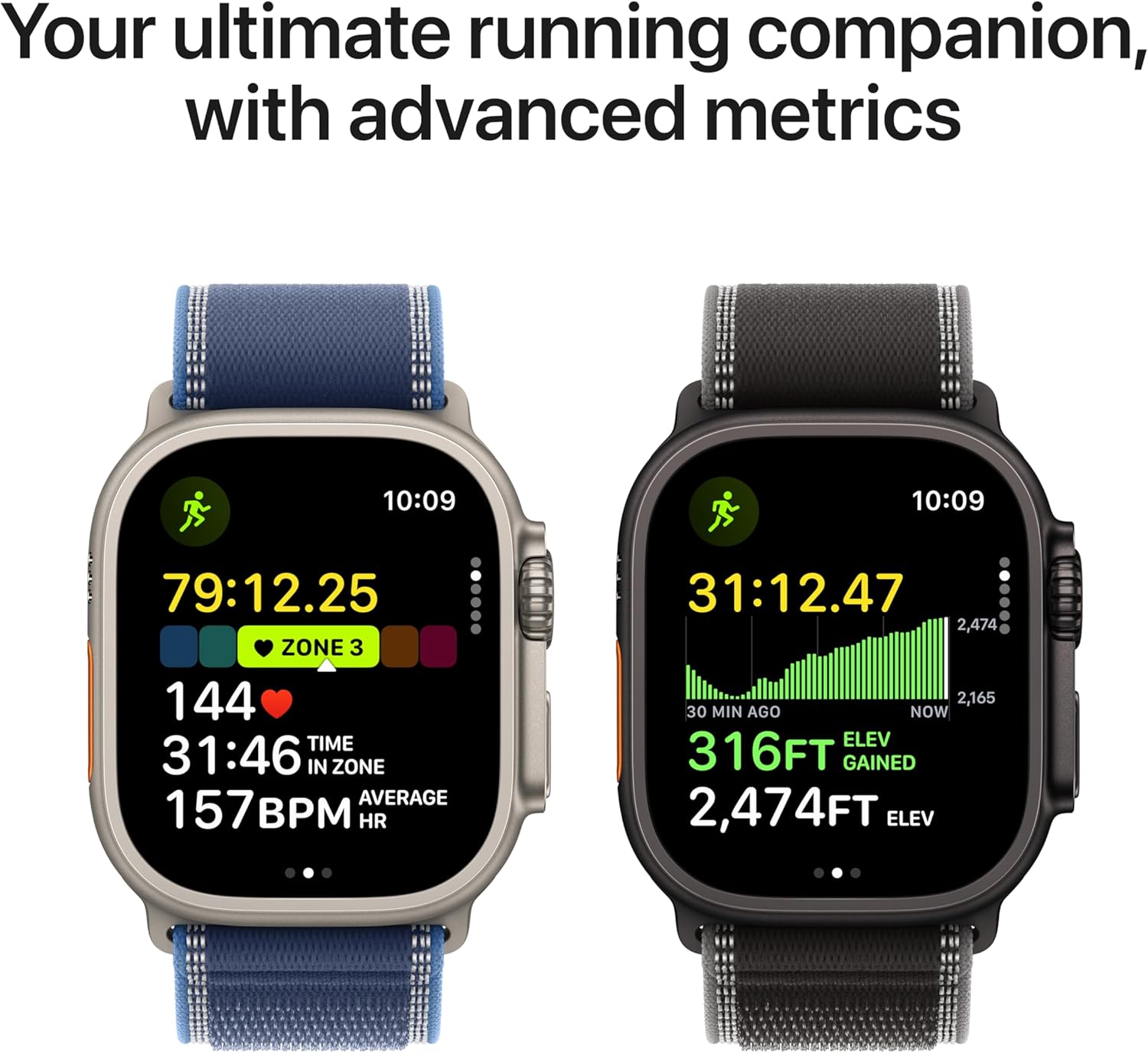
An intensive care nurse with Type 1 diabetes described what the Apple Watch Ultra 3′s battery meant for her specifically.
She works 12-hour shifts, during which charging a watch is genuinely not possible.
Previous Apple Watch generations required a charge every 18 hours, which meant she had to choose between overnight CGM monitoring and arriving at a shift with a full battery.
She could not reliably do both.
The Ultra 3’s 42-hour battery removed that calculation.
She charges it after every shift, overnight CGM monitoring runs continuously, and the CGM alert haptics reach her wrist during shifts without her touching her phone.
Battery Life and Type 1 Management:
The relationship between the Apple Watch Ultra 3’s battery and the demands of intensive Type 1 diabetes management is more practical than its specifications suggest.
People on insulin pump therapy or using closed-loop systems like the Tandem t:slim X2 or Omnipod 5 often have multiple devices to charge.
Adding a watch that requires daily charging to a pump, a CGM receiver, and a phone creates genuine charging fatigue.
The Ultra 3’s 42-hour standard battery life and 60-hour optimised mode mean most people charge it every two days, reducing the overall device-management burden.
The Ultra 3’s direct-to-watch Dexcom G7 integration is identical to the Series 11.
The CGM sensor maintains its own Bluetooth connection directly to the watch, independent of the iPhone.
For pump users whose phone runs automated insulin-delivery software and cannot be left idle, having the watch receive CGM data independently means the phone can stay focused on pump communication without the watch relying on it.
The 49mm titanium case with 100-metre water resistance handles the demands of an active lifestyle without concern.
For triathletes, open-water swimmers, and outdoor athletes managing Type 1, the build means the watch goes into the water the same way as everything else, with no special considerations.
Two-Way Satellite Messaging:
The Ultra 3 adds two-way satellite SOS and messaging, available without a cellular signal.
For people with Type 1 diabetes who spend time in remote locations, alone, this is a genuine safety feature.
A severe hypoglycaemic event in an area without phone coverage is a medical emergency.
The ability to communicate and request emergency assistance via satellite adds a safety layer that no other watch on this list provides.
For everyday urban diabetes management, satellite messaging is a premium that rarely activates.
For specific user profiles, including hikers, trail runners, solo campers, and rural residents with Type 1 diabetes, it represents meaningful additional security.
Who Should Not Buy This:
Android users cannot use this watch. If daily charging isn’t a constraint and the premium price isn’t justified by your needs, the Apple Watch Series 11 offers identical CGM integration at a lower cost.
If your activity doesn’t include remote environments or extended periods away from charging, the Ultra 3’s unique advantages over the Series 11 may not apply.
For a broader look at how the Ultra 3 handles training load and recovery alongside CGM monitoring for active diabetics, the detailed comparison at best-smartwatches-for-triathlon covers the Apple Watch in multisport contexts.
Specifications:
| Feature | Details |
|---|---|
| CGM Compatibility | Dexcom G7 direct-to-watch, FreeStyle Libre via phone |
| Display | Wide-angle OLED LTPO3, 3000 nits |
| Battery | 42 hours standard, 60 hours optimised |
| GPS | Dual-frequency GNSS |
| Emergency | Two-way satellite SOS and messaging |
| Water Resistance | 100m, EN13319 certified |
| Compatibility | iPhone only |
7. Google Pixel Watch 5: (Best Watch for Android Users Tracking Insulin Resistance)

A 44-year-old with prediabetes described his doctor’s advice in three words: reverse it now.
Diet, exercise, and monitoring were the tools.
His endocrinologist specifically mentioned insulin resistance as the number he needed to move, not just fasting glucose.
Most health devices told him his glucose. None told him anything about insulin resistance as a pattern over time.
The Pixel Watch 5 does.
Insulin Resistance Trends — The Feature No Other Watch Has
Google introduced insulin resistance trend tracking on the Pixel Watch 5, and it is the most clinically relevant new diabetes feature on any smartwatch launched in 2026.
Insulin resistance is a condition in which the body’s cells stop responding efficiently to insulin.
It is the underlying mechanism behind Type 2 diabetes and the primary target when a doctor tells a prediabetic to make lifestyle changes.
Reducing insulin resistance through exercise and diet is how Type 2 diabetes is reversed in its early stages.
The Pixel Watch 5 tracks changes in insulin resistance patterns over a month using overnight biometric data from the watch’s sensors, alongside health trends in your connected data.
The result appears in Google Health as a monthly summary showing whether the pattern is improving, stable, or worsening.
For a prediabetic or Type 2 diabetic actively trying to improve metabolic health through lifestyle changes, seeing monthly insulin resistance patterns move in the right direction is the specific feedback that confirms those changes are working.
No Apple Watch, Samsung Galaxy Watch, or Garmin currently offers this feature.
How CGM Data Reaches the Pixel Watch 5
The Pixel Watch 5 displays CGM data through Wear OS apps rather than a direct sensor connection.
For Dexcom users, the Gluroo app on Wear OS places glucose readings, trend arrows, and charts directly on the watch face and sends alerts when levels go high or low.
For FreeStyle Libre users, the LibreLinkUp companion app routes alerts to the watch through the paired Android phone.
The phone needs to be within Bluetooth range for real-time glucose updates to reach the watch.
This is the same arrangement as the Samsung Galaxy Watch 9 and differs from the Apple Watch Ultra 4 and Series 12, which receive Dexcom G7 data directly from the sensor without phone proximity.
For Android users who carry their phone throughout the day, proximity is rarely a practical limitation. The watch displays glucose data reliably wherever the phone is within range.
Blood Pressure Trends for Diabetics With Cardiovascular Risk
Diabetes significantly raises the risk of cardiovascular disease.
High blood pressure is one of the most common complications in people managing both Type 1 and Type 2 diabetes, and it often develops quietly before symptoms appear.
The Pixel Watch 5 tracks blood pressure trends over time using overnight sensor data. Like the Samsung Galaxy Watch 9’s blood pressure monitoring, this is a trend-tracking system rather than a real-time blood pressure reading.
It identifies whether patterns are shifting in a way that warrants a clinical cuff check.
For a diabetic who already monitors glucose continuously and wants the same passive awareness of blood pressure patterns, tracking both on the same watch simplifies the monitoring picture.
Loss of Pulse Detection
The Pixel Watch 5 carries Loss of Pulse Detection — a feature exclusive to this watch among all current consumer smartwatches. The watch continuously monitors the pulse signal from the optical sensor.
If the signal disappears and the wearer does not respond to an alert within a short period, the watch automatically contacts emergency services and shares its GPS location.
Severe hypoglycemia can cause loss of consciousness.
For a Type 1 diabetic who lives alone, exercises alone, or spends time in environments where help is not immediately available, Loss of Pulse Detection adds a safety layer that no Dexcom alert can provide on its own.
The CGM warns before a dangerous low. Loss of Pulse Detection responds if the low has already caused incapacitation.
For Android users choosing between the Pixel Watch 5 and Galaxy Watch 9 for diabetes management specifically, the comparison at apple-watch-series-12-vs-samsung-galaxy-watch-9 covers both platforms in detail.
Who should not buy this: iPhone users cannot use the Pixel Watch 5. Samsung users will find deeper Samsung Health integration on the Galaxy Watch 9. Diabetics who specifically need phone-free Dexcom monitoring should look at the Apple Watch Ultra 4 or Series 12.
Specifications:
| Feature | Details |
|---|---|
| CGM Compatibility | Dexcom via Gluroo, FreeStyle Libre via LibreLinkUp |
| New Diabetes Feature | Insulin resistance monthly trends |
| Blood Pressure | Trend monitoring |
| Loss of Pulse | Yes — unique to Pixel Watch 5 |
| Display | Actua 360 AMOLED, 3,000 nits |
| Battery 41mm | 30 hours with AOD |
| Fast Charge | 50% in 15 minutes |
| Compatibility | Android 12 or newer |
| Launch | August 20, 2026 |
8. Garmin Forerunner 970: Best for Runners and Triathletes with Diabetes

A competitive age-group triathlete with Type 2 diabetes described the Forerunner 970 as the watch that finally made race day simpler, not more complicated.
Her phone ran the Dexcom G7 app and sat in her transition bag throughout the event.
With the phone maintaining a Bluetooth connection to both the CGM sensor and the watch during each leg, glucose readings appeared on the Forerunner’s watch face throughout the swim, bike, and run, without any setup changes at each transition.
She saw her glucose at every mile marker of the run and finished the race with a complete glucose overlay of the entire event in Garmin Connect.
Dexcom During Triathlon and Running Events:
The Forerunner 970 supports the Dexcom Connect IQ widget across all triathlon activity modes, so glucose data continues to display during each leg of a triathlon as long as the phone remains within Bluetooth range in the transition area or on the bike.
The auto-transition detection that switches the watch between swim, bike, and run tracking does not interrupt the Dexcom data field, which continues updating independently.
During standard running sessions, the Dexcom data field appears on a configurable data screen alongside running power, heart rate zone, cadence, and ClimbPro data.
The watch’s AMOLED display reads clearly in direct sunlight during races and training alike.
Heart rate accuracy across running intensities is among the most reliable of any optical sensor tested on the wrist, which matters for people with diabetes who use heart rate zones to manage exertion and its effect on glucose.
The Garmin Triathlon Coach feature, available on the Forerunner 970, creates adaptive training plans covering swim, bike, and run that adjust based on your daily Training Readiness and Body Battery scores.
For a triathlete managing Type 1 diabetes, where training load directly affects insulin sensitivity and glucose variability, a training plan that responds to your actual daily readiness, rather than a fixed schedule, removes one source of glucose-management complexity.
FTP testing and power curve tracking for the bike leg, connected with Dexcom glucose data in Garmin Connect, allowing you to review how your power output correlates with your glucose levels across your training history.
For diabetics who train with power on the bike, this connection between performance and glucose data helps you understand how specific sessions affect insulin needs.
Who Should Not Buy This:
If you don’t run or compete in triathlons and primarily want CGM monitoring for daily life and casual activity, the Venu 4 offers the same Garmin CGM platform with a more lifestyle-oriented design at a lower cost.
If you need phone-free, direct CGM data, the Apple Watch Ultra 3 with Dexcom G7 is the only relevant option for extended events.
“Looking for Dexcom-specific compatibility? See our Dexcom G6/G7 compatible watches guide”
Specifications:
| Feature | Details |
|---|---|
| CGM Compatibility | Dexcom G7 via Connect IQ widget across all activity modes |
| Display | AMOLED, brightest in any Garmin watch |
| Battery | 31 hours GPS, 23 days smartwatch |
| GPS | Multi-band dual-frequency |
| Triathlon Features | Full triathlon mode, auto-transition, Garmin Triathlon Coach |
| Cycling Features | FTP testing, power curve, power meter support |
| Water Resistance | 10 ATM |
FAQs:
Can the Apple Watch detect blood sugar levels?
The Apple Watch can detect blood sugar levels. To display glucose data on the watch, you will need a compatible app and a Continuous Glucose Monitor (CGM), such as the Dexcom G6 and G7.
Do blood glucose watches work?
Blood glucose watches need to be accurate. They can only display blood glucose levels measured by an external continuous glucose monitoring (CGM) system. The watch’s accuracy depends on the accuracy of the CGM system it is linked to.
What wearable technology monitors blood sugar?
These devices use tiny sensors to measure blood glucose and body temperature through interstitial fluid without drawing blood. A CGM system takes readings regularly and sends them to your smartphone via a mobile app.
Can a Samsung watch measure blood sugar levels?
Likewise, the Samsung watch measures blood sugar levels, but an app and a CGM device are required to display the information.
Ending Paragraph:
Alright, guys, we have finalized our discussion about the best smartwatches with blood sugar monitors.
Do you guys have experience with the best smartwatches with blood sugar monitors?
What are your thoughts on them?
Which smartwatches are best for construction workers?
Is there any smartwatch you love to give that I didn’t mention in this article?
Would you please leave your comments below?
Related Posts:
Fitbit Air vs Whoop 5.0: Which Screenless Fitness Tracker Should You Buy
Best Smartwatches in 2026 | Battery, Health & Value Compared
Garmin Fenix 9 Pro Solar vs AMOLED
Luis Cooper

Hi, I'm Luis, the guy behind this site. I love wearing watches, especially ones that look great on small wrists (mine are about 6.3" around). The Watches Geek is dedicated to helping you learn about and buy watches that you will love wearing. I want this website to be the last destination for people to pick the best watches to fit their needs. You can find our unbiased reviews here on Thewatchesgeek.
1 thought on “8 Best Smartwatches with Blood Sugar Monitor: (2026 Guide & Reviews)”