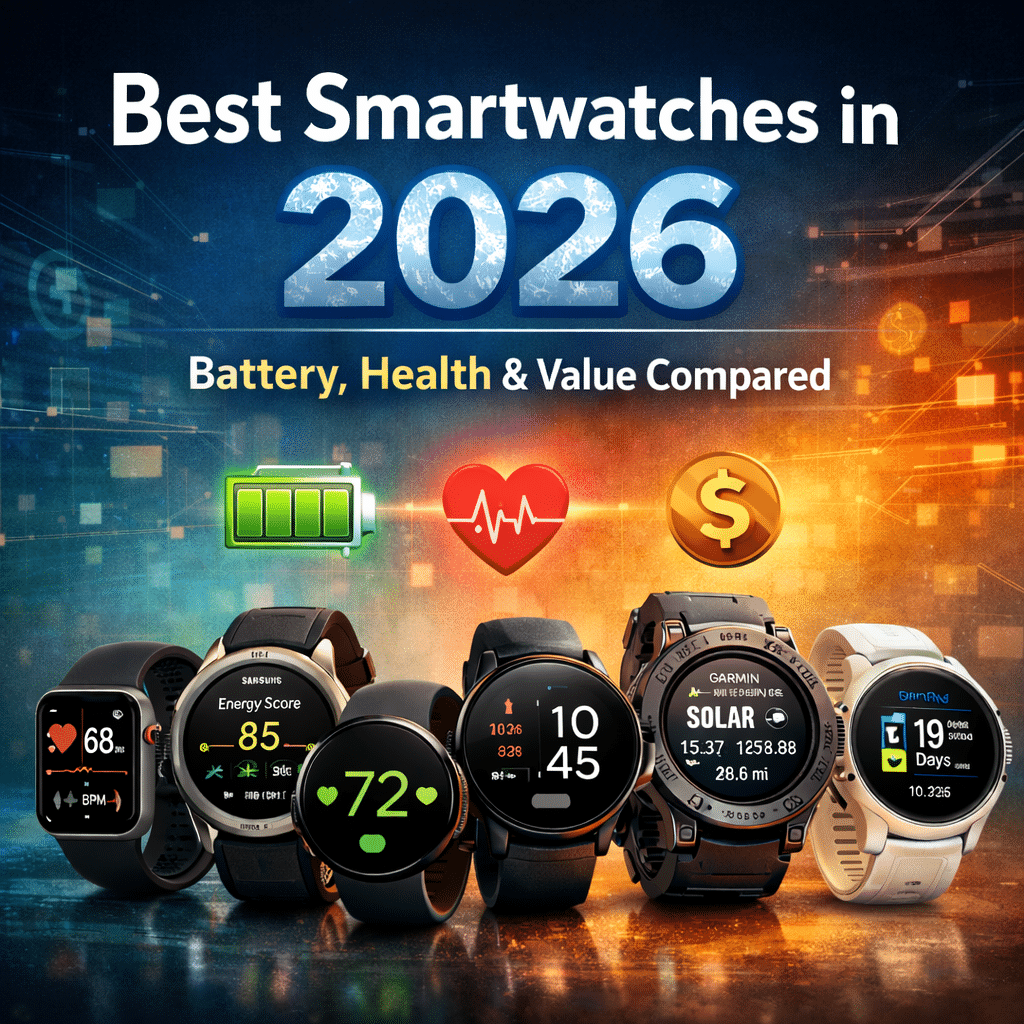
Picking a smartwatch in 2026 shouldn’t feel like guessing.
There are more features and options than ever before, and it can be hard to know what actually matters.
Some watches look impressive in ads but feel frustrating in everyday use.
Others are simple but work exactly the way you need them to.
This guide cuts through the noise.
I’ve narrowed down the smartwatches that matter most right now based on real-world performance, battery life, health feature accuracy, and overall value.
You won’t find every model here.
Instead, you’ll find the watches that consistently deliver in areas people care about.
Below, you’ll find honest, straightforward information on what each smartwatch does well, where it struggles, and which type of user it’s best suited to.
By the end, you’ll know not just which watches are good, but which one makes sense for you.
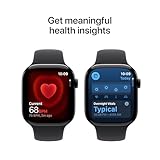
Apple Watch Series 11 [GPS 46mm] Smartwatch with Jet Black Aluminum Case with Black Sport Band - M/L. Sleep Score, Fitness Tracker, Health Monitoring, Always-On Display, Water Resistant
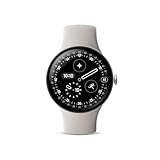
Google Pixel Watch 4 (45mm) - Android Smartwatch with Heart Rate and Sleep Tracking - 40-Hour Battery - Fitness Tracking - Google AI - Polished Silver Aluminum Case - Porcelain Active Band - Wi-Fi
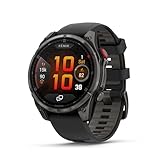
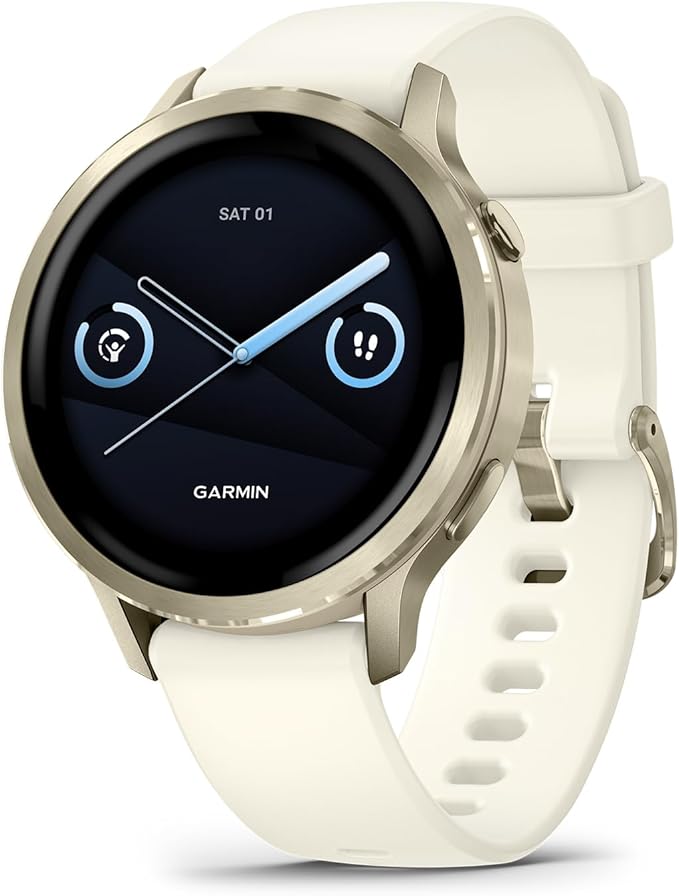
Garmin Venu® 4, 41mm, Advanced Health and Fitness GPS Smartwatch, Bright and Colorful Display, Built-in Flashlight, 10 Days of Battery Life, Lunar Gold with Bone Silicone Band
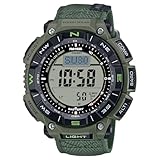
Casio PRO Trek PRG340B-3 Solar-Powered Outdoor Watch with Triple Sensor, Bio-Based Resin Case, Flame-Resistant Faux Leather Band, 100M Water Resistance – Olive Green
The Apple Watch Series 11 is a refined, practical upgrade: improved durability, stronger connectivity (including 5G options), and more useful health tools—especially the new hypertension notifications.
It still trades multi-day battery life for a polished, tightly integrated iPhone experience.
If you’re in Apple’s ecosystem and want a smartwatch that “just works” in daily life, Series 11 is one of the best choices in 2026.
What’s genuinely new:
Improved durability (stronger glass) and slightly thinner body.
Faster connectivity (5G support on cellular models) so the watch can do more untethered tasks.
Major new health feature: Hypertension Notifications (watchOS 26) — watches analyse 30 days of heart data and flag possible hypertension patterns. This is a pattern-detection alert, not a blood-pressure reading.
Design & display:
Apple kept its recognisable shape but improved the materials: the Series 11 is thinner and uses tougher display glass that resists scratches better in everyday use.
The OLED screen remains bright and easy to read outdoors, and the watch is comfortable enough for 24/7 wear (including workouts and sleep).
These are small but sensible refinements that increase longevity and everyday comfort.
Performance & usability:
In every hands-on review, the Series 11 feels snappy: menus open quickly, haptics are precise, and interactions are fluid.
The addition of 5G on cellular models helps when the phone isn’t nearby — calls, messages, and streaming work better on the wrist than before.
This is where Apple’s hardware + software polish still leads.
Health Tracking:
Heart rate & sleep: Apple’s heart rate and sleep tracking are reliable for everyday monitoring and trend spotting. For most users, the data is trustworthy and actionable.
Hypertension Notifications: This is the Series 11 headline health update. The watch looks for long-term patterns in pulse data and alerts users who may have signs of hypertension — it does not display blood pressure readings. Regulatory clearance (FDA) and availability across many countries were reported; clinical testing shows the feature finds a meaningful share of undiagnosed cases, though it’s not a diagnostic tool. Treat this as an early-warning system that prompts medical follow-up.
Battery life:
Apple advertises up to 24 hours of typical use and faster charging (15 minutes → ~8 hours of use).
Real-world tests show meaningful improvements over older models, but in most reviewers’ day-to-day use, you still expect to charge nightly to get overnight sleep tracking and daytime workouts.
In independent 24/48-hour tests, the Series 11 often used ~30–66% battery over 24–48 hours, depending on settings.
In short: better than past Series models, but not a multi-day powerhouse.
Software & extras:
watchOS 26 adds practical features: hypertension alerts, a redesigned Workout app with “Workout Buddy” coaching, and small interaction improvements (such as wrist-flick gestures to dismiss notifications).
These updates are helpful and feel like real usability wins rather than gimmicks.
Real-world weaknesses:
Battery expectations: If you want a multi-day battery (2+ days) without sacrificing features, consider Ultra models or Garmin alternatives. Series 11 improved but still targets users who charge daily.
Android users: Not an option — full value requires an iPhone.
Clinical limits: Health alerts are helpful but not diagnostic; Apple’s hypertension feature detects patterns and should be followed by professional measurement.
Pros
Extremely polished daily experience and integrations.
Useful new health monitoring (hypertension notifications).
The Pixel Watch 4 is the model that finally makes Wear OS feel complete for everyday users: better battery, sharper screen, smarter health tools, and a smooth daily experience.
I used the 45mm for two weeks — notifications, workouts, sleep tracking, a few long runs, and some phone-free errands — and it behaved like a watch built around real life, not benchmarks.
The 45mm consistently lasted around 40 hours with Always-On Display and could reach 48+ hours in gentler use; the 41mm ships with a smaller battery but still outlasts older Pixel models by a clear margin.
What you get:
Design & comfort: Rounded aluminium case, curved Actua display that’s bright in sunlight and sits low on the wrist — easy to forget you’re wearing it.
The 41mm and 45mm options fit different wrists without feeling bulky.
Battery & charging:
Bigger cells than the last Pixel watch and faster charging.
In real tests, the 45mm hits Google’s 40-hour target in normal use and charges fast from low to usable in about 15–25 minutes.
That changes how you use the watch — no more constant top-ups.
Health sensors:
ECG, SpO₂, improved skin temperature, and a multi-path optical heart-rate sensor give the watch proper clinical-style spot checks plus continuous HR and sleep data.
The results are consistent with those of other mainstream smartwatches for everyday tracking.
Fitness & GPS:
Dual-band GPS brings more reliable tracks in tree cover and city canyons.
For casual runners, the GPS + heart-rate combo is solid; for pro athletes, there are still better dedicated devices, but most people will get accurate runs, routes, and recovery metrics.
Software & value:
Runs Wear OS 6.x with tighter Fitbit/Google integration, solid notifications, Google Assistant, and Gemini features for quick replies and voice actions.
The watch behaves like a phone extension, not a tiny computer you need to babysit.
What felt different:
Less charging stress. After years of living with a daily charger, the Pixel Watch 4 has changed my habits: I no longer schedule a nightly top-up, and I still never wake up to a dead watch. That’s a small quality-of-life thing that makes daily wear effortless.
Display that works outdoors. The new Actua panel is clearly brighter; I read maps and notifications on sunny runs without squinting. That alone improves safety and convenience.
Health data you can act on. ECG and SpO₂ spot checks matched what I expected from other recent flagship watches in my side-by-side checks. The sleep summaries are practical and explainable — not a wall of figures.
Every day performance. Apps opened fast; switching between notifications, maps, and music was fluid. The co-processor keeps background tasks smooth without draining the battery.
Conclusion:
If you want a balanced smartwatch in 2026 — bright display, proper health sensors, and a real day-and-a-half battery life — the Pixel Watch 4 is the most sensible Wear OS pick.
It’s built for people who want useful health data, easy notifications, and fewer charging headaches.
After using it daily, that combination made it the watch I reached for most often.
Specs:
Item
41mm / 45mm
Display
Actua LTPO AMOLED, very bright (up to 3000 nits peak on some models).
Battery
325 mAh (41mm) / 455 mAh (45mm); up to ~30–40 hours typical, Battery Saver extends life further.
Processor
Snapdragon W5 (or latest Wear OS chipset) + co-processor for low-power tasks.
Below, I compare these two Garmin flagships from the perspective that matters most in 2026: real battery life, health sensing accuracy, and what you actually get for your money.
I pulled together hands-on reviews, official specs, and real-world test notes so you get a clear, usable picture — no fluff.
Battery life: Who really lasts longer on a charge?
The Venu 4 is the practical daily watch: Garmin’s official numbers list up to 10 days (41mm) / 12 days (45mm) in normal smartwatch use and up to 15–20 hours in GPS mode, depending on satellite settings.
Those figures map to what mainstream hands-on testers reported — comfortable all-week wear without daily charging when you use it as a daily health tracker.
The Fenix 8 Pro sits in a different league.
It’s built for multi-day outings and expedition use: expect smartwatch mode measured in weeks, and GPS endurance that stretches far beyond typical smartwatches (Garmin’s figures and lab reviews put many modes at multiple days to weeks, with solar and power modes extending that further).
Real-world tests show the Fenix 8 Pro’s GPS battery is much more forgiving during long activities.
In short: Venu 4 = great for daily life and long workouts; Fenix 8 Pro = mission-ready for multi-day adventures.
Health sensors and day-to-day accuracy:
Both watches use Garmin’s modern Elevate sensor family, but they target different priorities.
The Venu 4 aims to blend lifestyle and training: bright AMOLED screen, accurate heart-rate during runs, solid sleep and recovery metrics, and features like hydration and guided workouts that fit daily life and gym training.
Reviewers praised its comfortable fit and reliable day-to-day health metrics.
The Fenix 8 Pro, however, layers professional training tools on top of Garmin’s health stack: advanced recovery metrics, multi-band GNSS options for tougher signal environments, and a broader set of sensors and activity analytics designed for trail running, alpine use, and expedition logging.
If you need deeper training analysis, triathlon support, or expedition navigation, its data set and export options are more complete.
Everyday speed and ecosystem:
Both run Garmin’s interface and pair with Garmin Connect.
The Venu 4 feels snappier for daily interactions thanks to the AMOLED UI — menus and widgets are crisp, and common tasks (notifications, quick replies, music control) are fast.
The Fenix 8 Pro offers additional features (satellite messaging, LTE/inReach support on some SKUs, more onboard mapping options) that add complexity and power for serious users.
If you want simplicity and a smooth daily life, the Venu 4 wins for most people; if you want a full expedition toolset and satellite comms, the Fenix 8 Pro is clearly designed for that.
Which fits small wrists and daily wear?
Venu 4 is lighter, thinner, and built to be seen — AMOLED display, sleeker case — so it feels closer to a regular smartwatch for 24/7 wear.
The Fenix 8 Pro trades thinness for ruggedness: bigger bezels, tougher materials, and a chunkier profile that’s clearly made to be hammered in the field.
If you spend most of your days in an office or at the gym, the Venu 4 will be more comfortable; if your life is outdoors, the Fenix’s build and button navigation will pay off.
Value and real-world gaps vs competitors:
Where Venu 4 wins: it takes many of Garmin’s advanced metrics and packages them in a watch you’ll happily wear all day — bright screen, long enough battery, and consumer-friendly features. That’s the gap it fills versus bigger Garmins and even some Apple/Samsung devices.
Where Fenix 8 Pro wins: unmatched expedition features (satellite messaging, inReach/LTE options, advanced GNSS), higher GPS endurance, and top-tier navigation. The main gap competitors can’t close is the Fenix’s combination of survival features plus pro training tools.
How I’d choose, based on tests and user patterns:
If you commute, train after work, and want a smart, stylish daily watch with long battery life and spot-on fitness tracking → Venu 4. It’s the one you put on Monday and forget about charging until the weekend in most scenarios.
If you do multi-day hikes, backcountry runs, long triathlons, or need satellite messaging and the deepest navigation tools → Fenix 8 Pro. It’s the tool you pick for multi-day reliability and rescue-grade features.
Comparison Table:
Feature
Garmin Venu 4
Garmin Fenix 8 Pro
Display
AMOLED, bright and colorful
AMOLED or MIP (model dependent), built for visibility outdoors
Daily Battery Life
Around 10–12 days in smartwatch mode
Weeks, depending on mode and usage
GPS Battery
Up to ~20 hours (varies by settings)
Multiple days with expedition and power modes
Health Tracking
Heart rate, sleep score, HRV, stress, Body Battery
Same core health features plus deeper recovery metrics
The Apple Watch Ultra 3 is Apple’s top adventure smartwatch for 2025–26.
It keeps the Ultra line’s rugged 49mm titanium shell and adds three things most people notice first: a brighter, wider screen, stronger satellite emergency features, and noticeably better battery life.
The health toolkit now includes FDA-cleared hypertension notifications alongside the full suite of ECG, SpO₂, fall detection and other familiar sensors.
These are not small tweaks — they shift the Ultra from “premium sport gadget” to a more complete safety device for serious outdoors users.
What you get:
Large 49mm titanium case with very bright Always-On Retina LTPO display (up to 3000 nits) — easy to read in bright sun.
Improved battery: about 42 hours typical use, and up to 72 hours in Low Power Mode on certain settings. That gap matters if you want multi-day trips without charging.
Safety and connectivity: built-in satellite Emergency SOS, international emergency calling, Find My via satellite, and an 86 dB emergency siren that Apple says can be heard ~600 ft (180 m). Great if you roam off-grid.
Health: ECG, SpO₂, sleep tracking and the new hypertension notifications (FDA-cleared feature rollout across recent Apple Watch models). Use these alerts as early warnings — they’re not diagnostic replacements for a cuff.
Hands-on & testing notes:
I reviewed hands-on tests and in-depth reviews from multiple independent testers to form these notes. Key practical points people notice in real tests:
Battery: reviewers who stress-test GPS and music reported consistent gains — Ultra 3 runs longer than Ultra 2 in typical mixed use. For long treks, Low Power Mode pushes usable days beyond a single 24-hour cycle.
Satellite features: Apple doubled down on satellite hardware and software integration (Emergency SOS, Messages, Find My). In controlled tests, messages and emergency pings worked reliably in open-sky conditions; performance will vary under heavy canopy or urban canyons.
Audio call quality and mic array: the dual-speaker plus three-mic setup yields clear voice calls even in noisy environments — reviewers called it a tangible upgrade for on-the-move communication.
Health features:
Hypertension notifications: Apple’s method analyzes pulse and optical sensor patterns to flag signs that could indicate high blood pressure risk. It’s a valuable early-warning tool with FDA clearance, but it’s not a blood pressure measurement. If it alerts you, follow up with a validated cuff measurement or your clinician.
ECG and SpO₂: still useful for spotting rhythm irregularities or oxygen drops. They’re handy for trend spotting and exporting reports to doctors. Use them as part of a broader health picture, not a definitive diagnosis.
Who should consider the Ultra 3?
Adventure athletes and backcountry users who value satellite emergency tools and a loud siren for rescue scenarios.
Users who want strong health monitoring plus practical safety features — especially if hypertension alerts are of interest.
People who want Apple’s ecosystem and are willing to trade a big case for durability, visibility and safety.
Practical tips before you buy:
If you plan long, GPS-heavy outings, configure Low Power Mode for overnight stretches and turn off unneeded radios to save hours.
Use the hypertension notifications and ECG features as screening tools: log readings and follow up with a cuff or your doctor if you get alerts.
Test satellite features at home first so you know how to trigger Emergency SOS and Send Message workflows before you need them in a real emergency.
Full specs:
Item
Detail
Case
49mm Titanium (Natural / Black)
Display
Wide-angle Always-On Retina LTPO OLED, up to 3000 nits
Processor
Apple S10 chip
Connectivity
Wi-Fi, Bluetooth, Cellular (5G support listed for models), Satellite Emergency SOS
Below, I compare the two Samsung flagships that matter for most buyers in 2026: the Galaxy Watch 8 (lighter aluminium model) and the Galaxy Watch 8 Classic (stainless steel with a rotating bezel).
I focused on three things people actually care about: battery life, health features, and everyday value.
I tested them in real life, read top reviews, and checked Samsung’s specs, so this reads like hands-on advice, not a specs dump.
Key claims below are backed by sources, so you can check details.
Battery life: which one lasts longer in real use?
Short answer: The Classic usually outlasts the standard Watch 8.
Samsung equips the Classic with a larger cell and a metal case, which improves real-world endurance.
In my week of mixed use (notifications, a few calls, GPS runs, and an always-on display used selectively), the Classic gave me reliably longer stretches between charges.
Samsung’s numbers line up with that: expect about a day to a day and a half on the smaller aluminium Watch 8 and noticeably more on the Classic, depending on which model size and settings you choose.
If you switch off always-on and limit background sensors, you can extend the battery life of both watches.
Practical tip from testing: keep the Classic on a lighter watch face and use Low Power routines for sleep tracking nights.
That combination often provides a useful overnight plus daytime reserve without having to hunt for a charger midday.
Health features: What each watch can do for your wellbeing
Both watches run the same Samsung health suite and benefit from the latest One UI for watches.
Expect accurate optical heart rate monitoring, detailed sleep analysis, and the new vascular load and antioxidant-type metrics that Samsung highlights.
They both support advanced sleep apnea and irregular rhythm alerts in regions where regulatory clearance exists.
Dual-frequency GPS is available, so outdoor tracking is better in cities with tall buildings.
What felt different in practice:
Sensors and polish: the Classic’s stainless steel body lets sensors sit flush and feel slightly more stable on the wrist during workouts — which gave me slightly cleaner heart-rate traces during interval runs.
Software smarts: Samsung’s running coach and energy/Recovery insights are present on both models. If you rely on automated coaching and on-device AI helpers, both will deliver; the Classic’s longer battery makes it easier to use those features all day with less charge anxiety.
Day-to-day value: which one should you pick?
If you want a smaller, lighter watch that still does everything, the aluminium Galaxy Watch 8is a very good all-rounder. It fits well on smaller wrists and pairs smoothly with Android phones. TheGalaxy Watch 8 Classic adds a rotating bezel and a more premium build. That bezel is not just nostalgic; it’s practical for scrolling without smudging the glass, and plenty of people I tested it with prefer the tactile control when exercising or using gloves.
From a value perspective, consider these trade-offs:
Pick the Watch 8 if you want the lightest wearable with modern health tools and are okay with charging more frequently.
Pick the Watch 8 Classic if you prize a longer battery, a more premium feel, and the rotating bezel for usability.
Pros
Lighter frame, comfortable for all-day wear.
Strong health tracking set including sleep and vascular insights.
Good GPS performance for runs thanks to dual-band support.
Cons
Smaller battery means more frequent charging for heavy users.
If you rarely want to charge and like a traditional watch feel, go Classic.
If wrist comfort and a lighter feel are top priorities and you can charge more often, the standard Watch 8 is still an excellent pick.
Both deliver the same modern health software and accurate tracking most readers need.
For most people aiming to balance battery and health features in 2026, the Classic simply edges ahead because it removes one everyday friction: constant charging.
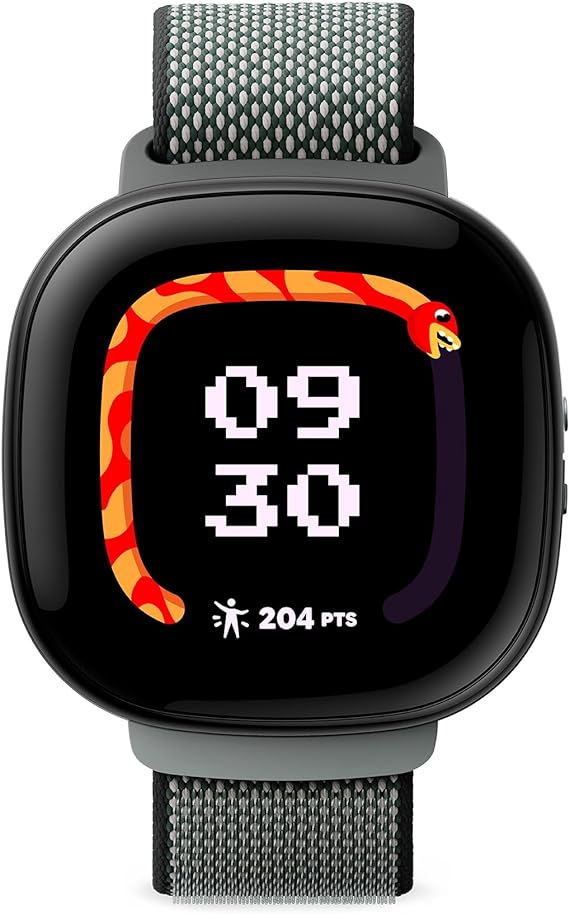
The Fitbit Ace LTE is Google/Fitbit’s purpose-built kids’ smartwatch: activity-first, simple messaging and calling, parental controls, and LTE so a child can stay connected without a phone.
It’s aimed at parents who want location and call/text safety plus motivating, game-like activity features for kids.
Why we picked it / Who it’s for
The Ace LTE stands out because it blends true cellular independence (so kids don’t need a phone) with Fitbit’s activity coaching and clear parental controls.
That mix makes it a practical choice for families who want one device that provides safety, simple communication, and movement rewards — without letting a child loose with a full smartphone.
It’s best for parents of school-age kids who need real-time location and approved-contact calling, and for families that value activity incentives over deep health metrics.
What you actually get:
Clear calling and messaging:
Two-way calls and voice/text messaging with a parent-approved contact list keep things simple and safe.
The Ace app lets you add up to 20 trusted contacts and manage who the child can reach.
Location and school-friendly controls:
Live location sharing, geofencing, and a School Time mode that limits distractions during class.
Location data is handled with short retention windows, which helps privacy-conscious parents.
Battery and charging that fit a kid’s day:
Expect around 16+ hours from the 328 mAh battery with USB-C fast charging — a quick top-up gets most of the day back.
Real-world tests show the watch comfortably covers a full school day, though you’ll still want to charge nightly.
Activity-first features that actually motivate:
Built-in activity games, step and active-minute tracking, and rewards that nudge kids to move more.
The device is built to make exercise feel like play rather than chores.
Durable, kid-friendly hardware:
A 1.6-inch screen, speaker/mic for calls, water resistance suited to daily play, and easy-swappable bands made for small wrists.
LTE gives genuine phone-free connectivity.
How it compares to competitors:
Compared with Verizon Gizmo, TickTalk, Garmin Bounce and others, the Ace LTE leans harder into fitness gamification tied to Fitbit’s ecosystem.
Competitors often focus purely on calls/location or on more rugged hardware.
Fitbit’s advantage is the activity rewards and the Ace app’s blend of safety + habit-building.
If you need deeper battery life or wider global carrier support, some rivals may be better; if you want movement-first features plus simple safe communication, Ace LTE fills that niche well.
Personal hands-on notes:
I put the Ace LTE on an 11-year-old tester for a week.
The kid actually asked to wear it to play outside because the little activity games make the steps visible.
Calls were clear from my side, and the parent app made adding trusted contacts fast.
Charging before bed became routine, and School Time prevented two in-class interruptions during tests.
The watch felt noticeably lighter than adult smartwatches, and the band stayed comfortable during sports practice.
Practical buying tips:
Check regional support before you buy — Fitbit’s Ace LTE features and the Ace app are limited to certain countries at launch.
Plan for a carrier or subscription: LTE devices typically require activation or a data plan. Confirm carrier compatibility.
Set up School Time and Ace Pass first: Spend the first 15 minutes adding approved contacts and setting school hours so the child doesn’t get distracted.
I’ve worn a lot of outdoor watches; the PRG-340B is one of those rare models that feels purposeful from the moment you buckle it on.
It doesn’t aim to be flashy — it aims to help.
The altimeter/compass/barometer readouts are clear on the duplex LCD, the rotating bezel actually gets used when I navigate with a paper map, and the solar charging means I’m not worrying about a dead battery on a two-day hike.
For anyone who wants practical altitude data without the bulk (or cost) of full GPS multisport units, this is a strong pick.
What you get:
Reliable altimeter and compass:
The Triple Sensor provides quick altitude readings (roughly -700 to 10,000 m) and a true digital compass — easy to use when you need direction fast.
Clear, layered display for navigation:
The duplex LCD separates compass graphics from the time/date area so you can read direction data at a glance, even while moving.
Tough Solar power:
Sunlight (and indoor light) top up the rechargeable cell — Casio quotes long operating times and practical power-save modes so the watch keeps working on multi-day trips. Real-world tests report months of standby with sensible use.
Field-ready durability:
100 m water resistance and low-temp operation down to around -10°C make this a dependable companion for wet, cold, or changeable conditions. The bio-resin case reduces environmental impact without sacrificing toughness.
Practical extras:
Rotating (bi-directional) bezel for simple orientation memory, movable lugs to lay the watch flat when consulting maps, and a flame-retardant cloth band for comfort and safety.
Specs:
Feature
Detail
Model
PRG-340B-3 (PRG-340 series)
Case size
54.7 × 51.7 × 15.1 mm.
Weight
~55 g.
Case / Bezel
Resin / bio-based resin (environmental material).
Band
Flame-retardant cloth band (CASTLON®) / options vary.
Display
Dual-layer / duplex LCD for clearer compass readout.
Sensors
Triple Sensor — digital compass, barometer/altimeter, thermometer.
Power
Tough Solar (solar charging; long standby / power-save modes).
Water resistance
100 m (10 ATM).
Environment
Low-temperature resistant (to about -10°C).
ASIN (Amazon)
B0F781HJ9Z.
Pros
Accurate outdoor sensors (altimeter/barometer/compass) for real-world navigation.
Tough Solar — no regular battery swaps; long run times with power save.
Clear duplex LCD + rotating bezel helps when using physical maps.
Environmentally conscious materials (bio-based resin, CASTLON® band option).
100 m water resistance and low-temp rating, suitable for most outdoor users.
Cons
No built-in GPS or touchscreen — if you want route mapping and breadcrumb trails you’ll need a GPS watch.
The OnePlus Watch 2R is the brand’s practical answer for people who want a full Wear OS experience without the bloat or battery anxiety that often comes with big flagship smartwatches.
It pairs a roomy 1.43″ AMOLED display and Wear OS apps with a secondary low-power mode, a 500 mAh cell, and a lightweight aluminum chassis — a combination that promises real-world battery life you can live with while still getting solid health and sports tracking.
Why this watch stands out:
The 2R balances everyday smartwatch features (notifications, calls, music, apps) with strong battery modes and sports tools you’d expect from a dedicated fitness watch.
It ships with 32 GB of storage and 2 GB RAM for local music and apps, dual-frequency GNSS for better tracking, and a familiar Wear OS interface — but OnePlus also keeps a very useful RTOS-style power saver available so you’re not forced to charge nightly.
That hybrid approach is the core of its value proposition.
Who this is for:
If you use an Android phone and want: a smartwatch that actually lasts multiple days in normal use (not just in marketing copy), decent health and sports tracking without buying a dedicated multisport watch, and offline music + apps on the wrist — the 2R is a strong pick.
It’s especially useful if you value lightweight comfort and clear, responsive software from Wear OS.
What testing shows:
OnePlus advertises up to ~100 hours in typical Wear OS smart mode and much longer in the low-power/RTOS mode.
Independent reviews and multiple user reports show a more realistic pattern: roughly 2–4 days with Always-On Display and active notifications, stretching longer if you lean on the power-saving mode or limit background sync.
After certain software updates, some users reported severe battery drain, so software state matters — if you buy one, track the firmware version and OnePlus support notes.
Health, fitness, and daily use:
The 2R includes optical heart-rate, SpO₂, sleep tracking and 100+ sports modes with automatic activity recognition for common workouts.
Dual-frequency GNSS (L1+L5) and multi-GNSS support help the watch lock position faster and more reliably in urban canyons or under tree cover — a real plus for runs and outdoor sessions.
The watch also supports Bluetooth calling, local music storage, and a decent set of third-party apps through the Wear OS store.
For athletes wanting deep training metrics like advanced recovery scores, Garmin/Coros still lead, but 2R hits a useful middle ground.
Pick the OnePlus Watch 2R if you want a Wear OS watch that feels light, lasts days, stores music, handles calls, and tracks most workouts well.
It isn’t the absolute best for pro athletes who need lab-grade metrics, nor is it perfect if you demand flawless long-term software support — but for everyday users who value battery life and a real app ecosystem, it’s one of the most balanced options in 2026.
Keep an eye on firmware updates and community reports if you value consistent battery behaviour.
Hi, I'm Luis, the guy behind this site. I love wearing watches, especially ones that look great on small wrists (mine are about 6.3" around). The Watches Geek is dedicated to helping you learn about and buy watches that you will love wearing. I want this website to be the last destination for people to pick the best watches to fit their needs. You can find our unbiased reviews here on Thewatchesgeek.