Last Updated on April 28, 2026 by Luis Cooper
My grandfather was diagnosed with Type 2 diabetes three years ago.
He is 71, not particularly tech-savvy, and deeply suspicious of anything that requires more than two steps to set up.
His doctor mentioned continuous glucose monitors and smartwatches in the same sentence during one appointment, and he came home genuinely confused.
He did not understand whether the watch was the monitor, whether the monitor was the watch, or whether any of this actually worked without drawing blood.
He is not alone. This confusion is the most common starting point for anyone newly navigating glucose monitoring technology in 2026.
So before any watch recommendations, this guide answers the questions that matter first.
What does a smartwatch actually do in glucose monitoring?
What is a CGM, and why do you need one? Which watches work with which systems? And most importantly, which combinations are genuinely useful for daily life versus which ones are marketing noise?
![Apple Watch Series 11 [GPS 46mm] Smartwatch with Jet Black Aluminum Case with Black Sport Band - M/L. Sleep Score, Fitness Tracker, Health Monitoring, Always-On Display, Water Resistant](https://m.media-amazon.com/images/I/416RQ0rtsUL._SL160_._SL160_.jpg)
![Samsung Galaxy Watch 8 40mm Bluetooth Smartwatch, Cushion Design, Quick Button, Sleep Coaching, Now Bar, Running Coach, Energy Score, Silver [US Version, Amazon Exclusive 2Yr Warranty]](https://m.media-amazon.com/images/I/31LaWf6wVqL._SL160_.jpg)


![Apple Watch Ultra 3 [GPS + Cellular 49mm] Running & Multisport Smartwatch w/Rugged Titanium Case w/Black Alpine Loop - L. Satellite Communications, Advanced Health & Fitness Tracking](https://m.media-amazon.com/images/I/412vVDB7SSL._SL160_.jpg)
What No Smartwatch Can Do — And Why This Matters
The FDA has issued a clear and official warning that applies to every smartwatch and smart ring currently sold.
No watch or ring has been authorized, cleared, or approved to measure blood glucose levels on its own.
Not Apple Watch.
Not Samsung Galaxy Watch.
No device is currently available.
If you see a watch claiming to measure blood sugar without a sensor under your skin, treat that claim with serious skepticism.
These devices are not FDA cleared; their accuracy cannot be guaranteed, and using one for medical decisions about insulin or medication is genuinely dangerous.
This warning exists because the technology for reliable non-invasive glucose measurement from a wrist sensor does not yet exist at a consumer level.
Scientists and major tech companies are actively working on it. Apple has been quietly researching it for years. But in 2026, it is not here yet.
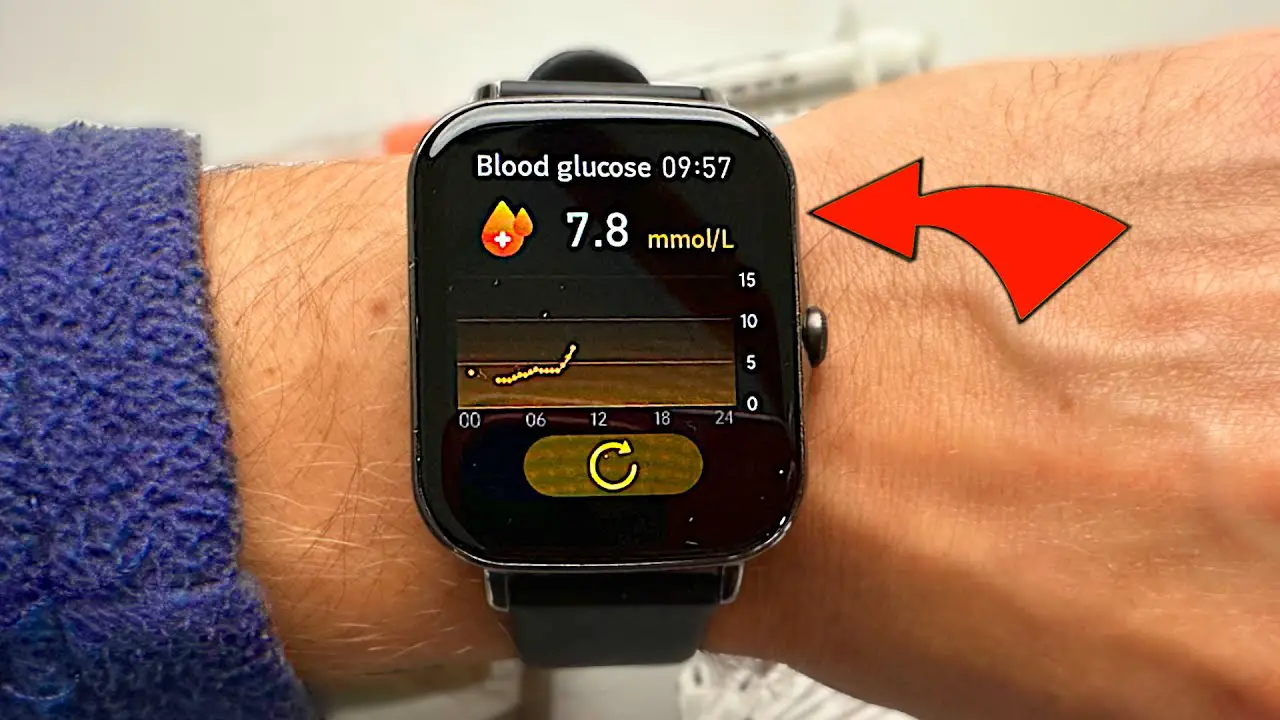
What smartwatches can do is display glucose data from a device that measures it accurately.
That device is called a Continuous Glucose Monitor, or CGM.
What a CGM Actually Is:
A CGM is a small sensor worn on the skin, typically on the upper arm or abdomen.
It contains a tiny filament that sits just beneath the skin surface and measures glucose levels in the fluid surrounding your cells, called interstitial fluid.
This measurement happens automatically every few minutes, continuously, day and night.
The two most widely compatible CGM systems in 2026 are the Dexcom G7 and the Abbott FreeStyle Libre 3 Plus.
The Dexcom G7 is about the size of a small coin and is worn for ten days before replacement.
It sends glucose readings to your smartphone every five minutes via Bluetooth and is the only CGM that currently supports direct-to-watch connectivity, meaning it can send data directly to a compatible Apple Watch without needing the phone nearby.
It is FDA cleared for adults and children aged two and above.
The FreeStyle Libre 3 Plus is even smaller, described as the size of two stacked pennies, and sends readings to your phone every minute. Its sensor lasts fifteen days.
It connects to smartwatches through the phone app rather than directly.
Both systems send alerts when glucose drops too low or rises too high, which is particularly important overnight when you cannot check manually.
The CGM is the sensor that does the actual measuring.
The smartwatch is the display that shows you what the CGM found.
How Glucose Data Reaches Your Watch:
There are two pathways, depending on which watch and CGM system you use.
The first is direct-to-watch.
The Dexcom G7 can send glucose readings straight to a compatible Apple Watch via its own Bluetooth connection, bypassing the iPhone entirely.
This means your current reading, trend arrow, and any high or low alerts appear on your wrist even when your phone is across the room.
For overnight monitoring and exercise, this independence from the phone is a meaningful practical advantage.
The second is phone-bridged. Most other watches, including Samsung, Garmin, and Google Pixel, receive glucose data from the CGM app on your smartphone, which then pushes notifications and readings to the watch.
This works reliably when your phone is nearby, which for most people covers the majority of daily situations.
The one scenario where it falls short is when you deliberately leave your phone behind.
Which are the Best Smartwatches To Monitor Glucose Levels?
Here are my recommended top Glucose Monitoring Watches:-
Apple Watch Series 11: (Best for Beginners Using Dexcom G7)

A woman who was diagnosed with Type 1 diabetes at 34 described the specific moment the Apple Watch Series 11 became indispensable to her.
She had been wearing a Dexcom G7 for two months and was used to checking her phone for readings throughout the day.
The first morning she woke up and saw her current glucose level, trend arrow, and overnight low alert summary on her watch face before she even reached for her phone, she described it as the day the technology finally felt invisible.
Not something she was managing.
Something that was just there.
That shift from active management to passive awareness is what the direct-to-watch Dexcom integration enables.
How Setup Works for a First-Time User:
You install the Dexcom G7 app on your iPhone first and confirm it is receiving readings from your sensor.
Then you install the Dexcom G7 app on the watch itself. Once both apps are running, the watch receives glucose data directly from the sensor without the phone serving as an intermediary.
The Dexcom app watchface shows your current number, the trend arrow showing whether glucose is rising or falling and how fast, and a graph of the past one, three, or six hours.
Setting up alert thresholds is the step most beginners skip, and they should not.
In the Dexcom app, you set the glucose levels at which the watch should buzz your wrist.
An urgent low alert below 55mg/dL arrives as a distinctive vibration pattern that is intentionally harder to sleep through than a standard notification.
Multiple owners managing overnight lows describe this alert as the feature that genuinely provides peace of mind when sleeping without a partner nearby.
What Else Does the Series 11 Provide:
The health platform around the glucose display adds layers that matter for diabetes management specifically.
Hypertension notifications monitor 30-day cardiovascular patterns and flag readings worth discussing with a doctor, relevant given the cardiovascular risk profile of diabetes.
Sleep score and recovery tracking help you connect overnight glucose patterns to sleep quality, a relationship that affects many people with diabetes significantly.
ECG capability adds a cardiac monitoring layer.
The always-on LTPO OLED display at 3000 nits means glucose readings remain visible in direct sunlight during outdoor activity without requiring a wrist raise.
Battery life is 24 hours in standard use.
For most people, charging during an activity break or before bed manages this without interrupting overnight glucose tracking.
The Apple Watch Ultra 3 extends this to 42 hours for anyone who finds daily charging disruptive.
Who Should Not Buy This:
Android users cannot pair an Apple Watch with any phone outside the Apple ecosystem.
If you use an Android phone, the Samsung Galaxy Watch 8 or Google Pixel Watch 4 later on this list are the relevant options.
And if budget is the main consideration, the Fitbit Charge 6 covers the essential alert display function at a lower cost.
Specifications:
| Feature | Details |
|---|---|
| CGM Compatibility | Dexcom G7 direct-to-watch, FreeStyle Libre via phone |
| Display | Always-On LTPO OLED, 3000 nits |
| Case Sizes | 42mm and 46mm |
| Battery | Up to 24 hours |
| Water Resistance | 50m swimproof |
| Health Features | ECG, hypertension notifications, sleep score, SpO2, skin temperature |
| Compatibility | iPhone only |
Samsung Galaxy Watch 8: (Best for Android Users Managing Diabetes)

A software developer with Type 2 diabetes described what changed after switching to the Samsung Galaxy Watch 8.
He had been using a standalone CGM without any watch integration, checking his phone every time he wanted a reading.
At his desk during work calls, he could not check without breaking the flow.
During gym sessions, his phone stayed in the locker.
While driving, he could not look at all.
The watch put readings on his wrist for all of those situations simultaneously, without changing anything about how he used his CGM.
Dexcom G7 on Android and Samsung:
The Galaxy Watch 8 displays Dexcom G7 glucose data through the Dexcom app on the paired Android phone.
The phone receives readings from the sensor and pushes them to the watch face.
Current glucose value, trend arrow, and high and low alerts all appear on the wrist.
The limitation compared to the Apple Watch’s direct integration is that the phone needs to be within Bluetooth range for readings to update.
For most daily situations, including office work, home use, and gym sessions with the phone in the locker room, this is not a practical constraint.
It becomes relevant only when you deliberately leave the phone behind.
Samsung has been expanding its CGM partnerships, and the platform is more capable than it was two years ago.
Dexcom’s Android support has improved significantly with the G7 compared to earlier generations.
Vascular Load and Why It Matters for Diabetics:
The Galaxy Watch 8 introduced vascular load monitoring during sleep in 2025.
This metric tracks the cardiovascular stress placed on the system overnight, combining HRV, heart rate, and sympathetic nervous system activity into a measurement of how hard the cardiovascular system is working during rest.
For people managing diabetes alongside cardiovascular risk, which describes a significant portion of Type 2 diabetics, this gives an additional monitoring dimension that standard fitness watches do not provide.
The Antioxidant Index measures your body’s capacity to neutralise oxidative stress, which is elevated in diabetes and improves with consistent exercise, better sleep, and reduced stress.
Watching this metric improve over weeks of better habits connects lifestyle choices to a biological outcome in a way that motivates sustained behaviour change.
FDA-authorised sleep apnea detection is built in.
Untreated sleep apnea is a significant driver of insulin resistance and poor morning glucose control.
Screening for it passively through a watch worn during sleep provides a monitoring layer that most people would never arrange independently.
Who Should Not Buy This:
Full feature access is optimised for Samsung Android phones.
Non-Samsung Android phones lose some ecosystem integration.
If you use an iPhone, Apple Watch Series 11 is the relevant choice.
And if power meter data for exercise alongside glucose tracking is the priority, Garmin’s platform offers more depth in that specific area.
Specifications:
| Feature | Details |
|---|---|
| CGM Compatibility | Dexcom G7 via Android phone |
| Display | AMOLED 1.5 inch, 3000 nits |
| Battery | Up to 40 hours |
| GPS | Dual-band dual-frequency |
| Health Features | Vascular load, Antioxidant Index, ECG, sleep apnea detection, Energy Score, HRV |
| Water Resistance | 5 ATM, IP68, MIL-STD-810H |
| Compatibility | Best on Samsung Android |
Garmin Venu 4: (Best for Active Diabetics Who Exercise Regularly)
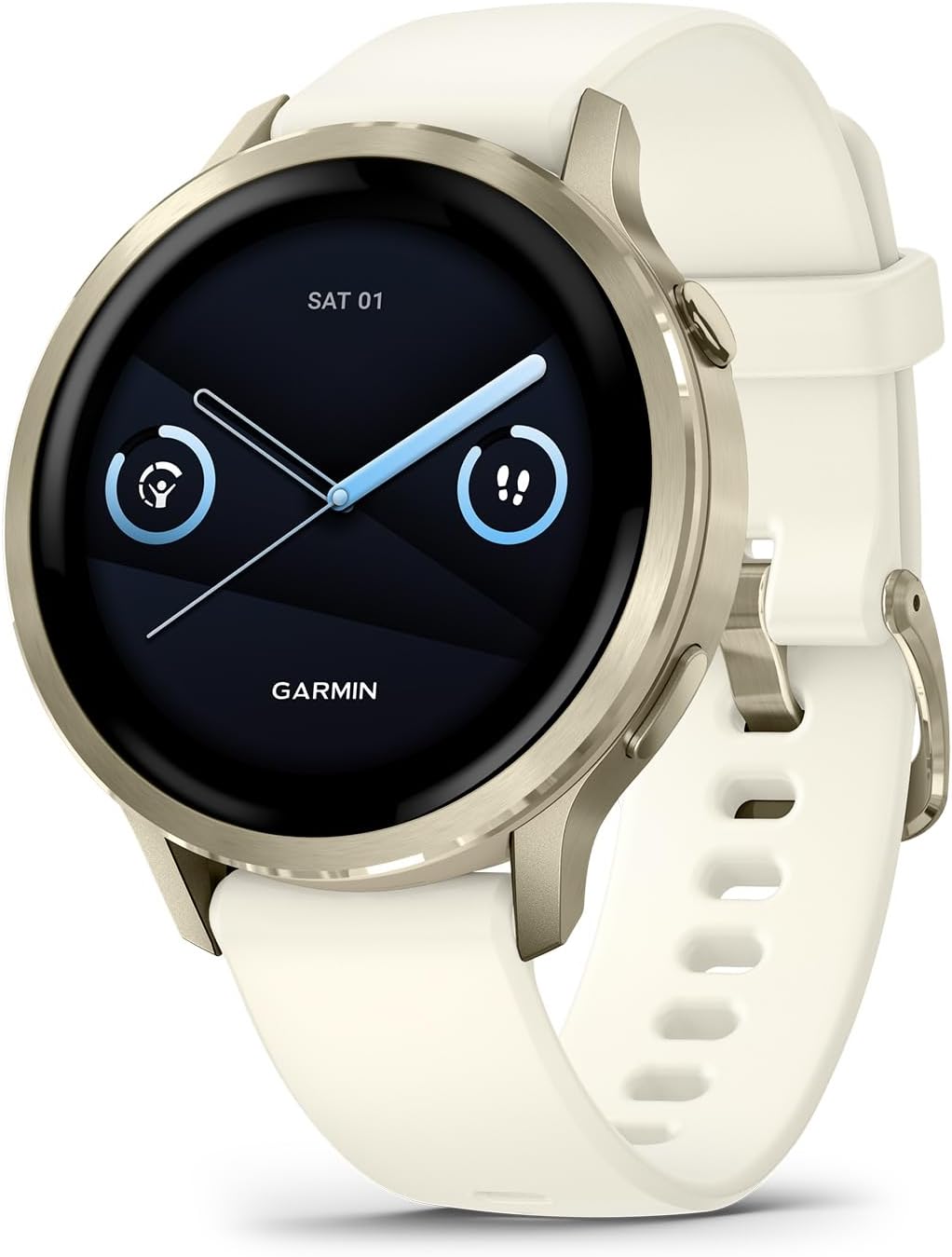
A personal trainer who was diagnosed with Type 1 diabetes in her twenties described the specific problem that the Garmin Venu 4 solved for her.
She had been managing glucose during exercise by feel for years, estimating from symptoms whether she was running high or low during client sessions.
Getting a CGM was the first change.
Having that CGM data on her Garmin watch face alongside her heart rate, training zones, and workout timer was the second change.
She could now see in real time how her glucose responded to different exercise intensities, which changed both her training approach and her pre-workout glucose management.
Dexcom Connect IQ Widget:
Garmin watches access Dexcom G7 data through the Connect IQ widget installed from the Garmin Connect store.
The widget displays your current glucose reading, trend arrow, and a short history graph directly on a watch data screen during any activity.
You can set it alongside heart rate, pace, distance, or any other metric, meaning glucose monitoring integrates with workout tracking rather than replacing it.
The phone runs the Dexcom G7 app and bridges data to the watch.
For active users, seeing glucose alongside exercise intensity data in real time enables decisions that affect both performance and safety.
A glucose reading dropping during a hard run tells you to take carbs before symptoms appear.
A reading rising during a rest period tells you the meal before training spiked rather than the exercise suppressing it.
The combination of glucose trend and heart rate data together tells a more complete story than either alone.
Health Status and Lifestyle Logging for Diabetes:
Health Status is Garmin’s most significant recent health addition.
After three to four weeks of overnight data, including HRV, resting heart rate, SpO2, respiration, and skin temperature, the watch establishes a personalised baseline.
It then alerts you when overnight readings drift outside your normal range.
For people with diabetes, where illness, stress, dehydration, and overtraining all affect glucose control, an early warning from the watch that something is off biologically provides a useful head start.
Lifestyle Logging allows you to record specific events, including meals, alcohol, caffeine, and poor sleep, then review how those events correlate with your health metrics in Garmin Connect.
For diabetics who track how food choices and lifestyle affect glucose patterns, this manual logging alongside automated biometric data builds a personalised picture over weeks.
Multi-band dual-frequency GPS provides accurate workout tracking in urban environments where single-band GPS drifts, ensuring that exercise data paired with your glucose readings accurately reflects the actual session.
Who Should Not Buy This
If you need direct-to-watch glucose data without phone dependency, Apple Watch Series 11 with Dexcom G7 is the only current option for that.
If you use an iPhone and want the tightest Apple ecosystem integration, Apple Watch is more appropriate.
And if budget is the primary concern, the COROS PACE 3 or Fitbit Charge 6 cover exercise tracking at lower cost.
Specifications:
| Feature | Details |
|---|---|
| CGM Compatibility | Dexcom G7 via Connect IQ widget and phone |
| Display | AMOLED 1.4 inch |
| Battery | Up to 12 days smartwatch mode |
| GPS | Multi-band dual-frequency |
| Health Features | Health Status, Lifestyle Logging, ECG, HRV, Sleep Coach, Body Battery |
| Water Resistance | 5 ATM |
| Compatibility | iOS and Android |
Google Pixel Watch 4: (Best for Android Users Who Prefer Wear OS)

A secondary school teacher with Type 2 diabetes described using the Pixel Watch 4 as the first time wearable technology felt appropriate to wear in a classroom.
Previous options she had tried either looked too athletic or were too technically demanding to navigate during a school day.
The Pixel Watch 4 looked like a regular watch, the Gluroo app showed her glucose number in a corner of the watch face, and checking her levels during a lesson required a wrist glance rather than pulling out her phone.
Glucose Display on Wear OS:
The Pixel Watch 4 receives Dexcom G7 data through the Dexcom app on the paired Android phone, displaying readings on the watch face.
Third-party Wear OS applications, including Gluroo, allow you to place glucose values and trend arrows as persistent watch face complications alongside the time, so the number is visible without opening any app.
Alerts for high and low glucose arrive as haptic vibrations and on-screen notifications from the phone.
Google’s Gemini AI integration allows natural language queries about health data from the watch.
Asking why your overnight score was low and receiving an explanation referencing poor sleep and elevated resting heart rate removes the need to navigate multiple data screens for context.
For someone newly managing diabetes who is still building familiarity with what the numbers mean, this conversational interface lowers the barrier to understanding significantly.
Electrodermal Activity and Stress:
The Pixel Watch 4 includes a continuous electrodermal activity sensor that detects stress responses through changes in skin conductance.
For diabetics, stress is a direct driver of glucose elevation through cortisol release.
Knowing your stress response is elevated before it affects your glucose gives you a window to intervene with a breathing exercise or a short walk, potentially preventing a glucose spike rather than reacting to one after it has happened.
Battery life runs to 30 hours on the 41mm model and up to 40 hours on the 45mm model.
For continuous overnight wear alongside CGM monitoring, charging once per day is the realistic pattern for most users.
The enlarged Actua 360 display is 50 percent brighter than the previous generation, making glucose readings visible outdoors without adjusting brightness.
Who Should Not Buy This
iPhone users cannot pair the Pixel Watch 4.
If you use an iPhone, the Apple Watch Series 11 is the relevant choice.
If maximum battery life for continuous overnight tracking without charging is the priority, the Samsung Galaxy Watch 8’s 40-hour battery provides more headroom.
For a broader look at how the Pixel Watch 4 handles stress monitoring alongside glucose management, the detailed review at best-smartwatches-for-monitoring-stress covers the full health platform.
Specifications:
| Feature | Details |
|---|---|
| CGM Compatibility | Dexcom G7 via phone, FreeStyle Libre via third-party apps |
| Display | AMOLED Actua 360, 3000 nits |
| Battery | 30 hours (41mm), 40 hours (45mm) |
| GPS | Dual-band dual-frequency |
| Health Features | cEDA stress monitoring, ECG, SpO2, skin temperature, HRV, sleep score |
| Compatibility | Android only |
Fitbit Charge 6: (Best Budget Option for Glucose Alert Display)

A retired nurse managing Type 2 diabetes described choosing the Fitbit Charge 6 specifically because she did not want a large, round watch on her wrist.
She had always worn slim watches and was not prepared to change that for her health monitoring setup.
The Charge 6 fit that requirement while still displaying her Dexcom G7 alerts on her wrist.
She described the vibration for low glucose alerts as strong enough to feel clearly through the night, which was the only technical requirement she had that truly mattered.
What Charge 6 Does for CGM Users:
The Fitbit Charge 6 receives Dexcom G7 notifications through the paired phone and displays alerts on the wrist.
High glucose, low glucose, and urgent low alerts arrive as haptic vibrations with on-screen text.
The watch does not display continuous glucose readings as a persistent complication in the way that round smartwatches can with dedicated apps.
For users who primarily need the safety net of glucose alerts on the wrist rather than constant data visibility, this alert-focused approach works and costs significantly less.
Daily Readiness Score, Body Response stress detection, and the EDA scan mindfulness feature provide meaningful health monitoring around the glucose management core.
The Body Response feature detects physiological stress responses during the day and prompts breathing exercises, relevant for diabetics since stress drives glucose elevation.
Seven-day battery life means overnight sleep and HRV tracking runs continuously without daily charging interruption.
The slim 22mm by 36mm form factor fits under shirt cuffs, disappears on the wrist during daily activities, and does not attract attention in professional or social settings in the way that a 44mm round smartwatch does.
Who Should Not Buy This:
If continuous glucose reading visibility on the watch face, rather than just alerts, is the requirement, the round smartwatches earlier on this list provide that through dedicated apps.
If GPS-independent workout tracking matters, this watch relies on phone GPS during exercise.
For a comparison of how the Charge 6 handles overall health monitoring for diabetics across stress, sleep, and activity, the full review at best-smartwatches-for-monitoring-stress covers the Fitbit platform in detail.
Specifications:
| Feature | Details |
|---|---|
| CGM Compatibility | Dexcom G7 alerts via phone |
| Form Factor | Fitness tracker, 22mm x 36mm |
| Battery | Up to 7 days |
| GPS | Phone GPS |
| Health Features | Daily Readiness Score, Body Response, EDA scan, HRV, SpO2, skin conductance |
| Water Resistance | 50m |
| Compatibility | iOS and Android |
Apple Watch Ultra 3: (Best Premium Option for Active and Outdoors Diabetics)

An adventure photographer with Type 1 diabetes described why the Apple Watch Ultra 3 specifically earned its place in her kit.
She spends extended periods in remote locations, sometimes without a phone signal for days.
She uses the Dexcom G7 and has found that standard Apple Watch models require her phone to be within range even for direct-to-watch connectivity to function reliably in remote areas.
She found the Ultra 3’s two-way satellite messaging feature, which gave her confidence to work further from support networks.
If a severe hypoglycaemic episode required emergency communication, the satellite link provided that option regardless of where she was.
Ultra 3 and Direct Glucose Integration:
The Apple Watch Ultra 3 runs the same watchOS platform as the Series 11 and carries identical Dexcom G7 direct-to-watch integration.
The CGM sends glucose readings and alerts directly to the watch without phone dependency.
The advantage the Ultra 3 adds is 42-hour battery life in standard use and 60 hours in optimised battery mode.
For active users whose days regularly run long, or whose activities involve periods away from charging, the extended battery removes a constraint that the 24-hour Series 11 creates.
The dual-frequency GNSS with doubled signal power compared to Ultra 2 provides accurate GPS in challenging terrain, including narrow valleys, heavy tree cover, and coastal environments where standard GPS watches produce drift.
For diabetics who also track exercise intensely and correlate glucose response with activity data, accurate GPS ensures the exercise data paired with glucose readings reflects the actual effort.
Two-way satellite SOS and messaging allow communication in areas without cellular coverage.
For a diabetic managing a severe glucose event in a remote location, this is a safety capability with genuine real-world relevance that no other watch on this list provides.
100-metre water resistance with EN13319 aquatic certification covers ocean swimming, snorkelling, and water activities that form part of active outdoor lifestyles.
Specifications:
| Feature | Details |
|---|---|
| CGM Compatibility | Dexcom G7 direct-to-watch, FreeStyle Libre via phone |
| Display | Wide-angle OLED LTPO3, 3000 nits |
| Battery | 42 hours standard, 60 hours optimised |
| GPS | Dual-frequency GNSS, doubled signal power |
| Emergency | Two-way satellite SOS and messaging |
| Water Resistance | 100m, EN13319 certified |
| Compatibility | iPhone only |
CGM Compatibility Quick Reference:
| Watch | Dexcom G7 | FreeStyle Libre | Phone Needed |
|---|---|---|---|
| Apple Watch Series 11 | ✅ Direct to Watch | Via phone | No (Dexcom) |
| Samsung Galaxy Watch 8 | ✅ Via phone | Limited | Yes |
| Garmin Venu 4 | ✅ Via Connect IQ | Via phone | Yes |
| Google Pixel Watch 4 | ✅ Via phone | Via third-party | Yes |
| Fitbit Charge 6 | ✅ Alerts only | Alerts only | Yes |
| Apple Watch Ultra 3 | ✅ Direct to Watch | Via phone | No (Dexcom) |
Can a smartwatch measure glucose levels by itself without a CGM?
No smartwatch currently available can measure blood glucose levels independently. The FDA has explicitly stated it has not authorized, cleared, or approved any smartwatch or smart ring intended to measure blood glucose on its own. Any device making this claim should be treated with serious skepticism. Smartwatches work as display and alert devices that show data from an external CGM system worn on the body. The CGM does the actual measuring through a sensor that sits just beneath the skin. The watch shows you what the CGM found. For anyone managing diabetes, using an FDA-cleared CGM as the source of glucose data and the smartwatch as the display is the safe and medically appropriate approach. The American Diabetes Association provides guidance on approved CGM systems and their appropriate use at diabetes.org.
Related Articles:
Best Smartwatches in 2026 | Battery, Health & Value Compared
Best Smartwatches for Small Wrists
Luis Cooper

Hi, I'm Luis, the guy behind this site. I love wearing watches, especially ones that look great on small wrists (mine are about 6.3" around). The Watches Geek is dedicated to helping you learn about and buy watches that you will love wearing. I want this website to be the last destination for people to pick the best watches to fit their needs. You can find our unbiased reviews here on Thewatchesgeek.
Thank you, I’m 88 and have Diabetes, Looking for a smart watch to check Glucose just as a check during the day, I want to keep the finger sample. Don’t need to hook up to anything but would like a good watch, not too expensive. Your article has helped.