Last Updated on April 5, 2026 by Luis Cooper
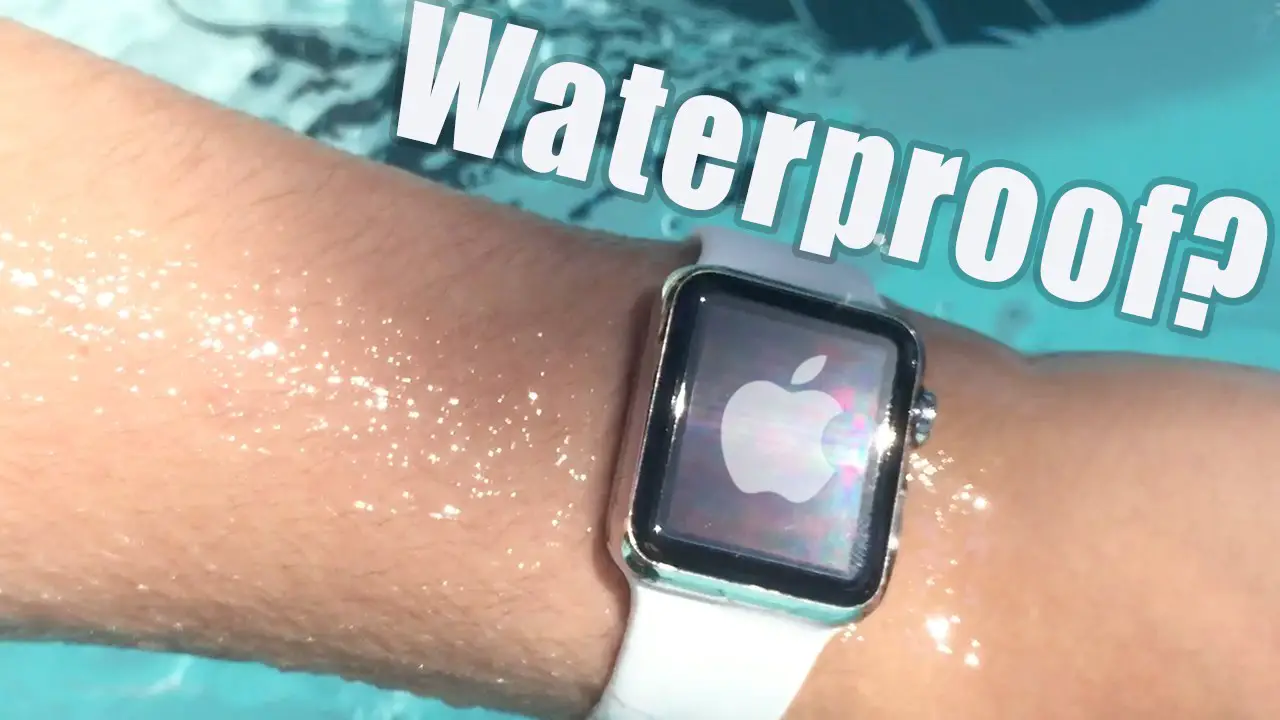
The short answer is no — no Apple Watch is truly waterproof.
But that single-word answer misses almost everything that actually matters when you are standing at the edge of a pool, wondering whether to take the watch off.
Apple Watches are water-resistant, and depending on the model you have, that resistance ranges from a splash on your hands to recreational scuba diving at 40 meters.
The difference between models is significant.
A Series 11 and an Apple Watch Ultra behave very differently underwater, and using the wrong one the wrong way is how watches get damaged.
This guide covers every current Apple Watch model, what each one can genuinely handle, what the ratings actually mean in practice, and exactly how to care for your watch after water exposure.
Is Apple Watch Waterproof?
Waterproof vs Water Resistant — Why the Difference Matters
These two terms get used all the time interchangeably, but they mean completely different things for your watch.
Waterproof would mean the watch is permanently and completely sealed against water entry under any condition.
No consumer smartwatch meets this standard.
Apple has never used the word waterproof to describe any Apple Watch, and that is deliberate.
Water-resistant means the watch can handle water exposure up to a defined pressure level under controlled test conditions.
The resistance is real, but it has limits.
It also decreases over time as seals age, the watch takes minor impacts, and exposure to chemicals gradually weakens the adhesives that keep water out.
This matters because many Apple Watch owners assume that water resistance means the watch is safe in any water situation.
It is not.
And understanding what it actually means is the difference between a watch that lasts years in and around water, and one that quietly fails after a few months.
What the Ratings Actually Mean:
WR50 — 50 Meters (ISO 22810:2010):
This is the rating on every Apple Watch from Series 2 onwards, all SE models, and all Series through to the current Series 11. The ISO 22810:2010 standard tests water resistance by applying static pressure equivalent to 50 meters of water depth.
Here is the part most people misunderstand: that 50 meters is a pressure rating, not a diving depth. It does not mean you can safely take your watch to 50 meters underwater. The test is conducted under controlled, static conditions — not the dynamic conditions of a real dive. The pressure from swimming strokes, jumping into water, and water currents all create forces that exceed the equivalent static pressure, even at shallow depths.
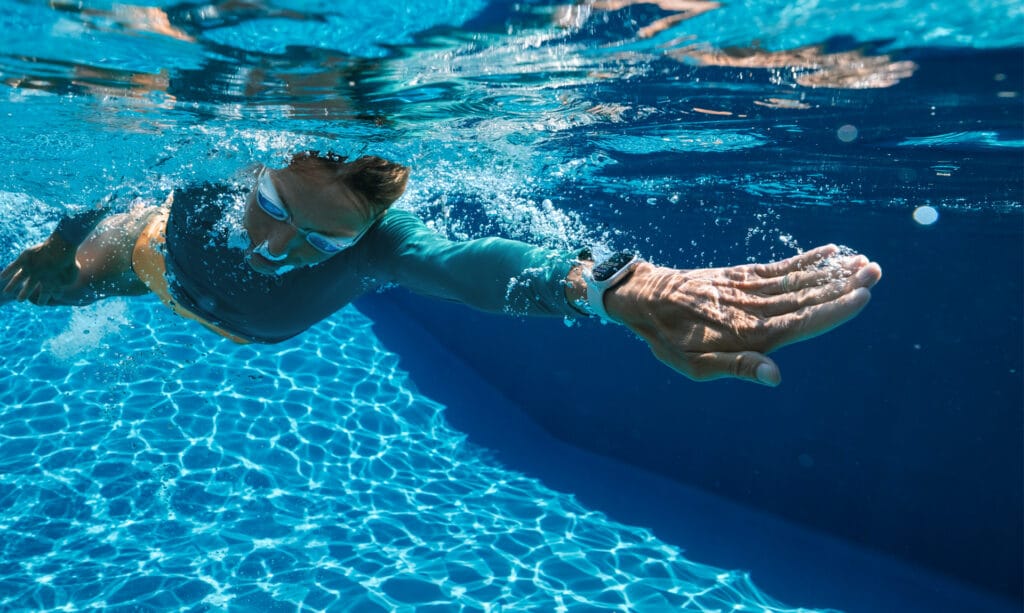
What WR50 actually covers in real-world use: swimming in a pool, swimming in the ocean at the surface, wearing it in the shower, walking in the rain, and sweating during workouts. That is the honest scope of it.
WR100 — 100 Meters (ISO 22810:2010 + EN13319):
This is the rating exclusive to Apple Watch Ultra, Ultra 2, and Ultra 3. The 100-meter pressure rating gives significantly more headroom for dynamic water activities. More importantly, Ultra models also carry EN13319 certification, which is the international standard specifically designed for depth gauges and dive computers. This is what makes the Ultra genuinely suitable for recreational scuba diving.
Every Current Apple Watch Model — Water Resistance Breakdown:
Apple Watch Series 11:
![Apple Watch Series 11 [GPS 46mm] Smartwatch with Jet Black Aluminum Case with Black Sport Band - M/L. Sleep Score, Fitness Tracker, Health Monitoring, Always-On Display, Water Resistant](https://m.media-amazon.com/images/I/416RQ0rtsUL._SL160_._SL160_.jpg)
- A FULL-FEATURED HEALTH TRACKER—Apple Watch Series 11 gives you invaluable insights about your body, right from your wrist. Take an ECG anytime* and get alerts for a high and low heart rate or an irregular rhythm*—so you can stay closer to your heart. You can also view your overnight health tracking metrics with the Vitals app* and be notified of possible sleep apnea.*
- KNOW YOUR SLEEP SCORE—With advanced sleep tracking, Series 11 gives you a daily sleep score. It’s an easy way to help measure and understand the quality of your sleep, so you can make it more restorative.
- GET HYPERTENSION NOTIFICATIONS—Did you know that Series 11 can spot signs of chronic high blood pressure? By analyzing how your blood vessels respond to beats of the heart, it can notify you of possible hypertension.*
- SAFETY FEATURES—A smartwatch that puts your safety first. Series 11 can detect a hard fall or severe car crash, automatically help connect you with emergency services, and notify your emergency contacts.* Check In can automatically notify a loved one when you’ve arrived at your destination.
- A POWERFUL FITNESS TRACKER—With advanced metrics and motivating features like Pacer, Heart Rate Zones, training load, and Workout Buddy powered by Apple Intelligence from your nearby iPhone*—Series 11 is made to help everyone stay active, from runners and hikers to strength-training enthusiasts.
Rating: WR50, 50 meters, ISO 22810:2010 Also rated: IP6X dust resistant
What you can do:
- Pool swimming — laps, sets, all standard swimming workouts
- Ocean and open water swimming
- Showering (avoid soap and shampoos directly on the watch)
- Running in the rain and sweaty gym sessions
- Snorkeling up to 6 meters using the built-in depth sensor and the Depth app
What you cannot do:
- Scuba diving
- Water skiing or jet skiing
- Any high-velocity water activities
- Press buttons while submerged
The Series 11 added snorkeling-depth tracking up to 6 meters, a meaningful addition for anyone who does casual underwater activities in pools or calm ocean water.
Apple Watch SE 3:
![Apple Watch SE 3 [GPS 40mm] Smartwatch with Starlight Aluminum Case with Starlight Sport Band - S/M. Fitness and Sleep Trackers, Heart Rate Monitor, Always-On Display, Water Resistant](https://m.media-amazon.com/images/I/31YiTby0pOL._SL160_.jpg)
- GET SMARTER HEALTH INSIGHTS—Apple Watch SE 3 is an advanced health tracker that helps you better understand your body. The smartwatch sends alerts for an irregular heart rhythm, or an unusually high or low heart rate.* You can view your overnight health tracking metrics with the Vitals app,* track your sleep score, and get sleep apnea notifications.*
- A GREAT FITNESS TRACKER—SE 3 can track your workouts in a healthy number of ways—from running and strength training to simply achieving your 10K steps a day. With real-time metrics and Workout Buddy powered by Apple Intelligence from your nearby iPhone,* you’ll hit your goals like never before.
- KEEP HELP CLOSE AT HAND—SE 3 is a smartwatch that can detect a hard fall or severe car crash and automatically help connect you to emergency services and notify your emergency contacts.* Check In can automatically notify a loved one when you’ve arrived at your destination.
- WOMEN’S HEALTH INSIGHTS—SE 3 has advanced sensors that track your wrist temperature while you sleep. With this smartwatch, you can log your periods and symptoms, get period predictions, and get notified of cycle deviations.*
- GREAT BATTERY LIFE AND FASTER CHARGING—Enjoy a smartwatch with all-day, 18-hour battery life* from sunup to sundown. Then charge up to twice as fast as SE 2* and get up to 8 hours of battery in just 15 minutes.*

Rating: WR50, 50 meters, ISO 22810:2010
What you can do:
- Pool and ocean swimming — same as Series 11 for standard surface swimming
- Shower, rain, sweating
- All surface water activities
What you cannot do:
- Scuba diving
- High-speed water sports
- Snorkeling with depth tracking (no depth sensor on SE 3)
- Pressing buttons underwater
The SE 3 is Apple’s most affordable Apple Watch and shares the same 50-meter water resistance as the Series models. It does not have the depth sensor, so it cannot track snorkeling data the way the Series 11 can. For casual swimmers and anyone who wants to wear their watch during pool workouts or beach days, the SE 3 handles this completely fine.
Apple Watch Ultra 3:
![Apple Watch Ultra 3 [GPS + Cellular 49mm] Running & Multisport Smartwatch w/Rugged Titanium Case w/Anchor Blue Ocean Band. Satellite Communications, Advanced Health & Fitness Tracking](https://m.media-amazon.com/images/I/410UsX8rgRL._SL160_.jpg)
- RUGGED AND READY TO GO—The ultimate sports and adventure smartwatch is built to last with an extremely tough titanium case and a strong sapphire crystal display. Water resistant up to 100m—it’s great for swimmers, divers, and fans of high-speed water sports.*
- A FULL-FEATURED HEALTH TRACKER—Ultra 3 can take an ECG* and check your heart rhythm for signs of AFib—right from your wrist. The smartwatch sends alerts for possible hypertension,* an irregular heart rhythm,* or an unusually high or low heart rate. You can view your overnight health tracking metrics with the Vitals app,* track your sleep score, and take readings of your blood oxygen.*
- ULTIMATE RUNNING AND WORKOUT COMPANION—A superior fitness tracker for marathoners, triathletes, mountain bikers, backcountry hikers, and mountain climbers, Ultra 3 provides precision dual-frequency GPS, Pacer, Heart Rate Zones, Custom Workouts, running power, Workout Buddy powered by Apple Intelligence from your nearby iPhone,* training load, and more.
- KEEP HELP CLOSE AT HAND—Ultra 3 is a smartwatch that can detect a hard fall or severe car crash* and automatically help connect you to emergency services and notify your emergency contacts. Check In can automatically notify a loved one when you’ve arrived at your destination.
- MULTIDAY BATTERY LIFE—Ultra 3 is a smartwatch that’s engineered to give you even longer battery life. It’s perfect for trail runners—with up to 42 hours of normal use and up to 72 hours in Low Power Mode.* Track a workout with full GPS and heart rate monitoring for up to 20 hours in Low Power Mode.*
Rating: WR100, 100 meters, ISO 22810:2010, EN13319 certified Also rated: IP6X dust resistant, MIL-STD-810H
What you can do:
- Pool and ocean swimming
- High-speed water sports including water skiing and jet skiing
- Recreational scuba diving to 40 meters with a compatible third-party dive app
- Snorkeling with depth tracking
- Rough surf and open water in challenging conditions
What you cannot do:
- Diving deeper than 40 meters
- Professional or technical diving (it is not a replacement for a full dive computer)
The Ultra 3 is the only Apple Watch that Apple officially supports for recreational scuba diving. The EN13319 certification specifically means it has been tested against dive-equipment standards. The Depth app tracks your time underwater, maximum depth, and water temperature. For scuba diving specifically, you will need a compatible third-party app like Oceanic+ to get dive computer functionality. The built-in Depth app is not a dive computer and does not provide decompression stop information.
One important note from Apple: the Ultra should only be used for recreational dives by trained divers to a maximum of 40 meters. Technical diving or anything beyond that depth is not supported.
Quick Reference — What Each Watch Can Handle
| Activity | Series 11 | SE 3 | Ultra 3 |
|---|---|---|---|
| Pool Swimming | ✅ | ✅ | ✅ |
| Ocean Swimming | ✅ | ✅ | ✅ |
| Showering | ✅ | ✅ | ✅ |
| Sweating/Rain | ✅ | ✅ | ✅ |
| Snorkeling (to 6m) | ✅ | ❌ | ✅ |
| High-Speed Water Sports | ❌ | ❌ | ✅ |
| Recreational Scuba (to 40m) | ❌ | ❌ | ✅ |
| Sauna/Steam Room | ❌ | ❌ | ❌ |
| Pressing Buttons Underwater | ❌ | ❌ | ❌ |
Water Lock — What It Does and How to Use It
Water Lock is one of the most misunderstood features on the Apple Watch.
A lot of people think it makes the watch waterproof when they turn it on. It does not.
What Water Lock actually does:
It disables the touchscreen so that water droplets do not trigger accidental taps or swipes while you are in the water. When you start a swimming workout, Water Lock enables automatically. When you finish swimming and turn Water Lock off, the watch plays a series of tones through the speaker. These vibrations physically eject water from the speaker grille, which is why you sometimes see water spraying out of the watch after a swim.
Water Lock does not change the watch’s water resistance level. It does not seal the watch differently. It does not protect the buttons or microphone from water. It is purely a screen and speaker management tool.
How to turn Water Lock on manually:
Step 1: Swipe down from the top of your watch face to open Control Center.
Step 2: Tap the water drop icon.
Step 3: The screen locks immediately, and you will see a confirmation.
How to turn Water Lock off after swimming:
Step 1: Press and hold the Digital Crown (the round button on the side).
Step 2: Hold it until you feel vibrations and hear tones playing through the speaker.
Step 3: The watch ejects water from the speaker, and the screen unlocks.
If water is still in the speaker and the sound is muffled after this, place the watch speaker-side down on a dry, lint-free cloth and allow it to drain naturally. Do not shake the watch or insert anything into the speaker opening.
After-Swimming Care — Step by Step:
This is where most Apple Watch owners get it wrong. The watch surviving the swim is only half the story. What happens in the few minutes after you get out of the water determines how long the water resistance lasts.
Step 1: Turn off Water Lock and eject water from the speaker. Press and hold the Digital Crown until the tones play. Do this every time, even after a short swim.
Step 2: Rinse under lukewarm fresh water. For pool swimming, rinse for 15 to 30 seconds under gently running tap water. Chlorine that dries on the watch degrades the seals faster than chlorine that gets rinsed off. For ocean swimming, this step is even more important. Salt crystals that form when saltwater dries on the watch will gradually corrode metal components and clog speaker openings.
Step 3: Dry with a lint-free cloth. Wipe the case, the Digital Crown, and the band gently. Pay attention to the area around the Digital Crown and the speaker openings where water tends to collect.
Step 4: Air dry before charging. Do not put the watch on its charger while it is still wet. Let it air dry for a few minutes first.
What to avoid after swimming:
- Do not use heat, compressed air, or fans to dry the watch
- Do not insert anything into the speaker or microphone openings
- Do not expose the watch to soap, shampoo, conditioner, or lotion during the rinse — these substances damage the seals that keep water out
Which Bands Are Safe for Water:
The watch itself has a water resistance rating, but not every band does.
This is an important distinction that Apple clearly states, but many people overlook.
Bands that are NOT water resistant:
- Milanese Loop (stainless steel)
- Link Bracelet (stainless steel)
- Leather Link
- Modern Buckle with leather
- Hermès leather bands
- Any third-party leather or metal band
Bands that handle water well:
- Sport Band (fluoroelastomer)
- Sport Loop (woven nylon)
- Ocean Band (Ultra-specific, designed for diving)
- Most silicone third-party bands
If you regularly swim with your Apple Watch, use a Sport Band or Sport Loop. Wearing a leather or metal band into the pool will damage the band and potentially expose the watch lugs to chemicals that degrade seals over time. If you want to know which watches pair best with pool and open water activities, the detailed breakdown at best-watches-for-running-and-swimming covers both Apple and non-Apple options that serious swimmers actually use.
When Water Resistance Stops Working:
Water resistance is not a permanent feature. Apple states this clearly in every product specification, but it is easy to miss because the watch looks exactly the same whether the seals are intact or not.
Reasons water resistance decreases over time:
Age: The adhesives and gaskets that seal the watch degrade naturally over the years of daily wear. A three-year-old Apple Watch that has never been dropped or repaired still has less water resistance than it did when new.
Impact: A hard knock on the corner of a table, dropping the watch on a hard floor, or any significant impact can crack or shift the seals even when the display itself looks fine.
Chemical exposure: Regular exposure to soaps, shampoos, conditioners, sunscreen, perfume, and cleaning products breaks down the materials used in the seals. If you shower with the watch and use shampoo, that is a faster path to seal failure than swimming in a pool.
Repair: This is the most significant one. If your Apple Watch has been opened for any repair — whether by Apple or a third-party service — the water resistance cannot be guaranteed afterward. Apple’s own guidelines state this. Opening the watch to replace a screen or battery requires breaking the factory seal, and resealing to the original specification is not possible outside of factory conditions. If your watch has been repaired, keep it away from water.
Sauna and steam room: High heat and steam are not covered by any Apple Watch water resistance rating. The combination of heat and moisture is more aggressive than cold water immersion, and Apple specifically advises against wearing any Apple Watch in saunas, steam rooms, or hot tubs.
What To Do If Water Gets Inside
If your Apple Watch gets water inside — usually indicated by a fogged display, touchscreen not responding correctly, or muffled speaker even after using Water Lock — do the following:
Step 1: Turn the watch off by pressing and holding the side button until the power off slider appears, then slide it to shut down.
Step 2: Wipe the exterior dry with a lint-free cloth. Do not shake the watch.
Step 3: Place the watch speaker-side down on a dry cloth in a warm, dry area. Do not use a hairdryer, rice, or any heat source.
Step 4: Leave it for several hours. Charging overnight in a dry room can help speed up evaporation from the speaker.
Step 5: If the watch is still showing signs of water damage after 24 hours, contact Apple Support. Apple offers a Depth and Water Seal Test for Ultra models to verify that the depth gauge and seals are functioning correctly.
Water damage is not covered under Apple’s standard warranty, so prevention through proper care is significantly cheaper than any alternative.
Frequently Asked Questions
Can I shower with my Apple Watch Series 11 or SE 3?
Yes, but with a caveat. The 50-meter water resistance handles shower water without any issue. The problem is soap, shampoo, and conditioner. These substances degrade the seals over time. If you shower with your Apple Watch regularly, rinse it with fresh water after the shower and avoid direct exposure to shampoo and soap running over the watch. A lot of swimmers and gym users wear their watch in the shower daily for years without problems — just keep the chemicals off the watch itself.
Can I wear my Apple Watch in a hot tub?
No. Hot tubs combine heat, pressurized jets of water, and chemicals. None of these conditions are covered by any Apple Watch water resistance rating. Apple specifically advises against it for all models.
Does the 50-meter rating mean I can dive 50 meters?
No. The 50-meter rating is a static pressure test, not a diving certification. It means the watch can withstand the equivalent pressure of 50 meters of water under controlled conditions. Dynamic swimming, diving from a height, and water movement create pressure that exceeds this rating even at much shallower depths. Treat the rating as swim-safe at the surface, not as a dive depth limit. If you want a watch that genuinely handles diving, the Apple Watch Ultra 3 is the only Apple model certified for recreational scuba to 40 meters.
Is the Apple Watch Ultra worth it just for the water resistance?
If you are a recreational diver, serious open-water swimmer, or regularly participate in water sports that involve speed and impact, yes. For everything else — pool swimming, ocean swims at the surface, showering — the Series 11 or SE 3 handle it completely. The Ultra’s water resistance advantage only matters when you go beyond surface swimming.
Will swimming in the ocean damage my Apple Watch faster than swimming in a pool?
Salt water is more corrosive than pool water over time. Both are fine for surface swimming, but ocean swimming requires a more thorough freshwater rinse afterward. Pool chlorine gradually weakens seals with repeated exposure. Both are manageable with consistent after-swim care. For a comparison of how Apple Watch swim tracking compares to dedicated sports watches, the review at best-smartwatches-for-android-under-100 covers affordable alternatives that serious swimmers consider alongside Apple Watch.
Does Apple cover water damage under warranty?
No. Apple’s standard warranty and AppleCare Plus do not cover water damage. If your watch is damaged by water, it falls outside warranty coverage regardless of the model’s official water resistance rating.
For Apple’s complete and official guidance on water resistance across all models, the most accurate source is Apple’s water resistance support page, which is updated whenever a new model launches.
Conclusion:
The Apple Watch is not waterproof. But the water resistance on current models is genuinely capable for the vast majority of what people want to do with it. Series 11 and SE 3 owners can swim, shower, sweat, and get caught in the rain without a second thought. Ultra 3 owners can add diving, high-speed water sports, and snorkeling to that list.
What limits water resistance more than anything is not the rating — it is the care afterward. Skipping the rinse, showering with shampoo running over the watch daily, and ignoring the signs of degraded seals are what actually cause water damage. Follow the care steps above, and your Apple Watch should handle years of regular water exposure without any issues.
Luis Cooper

Hi, I'm Luis, the guy behind this site. I love wearing watches, especially ones that look great on small wrists (mine are about 6.3" around). The Watches Geek is dedicated to helping you learn about and buy watches that you will love wearing. I want this website to be the last destination for people to pick the best watches to fit their needs. You can find our unbiased reviews here on Thewatchesgeek.
1 thought on “Is Apple Watch Waterproof? (Series 11, SE 3 & Ultra 3 — 2026 Guide)”