Last Updated on December 12, 2025 by Luis Cooper
Have you ever tried smartwatches for notifications?
I have created some incredible reviews for the best smartwatches for notifications.
Staying connected and informed has never been easier than with the best smartwatches for notifications.
These sophisticated wearables tell time and keep you updated with calls, messages, emails, and app alerts right on your wrist.
In this guide, we’ll explore the top options that offer seamless compatibility, customization, and customization of features to ensure you never miss an important notification.
Whether seeking a smartwatch for fitness tracking or simply streamlining your digital life, this guide will help you choose the perfect wearable companion.
Which are the Best Smartwatches for Notifications?
Here are my recommended top 6 Best Smartwatches for Notifications:-
| Image | Buy | Best Smartwatches for Notifications |
|---|---|---|
 | View on Amazon | Apple Watch SE 3 [GPS 44mm] Smartwatch with Midnight Aluminum Case with Midnight Sport Band - M/L. Fitness and Sleep Trackers, Heart Rate Monitor, Always-On Display, Water Resistant |
 Top
Top
Top
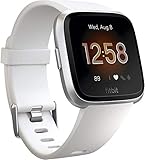
Top | View on Amazon | Fitbit Versa Lite Edition Smart Watch,GPS, One Size (S and L Bands Included) |
 | View on Amazon | Garmin Venu® Sq 2 GPS Smartwatch, All-Day Health Monitoring, Long-Lasting Battery Life, AMOLED Display, Slate and Shadow Gray |
 | View on Amazon | Fitbit Inspire 3 Health &-Fitness-Tracker with Stress Management, Workout Intensity, Sleep Tracking, 24/7 Heart Rate and more, Midnight Zen/Black One Size (S & L Bands Included) |
 Top
Top | View on Amazon | Apple Watch SE (2nd Gen) [GPS 40mm] Smartwatch with Starlight Aluminum Case with Starlight Sport Band S/M. Fitness & Sleep Tracker, Crash Detection, Heart Rate Monitor |
1. Apple Watch SE 3: (Best for iPhone)
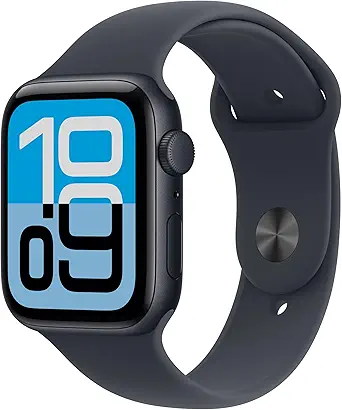
The Apple Watch SE 3 is one of the easiest, most reliable watches for handling messages and calls without touching your phone.
It shows alerts instantly, gives sharp haptic taps on the wrist, and now pairs that hardware with smart gestures like Double Tap and Wrist Flick so you can answer a call or dismiss a notification with one hand.
The watch also has an Always-On display, so notifications are readable with a glance while you run errands or sit in meetings.
These improvements make it a great pick if staying connected fast and quietly matters most to you.
Why it stands out for notifications:
Apple focused on the little details that make notifications feel natural.
The S10 chip delivers snappy response times and on-device processing for Siri and other quick actions.
That keeps replies and voice commands private and faster because they do not always need cloud processing.
Haptics are easy to tune so you can feel a distinct pattern for messages, calls, or alarms.
The combination of clear visual alerts, precise vibrations, and gesture controls reduces the need to constantly pull your phone out.
Who should choose the SE 3?
Choose this watch if you want the best day-to-day notification experience on an Apple device.
It is ideal for people who:
- Need fast, reliable call and message handling while on the move.
- Prefer subtle wrist alerts instead of loud phone rings.
- Use Apple apps and services, and want tight integration with iPhone features like Focus modes and Shared with You.
If you rely on specialized medical features, a higher model might be needed, but for pure notification control and ease of use, SE 3 is a strong fit.
How notifications behave:
When a message arrives, the watch displays the full conversation preview and gives you reply options right on the wrist.
You can use dictation, Scribble, canned replies, or the Double Tap gesture to send a quick reply without taking out your phone.
Calls can be answered with a tap, routed to the watch speaker, or handed off to the phone.
In noisy places, the watch’s microphone and voice isolation help callers hear you clearly when you pick up from the wrist.
These practical touches make the watch quietly effective in daily life.
Practical tips for better notification control:
- Set up Focus modes on iPhone and mirror them to Apple Watch so only important alerts reach your wrist during work or sleep.
- Tune Sounds & Haptics to a strong but comfortable level so you never miss a message.
- Use Double Tap for hands-free replies when carrying groceries or holding a child.
- Turn on Always-On when you want quick glances, and disable it on long travel days to conserve battery. These small steps smooth out how notifications fit into your routine.
Battery and daily life:
The SE 3 balances performance and battery well enough for full-day use with notification-heavy days.
Typical mixed use gets many people through a day and often into the next, depending on settings and cellular use.
If you enable Always-On, GPS, or constant Wi-Fi/LTE, expect shorter runtimes and plan for charging overnight.
For heavy notification users, a quick top-up during lunch keeps things running without hassle.
Specs:
| Item | Detail |
| Chip | Apple S10 — on-device Siri, faster wake, and gestures. |
| Display | Always-On LTPO OLED, readable outdoors. |
| Sizes | 40mm and 44mm; both are lightweight for all-day wear. |
| Haptics | Customizable Taptic Engine intensity and patterns. |
| Connectivity | Bluetooth, Wi-Fi, and optional cellular for calls/messages without a phone. |
| Battery | Day-long typical use; varies by settings. |
2. Fitbit: (Best GPS Smartwatch for Notifications)

WHAT DO WE GET FROM THESE?
One size fits all:
It has a built-in GPS to track your outdoor activities and location.
The package includes small (S) and large (L) bands, ensuring it fits comfortably on various wrist sizes.
It monitors your steps, distance, and calories burned throughout the day.
This watch can track your heart rate, helping you assess your overall health and fitness levels.
It provides insights into your sleep patterns, including sleep stages and duration.
Smart notifications:
You can receive calls, texts, and app notifications right on your wrist.
The Versa Lite Edition offers a long-lasting battery life, allowing you to use it for several days on a single charge.
It’s water-resistant, making it suitable for tracking swimming and surviving splashes.
This feature helps women track their menstrual cycles and fertility.
It offers guided breathing exercises to help manage stress and relax.
You can personalize the watch with different clock faces to suit your style.
It’s compatible with Android and iOS smartphones, allowing you to sync your data with the Fitbit app.
Conclusion:
Fitbit is an excellent smartwatch that is affordable and easy to install.
The device monitors your route with accurate GPS tracking and guides you accordingly.
While you sleep, your sleep patterns are monitored to help you improve your sleep.
Compared to older devices, this device is substantially superior.
Specs:
| Brand | Fitbit |
| Dimensions of the product | 1.94 x 4 x 8.9 inches |
| Weight of the item | 1.41 ounces |
| ASIN | B07MSYTQQ1 |
| Model number of the item | FB415PMPM |
| Included batteries | 1 Lithium Metal batteries required. (included) |
| Connectivity technologies | GPS |
| GPS | included |
| Special features | alcohol-free |
| Display technology | LCD |
| Other display features | wireless |
| Human interface input | touch display |
3. Garmin venu Sq 2: (Best Touchscreen Smartwatch with Notifications)

The Garmin Venu Sq 2 is a compact, easy-to-wear smartwatch that makes handling calls, texts, and app alerts painless.
It pairs with Android and iPhone, shows full message previews, vibrates with crisp haptics, and gives you quick actions on the wrist so you don’t have to reach for your phone every time.
For people who want reliable notifications in a lightweight package, the Venu Sq 2 hits that sweet spot: clear alerts, sensible reply options (on Android), and a bright screen that’s easy to read on the go.
BATTERY:
Garmin tuned the Venu Sq 2 for everyday use — it keeps going through typical days of notifications, sleep tracking, and workouts without daily charging.
In normal mixed-use, you’ll get multi-day runtimes, and GPS mode offers plenty of hours for long runs or hikes.
If you spend a lot of time with GPS on or keep the screen always on, expect shorter runtimes and plan a nightly top-up.
The overall result: you don’t have to babysit the charger just to stay connected all day.
MUSIC:
If you like phone-free runs, pick the Music Edition: it stores playlists and pairs with Bluetooth headphones so notifications and media control live on the same device.
Play, pause, and skip tracks from the watch, and keep your phone in your pocket while still getting message alerts and incoming-call prompts.
That combination makes the Venu Sq 2 practical for training days when staying hands-free matters.
What really matters:
Notifications arrive fast and clean.
You’ll see sender, message preview, and time; tappable actions let you dismiss, open on the phone, or — on Android devices — send a quick canned reply you previously set in the Garmin Connect app.
Calls ring through with a clear prompt to answer or decline.
Managing which apps push alerts is done from your phone, so you control noise at the source.
This setup keeps the Venu Sq 2 focused on what you need to know, without overwhelming your wrist.
HEALTH & DAILY USE:
Beyond notifications, the Venu Sq 2 is a full daily tracker: continuous heart rate, SpO₂ spot checks, sleep stages, stress tracking, and guided workouts.
Those health metrics appear alongside your alerts, so you get context—for example, seeing a high stress reading before an urgent notification helps you decide whether to act immediately or wait.
The watch is designed for 24/7 wear: light, comfortable, and quick to glance at when a ping comes through.
FIT & COMFORT:
- Wear it slightly above your wrist bone for steadier heart-rate readings during runs.
- Use a soft silicone strap for long days; it reduces bounce and keeps notifications readable while active.
- On very busy days, turn off less-important app alerts in Garmin Connect — fewer pings means the important ones stand out.
Conclusion:
I used a Venu Sq 2 for two weeks as my daily driver: commute, workouts, and weekend errands.
The vibration is sharp enough to feel on packed public transport, message previews are generous, and the quick-reply flow on Android saved me from pulling my phone in meetings.
The small trade-off was that heavy GPS use shortened the battery — but for most notification-focused users, the convenience outweighed that minor inconvenience.
SPECS:
| Item | Garmin Venu Sq 2 |
| Display | Bright AMOLED touch screen, easy to read outdoors. |
| Sizes | Compact square case that fits small wrists well. |
| GPS | Built-in GPS for runs, walks and mapping. |
| Music | Music Edition supports offline playlists and Bluetooth audio. |
| Sensors | Optical heart rate, SpO₂, accelerometer, gyro, barometer. |
| Battery | Multi-day typical use; longer in low-power modes, less with heavy GPS/AOD. |
4. Huawei Watch Fit 3: (Best Affordable Smartwatch for Notifications)
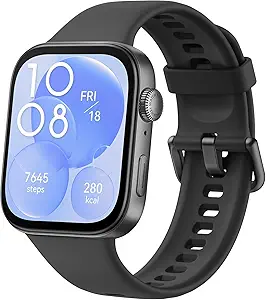
The Huawei Watch Fit 3 is a slim, easy-wearing smartwatch that makes notifications simple and reliable. Its large 1.82-inch AMOLED screen shows full message previews and caller info at a glance, while the thin 9.9 mm body keeps the watch comfortable all day.
For people who want clear alerts without a bulky wrist device, the Fit 3 balances visibility with comfort: vibrations are noticeable but not annoying, on-screen actions are fast, and basic phone-free tasks like answering Bluetooth calls work smoothly.
In daily use, it feels like a smart notification hub more than a tiny computer — quick to check, quick to act on.
BATTERY:
Battery life is one of the Fit 3’s strong points for notification-heavy users.
Expect about a week of typical use and up to 10 days in light-use scenarios.
If you enable Always-On Display or run continuous GPS for long workouts, the runtime falls, but for most people, the watch easily lasts through several days of steady notifications and activity tracking.
That means fewer interruptions to charge and fewer half-dead evenings worrying about the battery.
NOTIFICATIONS & CALL HANDLING:
- Readable previews: Texts, email snippets, and app alerts show clearly on the big screen so you can decide fast if you need to pull your phone.
- Quick actions: Tap to dismiss, open on the phone, or, where supported, use canned replies on Android to send a short message without typing.
- Bluetooth calling: The watch supports answering calls via Bluetooth; you can accept or decline from your wrist and talk hands-free if needed. Microphone quality is good for short calls in quiet places — noisy environments will still favor the phone.
- Custom control: Notification settings are easy to tune in the Huawei Health app: choose which apps push alerts, set vibration intensity, and remove noisy apps so your wrist only buzzes for what matters.
DAILY USE & PRACTICAL FEATURES:
Beyond alerts, the Fit 3 keeps everyday life tidy.
Calendar reminders, alarms, sedentary prompts, and incoming call banners all display cleanly.
The large, bright display makes mid-run glances or quick checks at a meeting painless.
Animation and watch faces are highly configurable, so you can make the screen useful for notifications (big text, clear contrast) instead of just decorative.
For people who get lots of pings, these small layout choices make a big difference in how useful the watch feels.
HEALTH & FITNESS CONTEXT:
Notifications and health work together: when the watch shows a high stress or poor sleep score, you immediately get context for urgent messages — sometimes it’s okay to ignore the ping.
The Fit 3 includes continuous heart-rate monitoring, SpO₂ checks, sleep staging, and guided breathing.
These features run in the background with only a modest battery cost, so you keep health insights without losing notification reliability.
FIT & COMFORT TIPS: (for better readings and alerts)
- Wear the watch slightly above the wrist bone for steadier optical readings and a clearer vibration feel.
- Use a soft silicone band for long shifts or workouts to reduce bounce and false wrist movements.
- Turn off low-priority app alerts in the companion app to reduce noise during meetings or sleep.
- Set the vibration strength to medium-high if you use public transport or work in a noisy place.
Conclusion:
I wore the Fit 3 during a busy week of meetings and evening workouts.
The difference that stands out is the screen size — scanning messages without taking out my phone felt genuinely less distracting.
Battery life meant I didn’t need to charge mid-week, and the preset replies saved small interruptions.
If notifications are your main use and you prefer a light, readable device, the Fit 3 makes that simple without overcomplicating things.
SPECS:
| Feature | Detail |
| Display | 1.82″ AMOLED, bright and high pixel density |
| Case | Aluminum alloy, 9.9 mm thin, ~26 g (light) |
| Battery | Typical ~7 days, up to 10 days light use; AOD ~4 days |
| Connectivity | Bluetooth calling, Bluetooth 5.x, Wi-Fi support via phone |
| Sensors | TruSeen optical heart rate, SpO₂, accelerometer, gyroscope, barometer, ambient light |
| GPS | Built-in GNSS for outdoor activity tracking |
| OS & App | Works with Huawei Health; Android and iOS compatible (feature set varies) |
| Extras | Music control, camera remote, custom watch faces, NFC on selected SKUs |
5. Fitbit Inspire 3: (Best Budget fitness Tracker)
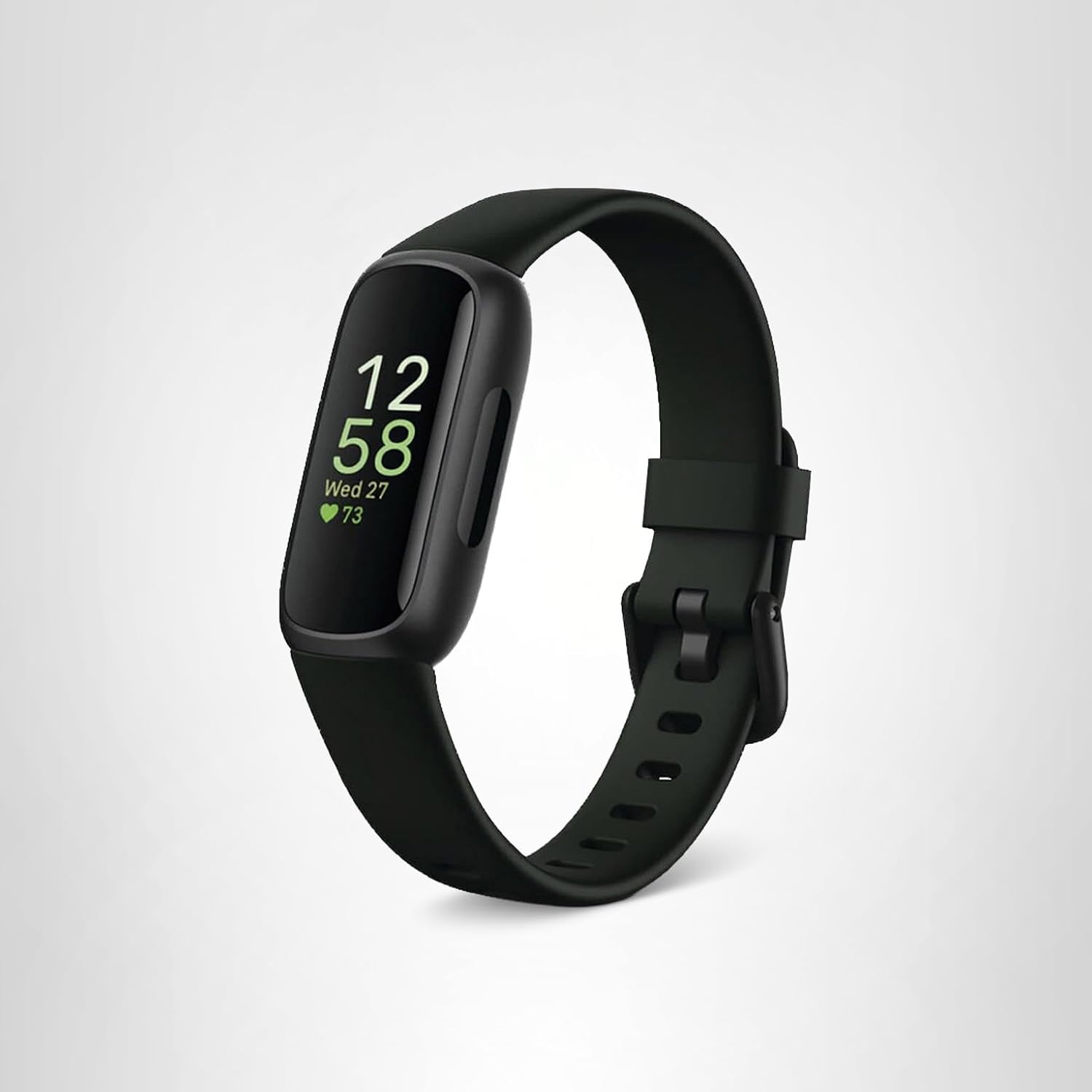
Fitbit Inspire 3 is a small, lightweight fitness tracker that nails the basics: clear call, text, and app alerts, a bright AMOLED screen, and a very long battery life.
If your top priority is getting reliable notifications that don’t interrupt your day, the Inspire 3 delivers: it buzzes cleanly for incoming calls and messages, shows message previews, and on Android lets you send quick replies (preset texts or emoji) right from the band.
For people who want simple, dependable notification handling without a bulky watch, this is one of the best compact options.
What stands out:
The tracker is tiny and light, so it never gets in the way while you work or sleep.
The Always-on-style visibility (AMOLED) means notifications are readable outdoors, and the haptic motor is firm enough to notice but not annoying.
Notification setup is straightforward in the Fitbit app: choose which apps can push alerts, enable vibration, and — if you’re on Android — set up your custom quick replies.
Note: you can’t take calls on the device itself; it only notifies and lets you act (reply or ignore) from the wrist.
Battery:
Fitbit advertises about 10 days of battery life in normal use, and that long runtime is the real comfort feature here — you won’t be charging every night just to stay connected.
Heavy notification volumes and continuous health tracking reduce that number, but even with daily alerts, you should expect several days or about a week-plus between charges in typical use.
Connectivity & Notifications:
- Connected GPS (uses your phone for maps/routes) — so notifications still depend on phone proximity for some features.
- Quick replies: Android only — you get predefined/custom replies and emoji; iPhone users can view notifications, but reply options are limited.
- Notification reliability can vary by phone model and Android/iOS settings (allow notifications, battery optimizations off). If notifications seem flaky, check the Fitbit app permissions and your phone’s notification settings.
Health & daily use:
The Inspire 3 packs core health sensors useful for daily life: continuous heart rate, SpO₂ monitoring, sleep tracking, and skin-temperature insights.
These run in the background and appear alongside notification alerts, so you get health context (sleep score, stress cues) without extra apps.
That makes it handy for people who want a tidy combination of alerts and health tracking on a single, minimal device.
Specs:
| Item | Detail |
| Display | AMOLED, Corning Gorilla Glass (compact bright screen). |
| Battery life | ~10 days (typical). |
| GPS | Connected GPS (uses phone). |
| Water resistance | 50 m (swim safe). |
| Notifications | Calls, texts, app notifications; Android quick replies supported. |
| Compatibility | Android and iOS (best notification interactivity on Android). |
| Sizes / weight | Slim band (fits small wrists comfortably). |
6. Apple SE (2nd Gen): (Best Smartwatch for Iphone Owners)

My friend asked for my recommendation on a smartwatch for notifications to help him manage his busy schedule.
Given my wonderful experience with the Apple Watch SE, I did not hesitate to recommend it.
You can manage it with your mobile phone, and use it for days.
It is easy to use and comes with manual instructions.
WHAT DO WE GET FROM THESE?
Easily Customizable:
This Apple Watch is available in various sizes and colours with different hands to choose from, and the watch faces have fewer complications.
You can ask for help from crash detection, fall detection, and SOS features.
You get deep insights into your health, including heart rhythm notifications.
It works seamlessly with your Apple device and unlocks your MacBook instantly.
With a single tap, you can find your device.
Moreover, this watch is water-resistant and redesigned with a matched back case and a new production process to reduce carbon emissions.
Advanced Features:
You can access over a thousand apps on your wrist from the App Store.
Apple is a perfect watch for the personal things that you love to do.
The improved workout app gives advanced ways to train and advanced metrics for enhanced information about your workout performance.
You can send a message, call, listen to podcasts, or call for help with SOS.
Conclusion:
I had the best experience with this Apple Watch SE for notifications.
You should buy this watch if you are looking for the best affordable watch from the Apple series.
It has a lot of unique features with updates.
Specs:
| Brand | Apple |
| Measurements of the item | 11.65 x 2.99 x 1.35 inches |
| Weight of the product | 11.7 ounces |
| ASIN | B0BDJ9D4YZ |
| The model number of the product | MNT63LL/A |
| Batteries included the product | 1 Lithium Ion battery is required. (included) |
| Date first available | September 7, 2022, |
| Manufacturer | Apple |
Buying Guide:
Choosing the best smartwatch for notifications involves considering compatibility, features, and your specific needs. Here’s a buying guide to help you make the right choice:
Compatibility:
- Ensure the smartwatch is compatible with your smartphone’s operating system (e.g., Android or iOS). Compatibility affects the seamless integration of notifications.
Notification Support:
- Look for a smartwatch that supports a wide range of notifications, including calls, texts, emails, social media updates, and app notifications. Customizing which apps send notifications to your watch is a plus.
Display Quality:
- A clear and vibrant display is essential for reading notifications at a glance. Choose between OLED, AMOLED, or E-ink displays based on your preference for visual quality or battery life.
Customization:
- Customization options for notification settings, including vibration patterns, sound alerts, and notification grouping, are important for tailoring the experience to your preferences.
Health Monitoring:
- Some smartwatches can provide health-related notifications like heart rate alerts or sleep-tracking data. If health monitoring is a priority, look for a watch with relevant features.
Water Resistance:
- If you want to receive notifications while swimming or in the rain, ensure the smartwatch has an appropriate level of water resistance.
App Ecosystem:
- Evaluate the availability of apps for your smartwatch, as a well-supported ecosystem can enhance the range of notifications you can receive.
Design and Comfort:
- Consider the watch’s design, size, and comfort for all-day wear. You’ll want a watch you’re comfortable wearing, especially if you receive frequent notifications.
Ending Paragraph:
We have finalized our discussion about the best smartwatches for notifications.
Do you guys have experience with the best smartwatches for notifications?
What are your thoughts on them?
Do you know any smartwatches for notifications I haven’t highlighted in this article?
Kindly drop your comments below.
Related Articles:
Apple Watch Series 11 Hands-On Review
Luis Cooper

Hi, I'm Luis, the guy behind this site. I love wearing watches, especially ones that look great on small wrists (mine are about 6.3" around). The Watches Geek is dedicated to helping you learn about and buy watches that you will love wearing. I want this website to be the last destination for people to pick the best watches to fit their needs. You can find our unbiased reviews here on Thewatchesgeek.