
Last Updated on September 21, 2026 by Luis Cooper
There is a simple way to understand what changed between the Apple Watch Series 11 and the Apple Watch Series 12.
The Series 11 checked your heart rate every five minutes when you were sitting still. The Series 12 checks it every five seconds. All day. Whether you are walking, sitting, sleeping or exercising.
That is sixty times more often. And it changes what the watch can tell you about your health in a way that makes the Series 12 feel like a genuinely different device rather than an incremental update.
The Honest Verdict First
After a week of wearing the Series 12 day and night, the conclusion is straightforward. This is the best Apple Watch Apple has ever made, and it is the best mainstream smartwatch available for iPhone users right now.
The improvements are not dramatic to look at. The design is the same. The display is the same shape and size. But what happens underneath the watch while you wear it is meaningfully different from any previous Apple Watch, and that difference shows up in data that is more useful and more personal than what the Series 11 could produce.
If you own a Series 11 and are healthy with no specific health concerns, the upgrade is something to consider rather than something urgent. If you own anything older than a Series 10, the Series 12 is a significant step forward. If you are buying your first Apple Watch, this is the right one to start with.
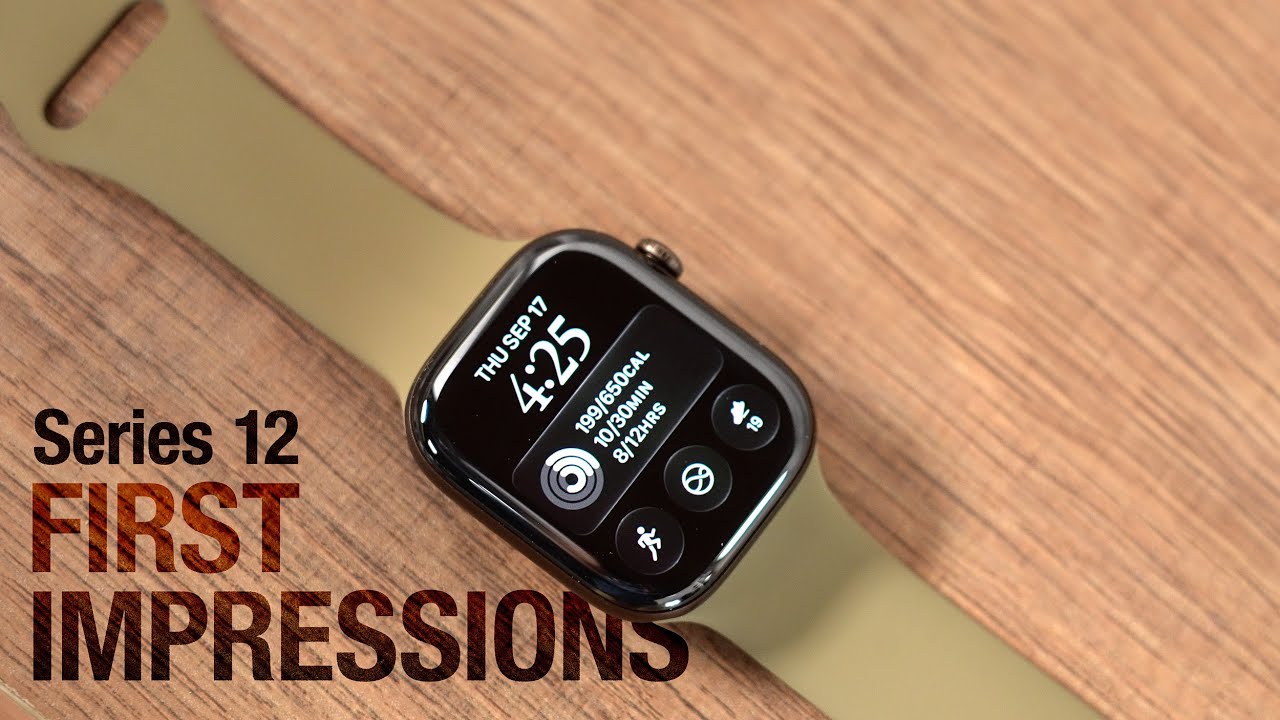
Apple Watch Series 12 Review

- STAY CLOSER TO YOUR HEART HEALTH—The most accurate heart rate sensing in a wearable,* Series 12 now measures HRV as often as every five minutes for insights on stress and recovery, and takes background heart rate readings every five seconds.
- A FULL-FEATURED HEALTH TRACKER—Better understand your body with invaluable health insights. View your overnight health metrics with the Vitals app and get a daily sleep score,* track your menstrual cycle,5 and take readings of your blood oxygen.*
- CHECK YOUR READINESS FOR THE DAY—Know when to rest or put yourself to the test. The readiness experience can help you determine your capacity to take on the day by analyzing your recent activity, vitals, and sleep.
- A POWERFUL FITNESS TRACKER—With advanced metrics and motivating features like Pacer, Heart Rate Zones, and Workout Buddy powered by Apple Intelligence from your nearby iPhone8—Series 12 helps you stay active, from running to hiking to strength training.
- KEEP HELP CLOSE AT HAND—A smartwatch that puts your safety first. Series 12 can detect a hard fall or severe car crash, automatically help connect you with emergency services, and notify your emergency contacts.*

The New Health Sensing System: What Actually Changed
The bottom of the Apple Watch Series 12 looks different from the Series 11. Instead of two electrodes simply arranged across the watch back, the Series 12 has 32 electrodes arranged in a ring pattern, with redesigned photodiodes and larger green LEDs filling the space between them.
This matters because more electrodes means better skin contact. Better skin contact means more accurate readings. And more accurate readings taken more frequently means the health picture the watch builds of you over time is more complete and more trustworthy than before.
The green LEDs specifically enable the heart rate reading every 5 seconds. Larger, more efficient LEDs can sample faster without significantly draining the battery.
Apple calls this the most accurate heart rate sensing system they have ever put in a wearable, and the hardware changes behind that claim are real rather than marketing language.
Readiness: The Feature That Changes Your Mornings
Every morning when you wake up, the Apple Watch Series 12 gives you a number between zero and ten.
That number is your Readiness Score. It looks at everything the watch recorded while you slept — your heart rate, heart rate variability, the quality of your sleep stages, and how much physical activity you have accumulated over recent days. From all of that, one clear message emerges. Are you ready to push hard today, or does your body need to take it easier?
The score comes with one of four labels. Recover means rest is what your body needs. Pace yourself means light activity is fine but nothing intense. Maintain means a normal day is appropriate. Push means your body is ready for effort.
Here is what makes the Series 12 Readiness Score different from similar features on other devices. It does not give you one number in the morning and then stay fixed for the rest of the day. It updates continuously as the day goes on.
If your morning score was seven but you spent three stressful hours in back-to-back meetings and ate lunch late, the score reflects that by mid-afternoon. You are looking at how you feel right now, not how you felt when you woke up six hours ago.
For anyone who has ever started an evening run feeling confident and, halfway through, discovered their body had other ideas, this updated score is genuinely useful information.
Audio Intelligence: The New Feature Nobody Expected

Most Apple Watch upgrades focus on health metrics. The Series 12 introduces something different.
Audio Intelligence uses the S11 chip and the watch’s microphones to listen for specific sounds around you and notify you when it detects them. Sirens. Smoke alarms. Doorbells. Traffic. Alarms going off in a building.
This is specifically designed for people who wear earbuds with noise cancellation for much of the day.
When you have noise-canceling earbuds in, and your watch detects a fire alarm in the building, a gentle tap on your wrist and a notification tells you something is happening around you that you need to pay attention to.
For parents working from home with earbuds in. For anyone who works in a noisy environment and wears hearing protection. For people who are partially deaf or who use the watch alongside hearing aids.
Audio Intelligence is the feature that makes the watch genuinely safer for daily life rather than just more informative about health.
Ceramic Is Back — And Worth Noticing
Apple introduced the ceramic Apple Watch in 2017. It was a polarising choice — beautiful, scratch-resistant, and expensive. Apple discontinued it in 2020.
It is back for the Series 12.
Ceramic is harder than stainless steel and harder than titanium. A ceramic Apple Watch case does not accumulate the surface scratches that appear on aluminum over months of daily wearing. The finish stays looking new longer than any other Apple Watch material.
The ceramic Series 12 comes in a white finish that looks unlike any other smartwatch currently available. It is the choice for buyers who want the Apple Watch to look like a piece of considered jewellery rather than a piece of sports equipment.
It is also significantly more expensive than the aluminum version, which is a trade-off worth knowing about.
For most buyers, the aluminum Series 12 is the right choice. The ceramic is for buyers who specifically want that material for aesthetic or durability reasons.
Sizes and Who Each One Suits
The Series 12 comes in 42mm and 46mm.
The 42mm suits wrists below 6.5 inches. It is lighter, slightly less prominent on the wrist, and the display still shows everything you need to see. For women and anyone who prefers a smaller watch profile, the 42mm is the natural choice.
The 46mm suits larger wrists and anyone who specifically wants a larger display for easier reading. The difference in display size makes notifications, health data and app content slightly more readable at a glance.
Both sizes run the same software, have the same sensors, and produce the same health data. The choice is purely about wrist size and personal preference.
Battery Life: Honest Assessment
The Series 12 charges faster than the Series 11. Apple describes it as fast-charging capable, and in daily use, the watch reaches a full charge more quickly than before.
In terms of battery life, expect 18 to 24 hours of typical daily use with the always-on display enabled and sleep tracking running overnight. This means the watch needs charging once per day for most users.
The typical routine is to put the watch on the charger for 30 to 40 minutes during your morning shower and get through the full day and night on that charge.
This is the same daily charging reality that Apple Watch has always required. The Series 12 does not fundamentally change that. The faster charging makes the routine slightly less demanding than before.
What the Series 12 Does Not Have
Blood pressure monitoring on the Series 12 still means hypertension trend alerts rather than a real-time blood pressure number. Apple will alert you if your patterns suggest possible hypertension, but the watch does not show a reading like 128/82. That is the same situation as the Series 11.
Blood glucose monitoring is not here. Apple is working on this technology but it is not ready for this generation.
Touch ID fingerprint authentication did not make it into the Series 12. You still use the passcode or wrist detection to unlock.
These are limitations worth knowing before buying. They do not affect what the Series 12 is genuinely excellent at. But buyers expecting these specific features will not find them here.
Series 12 vs Series 11: Should You Upgrade?
| Feature | Series 11 | Series 12 |
|---|---|---|
| Chip | S10 | S11 |
| Heart rate frequency | Every 5 minutes | Every 5 seconds |
| HRV frequency | Every 2 hours | Every 5 minutes |
| Readiness Score | No | Yes, updates all day |
| Health Age | No | Yes |
| Audio Intelligence | No | Yes |
| Ceramic option | No | Yes |
| Electrodes for ECG | 2 | 32 |
| Charging | Standard | Faster |
| Design | Same | Same |
| Blood pressure | Hypertension alerts | Same |
| Blood glucose | No | No |
Series 11 owners with no specific health goals may find the upgrade less urgent. The biggest reason to move from Series 11 to Series 12 is the Readiness Score and the higher-frequency heart rate data that powers it. If daily recovery guidance and more precise health monitoring are important to you, the Series 12 provides that. If you are satisfied with what your Series 11 tells you, waiting until the Series 13 is reasonable.
For anything older than Series 10, the S11 chip, the new Health Sensing System, and the Readiness Score together make a compelling case to upgrade.
For a broader look at how the Apple Watch Series 12 fits within Apple’s full lineup alongside the Ultra 4 and SE 3, the full guide at best-apple-wearables covers every current Apple Watch in detail.
Who Should Buy the Apple Watch Series 12

You use an iPhone and want the best mainstream Apple Watch available. You want more accurate heart rate data than any previous Apple Watch has provided.
You specifically want the Readiness Score to guide daily energy management. You have hearing protection or noise-cancelling earbuds as part of daily life and want Audio Intelligence keeping you aware.
You are upgrading from Series 9 or anything older. You want the ceramic option for its durability and appearance.
Who Should Not Buy the Series 12
You are expecting real-time blood pressure readings — the Series 12 still only provides hypertension trend alerts. You specifically need blood glucose monitoring — it is not available yet on any Apple Watch. You use Android — the Series 12 requires iPhone. You own a Series 11 and are satisfied with your current health data — the upgrade is not urgent for you. You want the longest possible battery life without daily charging — the Garmin Vívoactive 6 at eleven days or Amazfit Active 2 at ten days serve that specific need better.
For a closer look at how the Apple Watch Series 12 compares against the Samsung Galaxy Watch 9 and Google Pixel Watch 5 for Android and cross-platform buyers, the full guide at best-smartwatches-under-300 covers the full smartwatch landscape in detail.
Full Specifications
| Feature | 42mm | 46mm |
|---|---|---|
| Launch | September 18, 2026 | September 18, 2026 |
| Chip | S11, 64-bit dual-core | Same |
| Display | Always-On Retina LTPO3, 2,000 nits | Larger, same spec |
| Materials | Aluminum, Titanium, Ceramic | Same |
| Heart rate | Every 5 seconds | Same |
| HRV | Every 5 minutes | Same |
| Electrodes | 32 for ECG | Same |
| Readiness | Yes, updates throughout day | Same |
| Health Age | Yes | Same |
| Audio Intelligence | Yes | Same |
| Battery | 18 hours, fast charge | Same |
| Water resistance | Swim-proof | Same |
| Connectivity | 5G, Bluetooth 5.3 | Same |
| Compatibility | iPhone, iOS 27 | Same |
FAQs
What is the difference between Apple Watch Series 12 and Series 11?
The most significant differences are in the health sensing hardware and the features it enables. The Series 12 has 32 electrodes for ECG compared with 2 on the Series 11, which improves skin contact and reading accuracy. Heart rate is measured every five seconds on the Series 12 compared with every five minutes on the Series 11, which is 60 times more frequent. Heart rate variability is measured every five minutes compared with every two hours, which is 24 times more frequent. These hardware improvements power two new features that do not exist on the Series 11: the Readiness Score which gives daily guidance on energy and recovery, and the Health Age score which compares your fitness data against typical values for your age group. The Series 12 also adds Audio Intelligence for sound recognition, a ceramic case option that was not available on Series 11, and faster charging. The S11 chip replaces the S10. The design and display are otherwise unchanged between the two models.
Is the Apple Watch Series 12 worth buying if you have a Series 10?
The answer depends on how you use the watch. The two biggest upgrades from Series 10 to Series 12 are the Health Sensing System and the Readiness Score. If you currently use your Series 10 primarily for notifications and basic daily health tracking, the upgrade provides meaningful but not urgent improvements. If you specifically want the Readiness Score to guide your daily energy management and recovery decisions, that feature requires the new Health Sensing System hardware and cannot come to older models through a software update. The S11 chip also provides a noticeable speed improvement in daily interactions compared with the S10. For Series 9 owners or anything older, the combined improvements in health sensing, Readiness, Audio Intelligence, and chip performance make the Series 12 a more compelling upgrade.
Does the Apple Watch Series 12 measure blood pressure?
Not in the way most people mean when they ask this question. The Series 12 does not display a blood pressure reading like 128/82. What it provides is hypertension trend monitoring — the watch analyses patterns across 30 days and sends an alert if those patterns are consistent with possible hypertension, recommending you see a doctor for a proper blood pressure test. This is the same feature that was available on the Series 11. Real-time blood pressure measurement, where the watch gives you a number on demand, is not available on the Series 12. Apple is working on this technology but has not confirmed when it will be ready. For buyers who specifically need wrist-based blood pressure readings, the Samsung Galaxy Watch 9 provides trend monitoring through Samsung Health with compatible Samsung phones.
Luis Cooper

Hi, I'm Luis, the guy behind this site. I love wearing watches, especially ones that look great on small wrists (mine are about 6.3" around). The Watches Geek is dedicated to helping you learn about and buy watches that you will love wearing. I want this website to be the last destination for people to pick the best watches to fit their needs. You can find our unbiased reviews here on Thewatchesgeek.